These are all groupings of media, but they aren’t all available in all Library types. Plus - tagging is different between Movies and TV Shows. Why is this?
I want to create a grouping called “Regency” to collect all my media that is TV Shows and Movies related to the Regency Period. I could not find a consistent way to do this across my media. Suggestions?
Yes, I see that. But in Movies, “Collections” is at the top. In TV Shows, not. Also, there’s no bulk add in TV Shows. It’s super-inconsistent. They’re still separate Collections. I want one grouping. Maybe asking too much.
And I need to say thanks, because you’ve gotten me closer.
I’m unclear where you see this. Can you provide a screenshot of what you mean? The “Collection” tab should be at the top of the page for both as is the option for “Add to Collection”.
Also, there’s no bulk add in TV Shows.
Yes there is. In the library, hover over the show and you’ll see a circle appear in the top left of the poster. Use that to select the shows you want. Once you select at least 1, a menu will appear along the top with an “add to …” option.
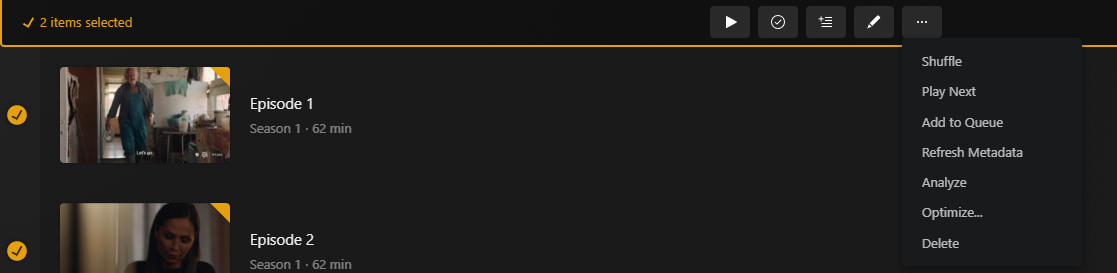
You are trying to add episodes to a collection. You can only add movies, albums, shows. Not seasons, and not individual episodes
Edit: I think you may be able to technically add a episode or season by clicking the “add to” button in the top middle of your screenshot but i think that may be a bug it even shows for episodes/seasons
Playlist = a saved list of things intended to play back to back Queue = a temporary list of things played back to back. Watchlist = a list of movies or shows you want to remember watch in the future, like a bookmark for later. Possibly things you don’t even have in your server libraries yet. Collections = A group of related movies, shows or albums. Like a Star Wars Collection which might include the movies, TV shows and soundtracks albums.
That is unfortunately correct. The web browser caches the information on if any collection exists, so you have to wait for the cache to update. Refreshing the page would make it appear right away.
In the “Library” view, you cannot take actions on a folder.
Folders are not an actual object in Plex. They are there just as a way to view your content. You cannot do anything to a folder.
The “circle” shouldn’t have to be discovered on a hover. Why isn’t it visible?
This way, the poster stays cleaner. We show a few other things when you hover over it too.
there is no “Add to…” option
As mentioned above, wrong button. You want the one in the middle.
Thanks for the explanations…it seems unnecessarily complex and a lot to learn and retain, because these distinctions are not easily discoverable in the UI. Here’s my next problem:
Two collections with the same name in TV Shows? I want one dang grouping with all my TV Shows and Movies (and maybe images and music!) in it. Now I have three Regency Collections. One in Movies, and two in TV Shows.
Sorry, that’s not possible. Plex enforces media types so you can’t have things mixed up like that. Maybe someday in the future.
To expand, Plex can only group similar items. So movies, shows, seasons, or episode. In your example above, it looks like the first one is a Collection of episodes and the second one is a Collection of shows (1 show).



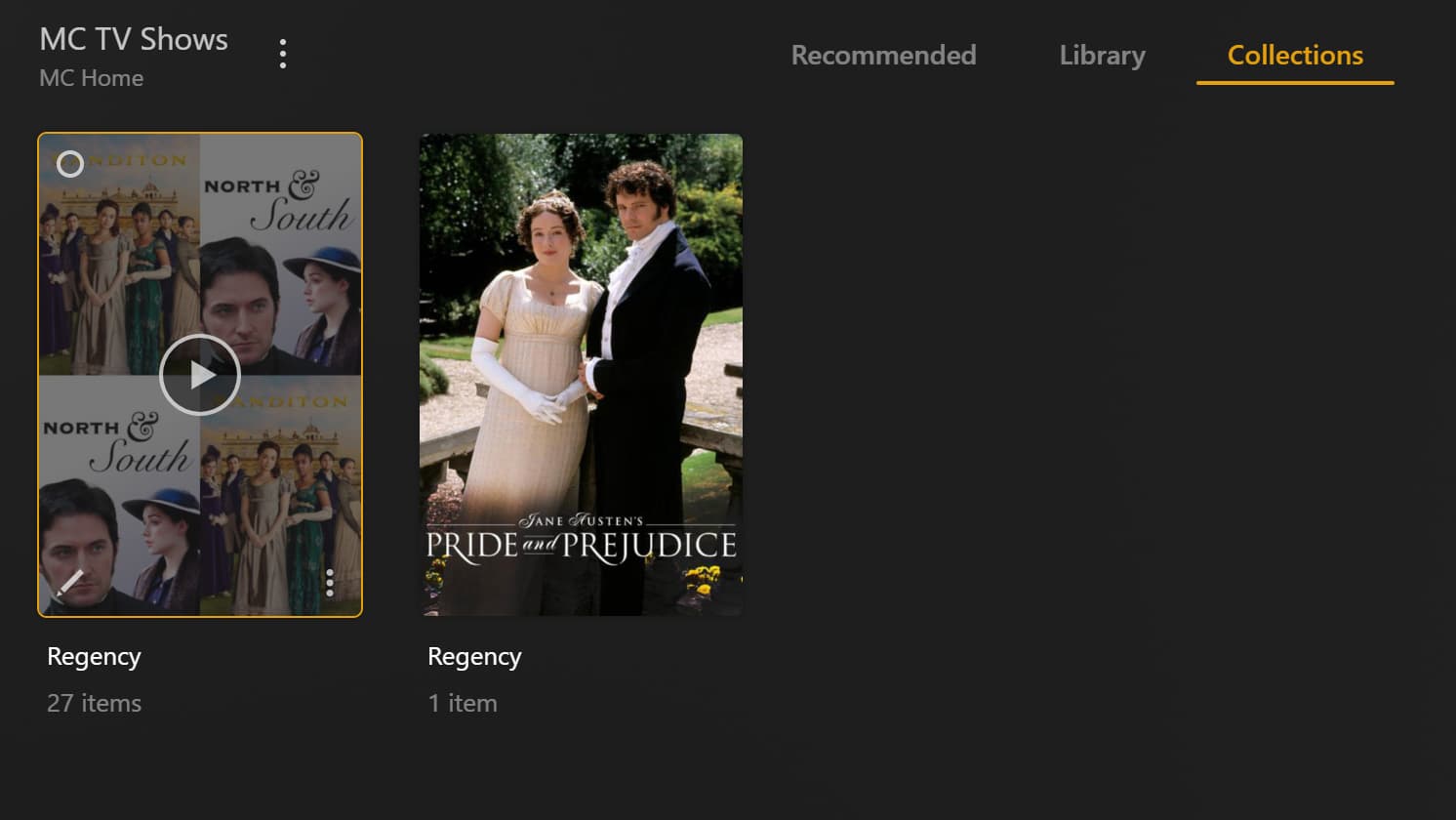
 I want one dang grouping with all my TV Shows and Movies (and maybe images and music!) in it. Now I have three Regency Collections. One in Movies, and two in TV Shows.