Hi, I’m hoping someone can help me here, it’s really confusing. I know it’s something I’ve done, but can’t figure it out!
I’m putting TV shows into collections. They’re all named the same in the folders (as far as I can tell), but for some reason it’s creating two collections with the same name.
The only difference I can see is that one collection has “seasons” underneath its title, while the other one has “shows” underneath its title!
Also, if I go into edit the shows themselves, the one listed as “show” has the following areas to edit:
General, Tags, Sharing, Poster, Banner, Background and Advanced.
Whereas the show listed as “season” only has:
General, Poster, Background and Info.
So again, I’m sure it’s something I’m doing wrong, but I can’t for the life of me figure out what!
Thank you in advance!
I’m wondering, is the lack of response here due to me not being clear, or me being confusing (which is a real possibility!), or just that no one knows the answer?
Will it help if I took a screenshot of my issue?
Almost certainly! Or at least, it definitely won’t hurt.
Do you mean that you are putting the TV Shows into a TV-Shows type library? In Plex, Collections are groupings of items based on their meta-data. With recent updates, the system has been automatically adding shows into collections - sometimes it gets it wrong.
I also had multiple items showing for the same show. I ended up disabling the display of in-line collection items by going to the library’s advanced settings and scrolling down to the bottom.

See here for more info: https://support.plex.tv/articles/201273953-collections/
Okay, I’ve had to take photos, as screenshot isn’t working right now!
So, in this pic you can see I have 7 collections under Kids TV Shows. However, if you look underneath each collection, 5 are listed as ‘Shows’, while 2 are listed as ‘Seasons’

Now, I have uploaded both Mandalorian and Book of Boba Fett to put into the Star Wars Collection.
Mandalorian gives me the option of adding it to the 5 collections that were listed as ‘Shows’, while Boba Fett is only allowing me to add it to the 2 collections that were listed as ‘Seasons’
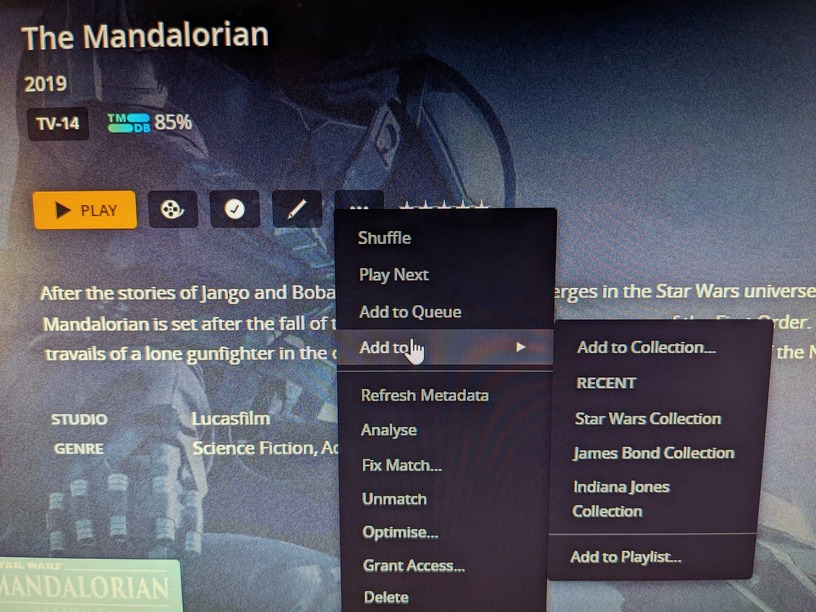
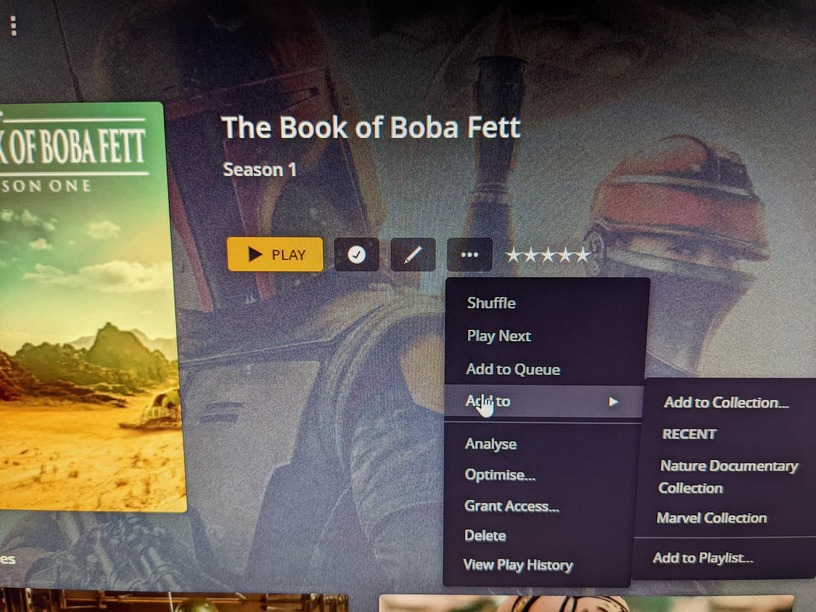
The only other difference between the two that I could see (and they’ve been identically labelled in their files) is the following, when I go into the editing boxes, I have very different options for editing:
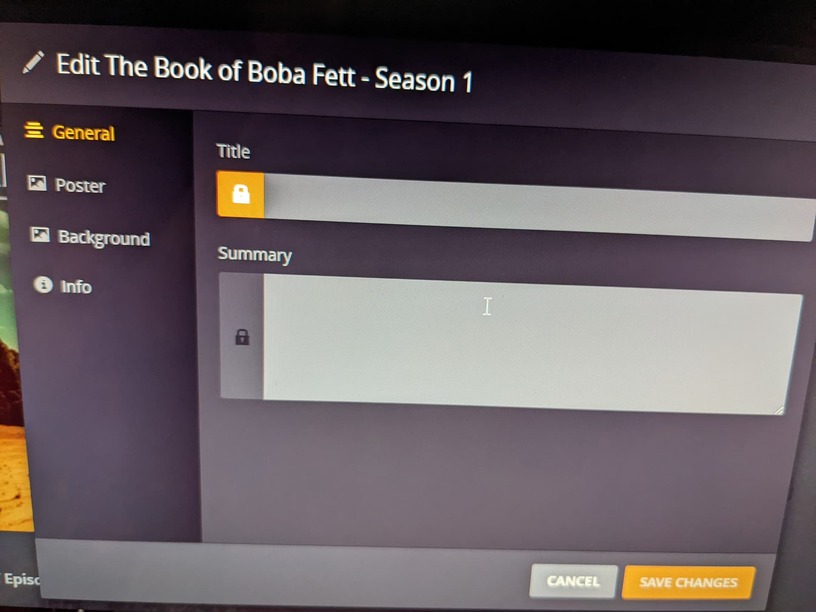
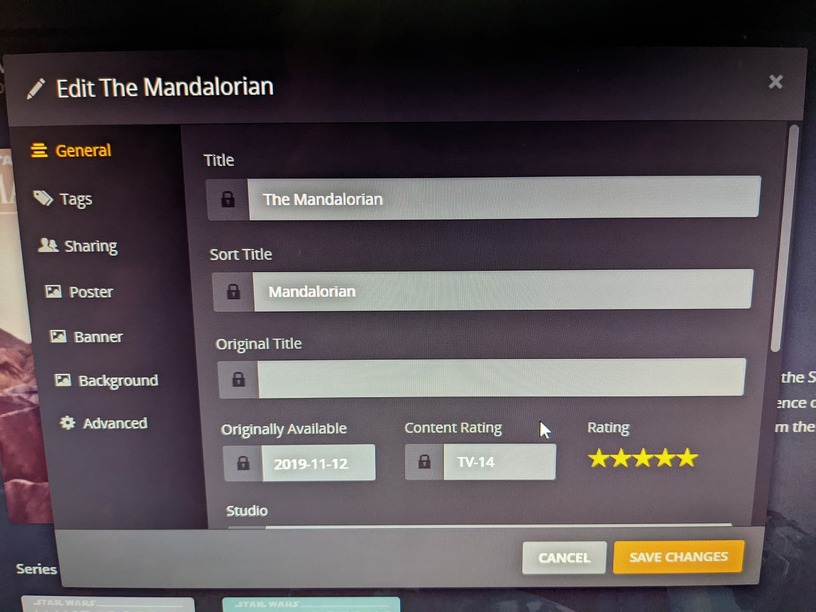
I hope this is making sense. And if these pics are rubbish, then I’ll have to get my laptop to get the screenshots working!
Oh, and thank you for your replies! Much appreciated.
For The Mandalorian you are looking at the Show level, but for The Book of Boba Fett you are looking at the Season level.
In the The Book of Boba Fett screenshot, it clearly shows Season 1. Click above Season 1 on The Book of Boba Fett to go to the Show level.
There are Library and per-show settings for whether Plex shows “Season 1” for shows with just one season:
At the Library level, Manage Library → Edit → Advanced → Seasons, with options including Show, Hide for single-season series, and Hide.
Or at the Show level, Advanced → Seasons, with options including Library default, Show, and Hide.
I’ve never used Season collections. They are a bit weird, I agree.
Ah, yes, I see that. Never noticed the different levels like that before. Thank you. It’s weird how it defaults like that on the main page.
If you are clicking in the section labeled Recently Added, it tends to combine all the new episodes into a single season, then tell you that you added one “season” of that show. So if you click on that label, it will go to that single season that was just added. If you hide seasons for single season shows, the Season level and the Show level look pretty identically, but are still different pages.
The reason it acts differently here is simply because of the difference between adding a single season at once, or multiple. For single seasons, you will be taken to the Season that was added. For multi-season additions, it doesn’t make sense to go to any one season when clicked, so it has to show you the Show level.
Yes, that makes sense. I was using the recently added section.
Thanks!
