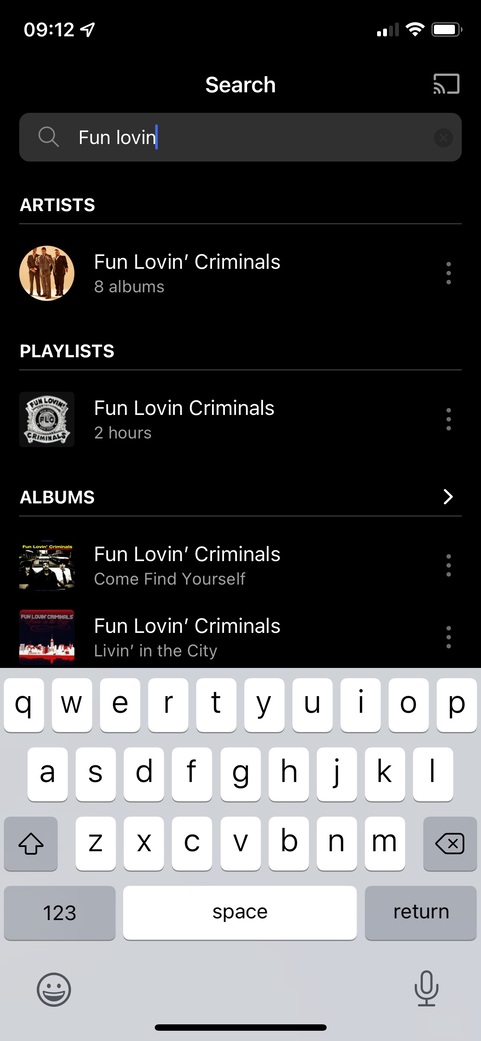
Been a Plexamp user for a while now and am having trouble getting Siri to play specific playlists. Other commands work fine (perfectly! ) like Play, Play a certain track/artisit, Pause, Resume, Stop etc. but if I ask Siri to play a playlist title it will either play a (seemingly) random track that isn’t in the playist or play a track from the correct artist but not load the correct playlist.
I think I’m right in thinking playlists are supported with Siri, aren’t I?
iOS/iPadOS#:15.1
Server Version#: 1.24.5.5173
Player Version#:3.8.0
Thanks Elan,
Log is attached. I did a few Siri commands - play album, play artisit, play song - all worked as they should except the playlist… Plexamp.log (541.6 KB)
These are the commands it recognized as playlists:
Nov 09, 2021 07:43:00.789 [Javascript] INFO - Player: processing voice play Fun Lovin' Criminals of type 15 (artist: undefined album: undefined genre: undefined mood: undefined) start undefined end undefined.
Nov 09, 2021 07:43:40.745 [Javascript] INFO - Player: processing voice play Anne car of type 15 (artist: undefined album: undefined genre: undefined mood: undefined) start undefined end undefined.
Nov 09, 2021 07:44:00.015 [Javascript] INFO - Player: processing voice play Foo Fighters of type 15 (artist: undefined album: undefined genre: undefined mood: undefined) start undefined end undefined.
If you search for “Fun Lovin’ Criminals” or “Anne car” or “Foo Fighters” does Plexamp show a playlist by that name?
i tried it for a few playlists in my library and it worked. it’s possible the issue is the ambiguity between the name of the playlist and e.g. an artist (“foo fighters”). i’ll check again.
Yeah that’s what I thought too at first but I’ve got other playlists with more generic names that still don’t play correctly.
It seems like the vocal input for a playlist is playing a selection of tracks with the same keyword in their album, song title or artist rather than playing the playlist itself.
After a bit more playing around with my library and playlist titles, I’ve found that if I use the phrase ‘shuffle’ rather than ‘play’ everything works as expected. Nine times out of 10 I shuffle playlists anyway so this isn’t a problem but I’m still not sure what the problem is (if there even is a problem).
Just as an aside…I mainly use Siri when in the car using CarPlay, the improvements in 3.8.2 are fantatstic, but one thing I’ve noticed in the last few days is that Now Playing no longer loads on startup, I get the Plexamp home screen instead. Is there a setting related to this or should it happen by default?
Ah I see, yes the icon is there.
Personally, it was a welcomed change as I preferred it when Now Playing launched on startup meaning the last tracked played where it left off.
Any thoughts on whether this could be a feature for turning off/on in a setting somewhere?
Yep of course, appreciate that but unfortunately I don’t have a touchscreen in my car so navigating to the Now Playing icon on the Plexamp homescreen then the Play icon takes a number of steps using the joystick wheel. Obviously it’s only a few extra seconds but it was much easier for that to be done on-launch without me having to interact.
I understand that not everyone will want the last song played when they get in the car, so it’d be annoying having to navigate back to the homescreen from the Now Playing screen but just thought it might be a handy feature to turn on and off.
 ) like Play, Play a certain track/artisit, Pause, Resume, Stop etc. but if I ask Siri to play a playlist title it will either play a (seemingly) random track that isn’t in the playist or play a track from the correct artist but not load the correct playlist.