Please Fix your Metadata issue for TV shows

Have you ever started Plex server ‘As Administrator’?

If you did, some parts of your Plex data folder may have become ‘locked’ to a regular Windows user. Which then (among other things) makes it impossible for Plex to update meta data.
If you ever did this, you’ll have to reset all permissions of all files and folders and subfolder back to default.
Handy graphical tool for this: http://lallouslab.net/2013/08/26/resetting-ntfs-files-permission-in-windows-graphical-utility/
(only use while Plex server is shut down!)

A repair installation of Plex can’t hurt as well:

  • Stop/quit/end Plex Server with the tray icon
  • deinstall Plex Server with the regular ‘Apps’ control panel of Windows (do not use 3rd party ‘Uninstaller’ software like Revo etc.)
  • for safety, reboot Windows
  • download a fresh copy of the installation exe and install it

nope never started it as admin, tried a repair install then tried a reinstall, and now for some reason it’s deciding to find some of my shows, as it deletes another few shows metadata for no reason…

PMS has been acting up after this recent server update, it was like this with previopus versions but not this bad…

If you edit your anime library
https://support.plex.tv/hc/en-us/articles/200289266-Editing-Libraries
go to the ‘Add Folders’ tab
how many folder paths are in there?
If there are several, are there overlapping paths?

If there is only one in there, to which folder is it pointing?
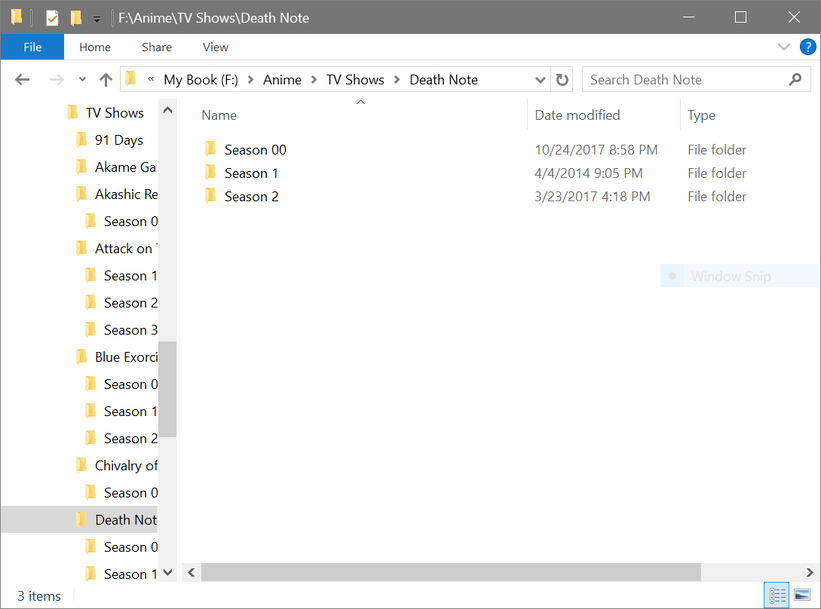
According to your logs, it should be only F:\Anime\TV Shows
Not just F:\Anime\

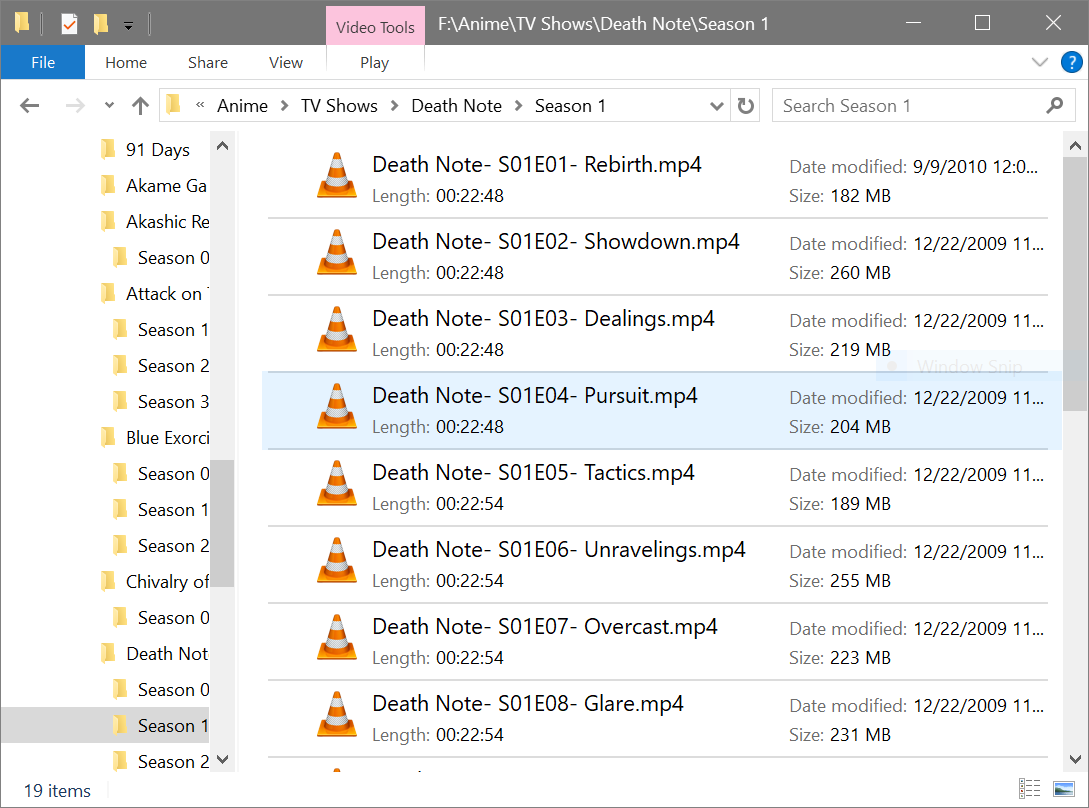
I see you have mostly .mp4 files.
Did you re-arrange your metadata agents, so (spammy/nonsensical/wrong) embedded metadata in these mp4 files cannot interfere with the matching process?
If you did not, I recommend doing this:
Go to

  • Settings - Server - Agents - Shows - TheTVDB

In there, grab the line ‘Local Media Assets’ with your mouse and drag it downwards, so it ends up being at the bottom of the stack of active agents.
Repeat the same under

  • Settings - Server - Agents - Shows - TheMovieDatabase
  • Settings - Server - Agents - Movies - Plex Movie
  • Settings - Server - Agents - Movies - TheMovieDatabase

Looks like something has created some kind of ‘shadow copies’ of your files:
I have seen this kind of thing before, but I cannot remember anymore which software was responsible:

Jul 25, 2018 15:25:31.436 [11572] DEBUG - Adding file for scanner: "F:\Anime\TV Shows\InuYasha\Season 02\InuYasha- S02Ep02.mp4"
Jul 25, 2018 15:25:31.436 [11572] DEBUG - Adding file for scanner: "F:\Anime\TV Shows\InuYasha\Season 02\._InuYasha- S02Ep02.mp4"

F:\Anime\Tv Shows\Attack on Titan\Season 01\Attack on Titan - S01Ep01 - title.mp4
F:\Anime\Movies

yes those phantom files were created when I had it attached to a Mac and it likes to create them regardless that i get rid of them, I’ve retired my old Macbook pro it’s nearly 10 years old with an intel Core 2 Duo now running Kali Linux on it I had to buy a new drive and move everything over because my last ext drive was failing got all my media in time before it crashed and my new system I recently built with a Ryzen 1500x to take it’s place.

Wait, these paths are not what is input in the properties of your anime tv show library, right?

I’ve re titled them that way,
the weird part is my normal TV Shows are fine just not my Anime shows and they’re titles the same way

Sorry, I don’t understand.
I was asking you what shows up on the ‘Add Folders’ tab in the properties of your anime library.

F:\Anime\Tv Shows

here is what my library looks like

I will click on the one that doesn’t have the image but it has the episode titles and rest of the metadata with it but once I go to select an image nothing… it’s weird sometimes i’ll a show with all the metadata but the episode titles… it’ll just say -Episode 01 with the info of the episode.

It’s either on Plex’s end or the metadata sources end I have no idea but this is an obvious bug on either end…

earlier yesterday everything was fine then this happens out of no where.

here ya go, So far Plex has found most of my shows already, only a few shows aren’t loading up the metadata or the metadata is loaded but with no cover art to be found on them but the title, info, and episode titles has loaded up just not the coverart or wallpapers.

Plex just recently had another update a few hours ago btw so that may have somewhat fixed it…

Plugins no unless you mean TVDB or TMDB

Could you do a screenshot of this page please:

Settings - Server - Agents - Shows - TheTVDB

So far it has found everything but two of my shows, Plex is becoming a headache when it suddenly decides it wants to work…

Please disable the openmoviedatabase agent or at least move it completely to the bottom. It doesn’t work correctly.
Move ‘Local Media Assets’ completely to the bottom, just above the OMDB agent.

omg this is becoming a headache… I wake up in the morning and half my library in my anime tv shows section is missing it’s data… just when I thought everything was finally working since most my shows were found but two…

I honestly think their is a bug in Plex, it is not syncing up with TVDB at all properly someone isn’t fixing these bugs properly. or are fixing them but more bugs emerge, the wonderful life of coding..

Those shows had its metadata and now they’re gone, I have no idea what’s going on at this point…

Yes i disabled/moved the agents you asked me to thought I had OMDB disabled

Maybe you should disable this CCleaner. It makes more damage than good, hovering in the background and sweeping up every little temporary file and stuff.

One other thing: check which scheduled tasks you have activated.
Don’t activate them all. Particularly not if your media storage goes into sleep mode during the night or if your network is somehow put into some kind of power saving mode during the night.

I uninstalled CCleaner, I doubt that’s the cause I hadit setup to avoid plex and it wasn’t running on a scheduled maintenance.

Nothing is running is task scheduler, ( I checked anyways.) I recently had to reinstall Windows due to a buggy insider preview build update I had a couple months ago. (No not running off a preview build now), This bug has existed since December as i stated from the beginning just not as bad as it is now… But I find it odd how only my Anime TV SHows category is only effected but not my normal TV Shows atm, it was before but it hasn’t been effected for awhile… :confused:

here’s what my current setting look like
“X’s are Disabled, O’s are Enabled

[Library}
[O] Scan my library automatically
“Your library will be updated automatically when changes to library folders are
detected.”

[X ]Run a partial scan when changes are detected
“When changes to library folders are detected, only scan the folder that changed.”

{X} Scan my library periodically
Library scan interval- Daily
[X] Empty trash automatically after every scan
[X] Allow media deletion
“The owner of the server will be allowed to delete media files from disk.”

Weeks to consider for On Deck and Continue Watching -16
“Media that has not been watched in this many weeks will not appear in On Deck or Continue Watching.”

[X] Run scanner tasks at a lower priority
Generate video preview thumbnails - Never
“Video preview thumbnails provide live updates in Now Playing and while seeking on supported apps. Thumbnail generation may take a long time, cause high CPU usage, and consume additional disk space. You can turn off thumbnail generation for individual libraries in the library’s advanced settings.”

Generate chapter thumbnails- **As a Scheduled Task and when media is added **
"Chapter thumbnails provide images in the chapter view on supported apps. They can take a long time to generate and consume additional disk space.

Analyze audio tracks for loudness- Never
“Loudness analysis allows various features, such as loudness leveling and smart transitions. It can take a long time to complete when analyzing many tracks, and cause high CPU usage.”

Location visibility - Admin Only
“Server owners may wish to restrict who can see location names for items which contain geolocation metadata. By default only the server owner will have visibility of these.”

[Scheduled Tasks]

Time at which tasks start to run- 9:00pm
“The time at which the server starts running background maintenance tasks.”

Time at which tasks stop running- 2:00am
The time at which the background maintenance tasks stop running.

[O] Backup database every three days
Backup directory
“The directory in which database backups are stored.”
[O] Optimize database every week
[O] Remove old bundles every week
[O] Remove old cache files every week
[X] Refresh local metadata every three days
[X] Update all libraries during maintenance
[X] Upgrade media analysis during maintenance
[X] Refresh metadata periodically
[X] Perform extensive media analysis during maintenance
[X] Perform refresh of program guide data.
[X] Fetch missing location names for items in photo sections
[X] Analyze and tag photos


I just edited my firewall settings too and double checked them for PMS, see if that has anything to do with it as well.

Well I appreciate the help everyone, thank you, and apologies for my behavior if I came out sounding like a jerk in some of my posts, I’m sure you can understand my frustration with my issue on PMS. But I managed to get it working now, I scanned and refreshed each series individually, Library scan kept giving me problems, I’d scan, analyze, and refresh the library and it found some and some it found went into the unknown and lost its metadata.

But once I just refreshed each of my shows individually, some i had to refresh about 30-40 times to actually to get Plex to sync up with TVDB to get its metadata properly it worked out. stayed up until 6am to get each show synced up then slept like a log after i finished everything lol I can’t sleep if I have a problem in front of me keeps me up.

THanks again for the help guys!

Could it be that the TVDB site goes down on you in the middle of a large refresh? I’ve been on the site many times when it suddenly goes dead and I need to wait a few hours before it comes back up.

That could be it too, that happens to often when I try to go to the site as well we’re all crashing their servers trying to access the site at the same time, but it’s deciding to work now. They need another source other than TVDB and TMDB like trakt to access metadata from for whenever it fails like that again.