Plex-1.3.1.916 (stable) on iMac 10.13 x86_64, en_US
PMS-1.17.0.1709 (beta) on QNAP 451+ x86_64, QTS-4.3.6.1050 (stable)
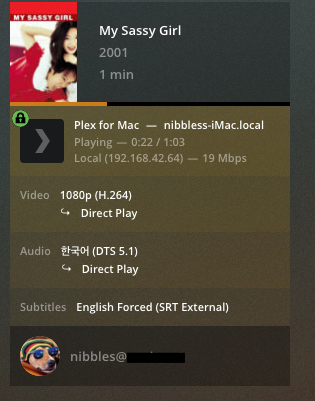
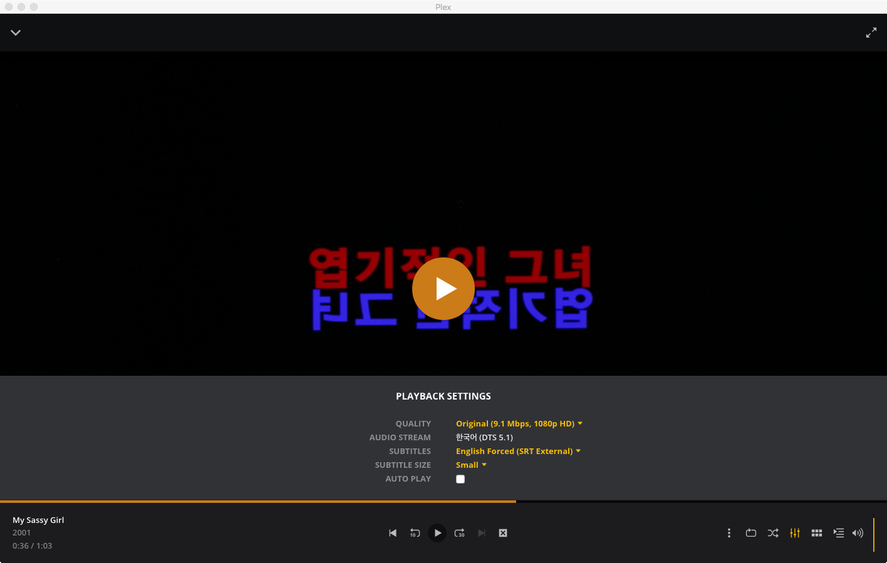
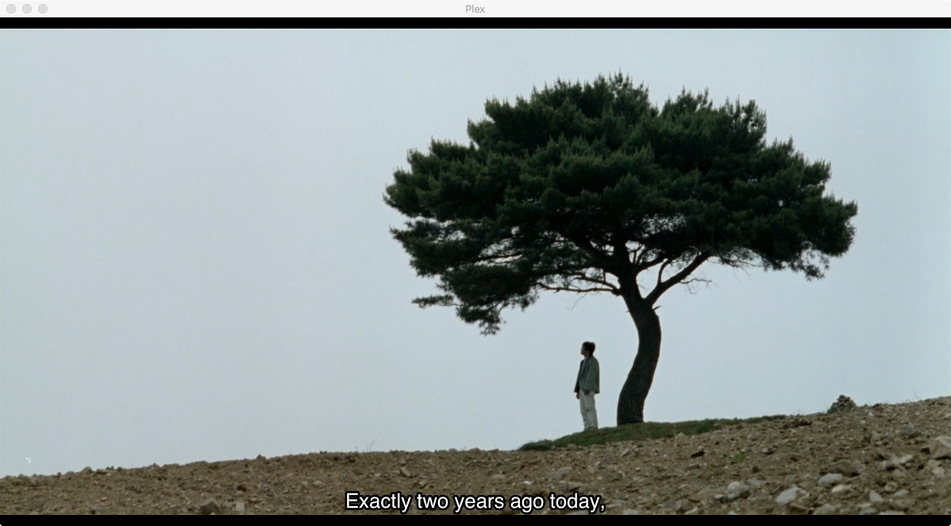
Summary: On an iMac doing local Direct Play, when an H264 mkv has both an External SRT and one or more embedded PGS subtitle tracks, no automatic logic nor preplay screen choice will make the external SRT appear. The PGS is always chosen and gets displayed, while the Player claims it’s playing the External SRT.
Workaround:
- Mac: choose the external SRT while the film is playing
- Windows: none
I expected the External SRT to play because:
- I manually chose it at the pre-play screen by switching to
Nonethen back toEnglish Forced (SRT External) - My filenames exactly match the Plex naming scheme
- Films have their own separate library
- The same SRT will play fine when there’s no PGS embedded
- I have set:
English Audio, English subtitles shown with foreign audio - I have set:
Prefer non-hearing impaired subtitles, Prefer forced subtitles - The external SRT is
Forcedand isUTF-8 - The embedded PGS sub is marked
defaultand languagekor - The directory containing only this film and SRT was Plex Danced
- I ran
Analyzeon the film after it was added - The database has no errors
- IPV6, DLNA, Remote access are off. Just a private LAN w/one subnet
- PMS is running smoothly with no other issues
- Playback works as expected in PMP (both modes)
/share/Video/Films/My Sassy Girl (2001)/My Sassy Girl (2001).mkv
/share/Video/Films/My Sassy Girl (2001)/My Sassy Girl (2001).eng.forced.srt
Sample Media File (70 MB)
My.Sassy.Girl.xml.zip (3.9 KB)
Plex.log (227.0 KB)
Plex Media Server Logs_2019-09-17_11-44-28.zip (29.5 KB)
The Configuration - choose External SRT on the pre-play screen

Server reports Direct Play of an External SRT
Player Settings claim it’s a SRT
What I saw

What I exited to see
While there are similar topics on the forums, this is reproducible.
Add my sample, scan, analyze, set automatic sub selection and hit play.
I verified that a completely different Russian film with embedded PGS
and external SRT shows the same failures, but I didn’t bother to upload it.
It was encoded by different people, using different software.
Thanks for reading!
