Server Version#: 1.40.1.8120
Player Version#:4.9.5
<If providing server logs please do NOT turn on verbose logging, only debug logging should be enabled>
Ok, I’m totally fascinated by Sonic Sage. I get it - at under 10k songs, I don’t have a substantial library.
Here’s the prompt I used:
“A playlist of epic cinematic music based on hans zimmer and what I have in my library. Some of the track names are very close - some of the artists have a limited selection of albums. Pick from what I have”
And it did. I came back with loads of music that I have.
Each track shows “Not found”.
Despite that, if I go into Plex web, search fro the sone, it comes up. Sure, I might have gotten the metadata wrong (via MusicBrainz Picard) once or twice.
But all of them? About 40-50% I don’t have…but I have about 50% of them. None of them were found.
I just tried the same query on my library and it matched perfectly.
Under the hood, it’s using the search endpoint on your server to try and match the AI response to what it can find in your library. If the results aren’t good enough, it’ll fail to match like in your screenshots.
As a starting point, I’d suggest optimising your database (from Plex Web: Settings > Troubleshooting > Optimise Database) and trying the Sonic Sage query again once the optimisation is complete.
Or try the exact same search (track and artist title) instead of just one word. If that doesn’t match then @aubrey.wodonga ’s suggestion will likely fix
So optimize database worked partially, before I used to get zero results, now I am getting some matches but not all. I tried the ones that I could not find directly in the search bar using the same format that I found in the log file and the web search returned positive.
I will wait until you can share with me the API endpoint for search, I will then do some API calls and see why some would match but not others.
Thanks!
Update:
Actually I can see the endpoint in the log file as well, few lines earlier.
I will try some tests
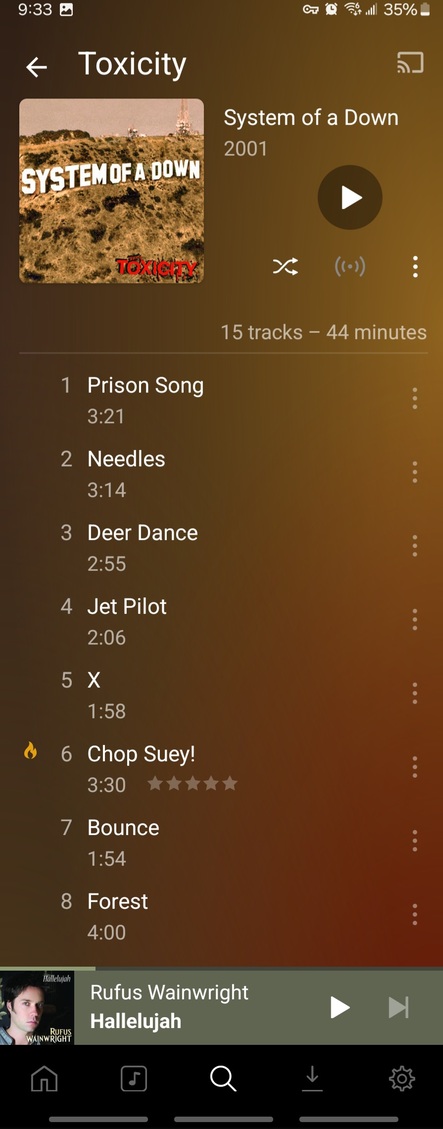
So the only two songs that did not match happen to have an album with the exact name as the song.
System of a Down - Toxicity
System of a Down - Hypnotize
Toxicity and Hypnotize are both album names AND song names.
Looking at the API results, when it matches an album it is only returning the album match and not the song(track) match as well, which is failing Plexamp to match it.
In case there is no conflict and the song name is unique, the API results clearly show the track in the response.
Check the attached logs please to see the difference, one returns a
You’re using OpenAI’s tools, right? You could build/cache a list of Songs/albums/artists (or just use the metadata) - and limit chatgpt to using only that list/data. Although, I’m assuming that’d jump the API costs quite a bit - maybe use the 3.5 model?
(and it’s okay to tell me I don’t know what the hell I’m doing. I’m not sure that I do…at all.)
Is there any update on this possible fix? This issue is very prevalent for me because singles are often titled the same as a track. So having singles and the album the singles are from can really cut back on possible matches.
I just downloaded a directory tree of my artists/albums/songs by using the terminal command: find . > directory_list.txt
I then uploaded this file into an Assistant in my OpenAI project. When I run queries against the assistant, it works perfectly. When I run them through the PlexAmp iOS app, it still returns songs I don’t own. I think this is because the API is not directly referencing the Assistant.
Feature Request: It would be helpful to have an optional place in the app to specify the OpenAI Assistant we’d like used. If it’s blank, process the request as you have been. If one’s entered, use the Assistant to process the request. Here is a link to Assistant API docs to get you (the Plex developers) started.
For those wondering, here’s the prompt I’m using with my assistant:
You are a famous radio DJ. You always speak in your radio voice. You create playlists based on the request of the user, but you must only include songs that exist in the file provided: directory_list_2024-06-27.txt. Do not include any citations or source references in your response. Try not to use the same musician more than once in a playlist, unless the user specifically requested an artist or artists by name. You only need to list the name of the song and the artist, like so:
[Name of Song] ([Artist]) or Losing my Religion (REM)
We don’t do that because (a) privacy and (b) when we tested on my 50k track library, the LLM still hallucinated tracks which weren’t in the library and (c) it’s a shitload of data to upload.
Wow, I just tried this before seeing the issues, and unless i specify specific artists, everything I get is “not found” i’ve read the topic above and with my knowledge of AI, how is this supposed to work if you have a small (14k tracks) library? I know there’s a warning that you should have a big library in app, but it doesn’t tell us what big means!
I have a 220k track library and still hardly get any matches, despite the tracks being in my library. I think the metadata is just too hard to manage. This feature would kind of make sense as a tidal only thing if its not planning on being improved. Totally understand if it’s out of scope to work locally. Disappointing, but fair.
I just stopped using it eventually, I understood Plex’s initial position on this perfectly well and it was given to us due to user pressures with no guarantee that it would provide the high quality output you would expect, there is just no practical way of having it achieve the pristine and satisfactory results we would want without having to sacrifice some privacy or having full access to all the music available through a streaming service. There are just too many variables to personal media, availability meta etc.