My plex app on windows is not opening, when I open the app it goes toe the taskbar however nothing opens, when I hover over it, it just shows a small blank screen above the task bar icon.
I have tried uninstalling and reinstalling plex, I have also trend uninstalling my latest windows update, all with no luck.
Any idea why this would be happening and how I can fix it?
I have the same problem with Plex for Windows not opening.
What is different for me is that is the app is not showing up in the task Manager and there is no black thumbnail on the task bar.
I have reinstalled the Plex app with no change in the outcome.
Generally happens on machines that have multiple screens where one of them isn’t always on. Think projector as 2nd screen or laptop on a dock.
The fix is:
Close Plex player.
Navigate to C:\Users{your account name}\AppData\Local\Plex
Edit plex.ini
Go to the end of the file and look for:
[ui]
windowX=897
windowY=381
windowWidth=1337
windowHeight=844
windowStates=0
screen=\\.\DISPLAY1
visibility=2
You can safely delete this entire set of config values. Plex will regenerate once you restart.
Plex incorrectly leaves x, y co-ordinates pointing to a screen that’s no longer there which results in the weird blank looking app (when trying to alt-tab to it).
Hello SledgeNZ,
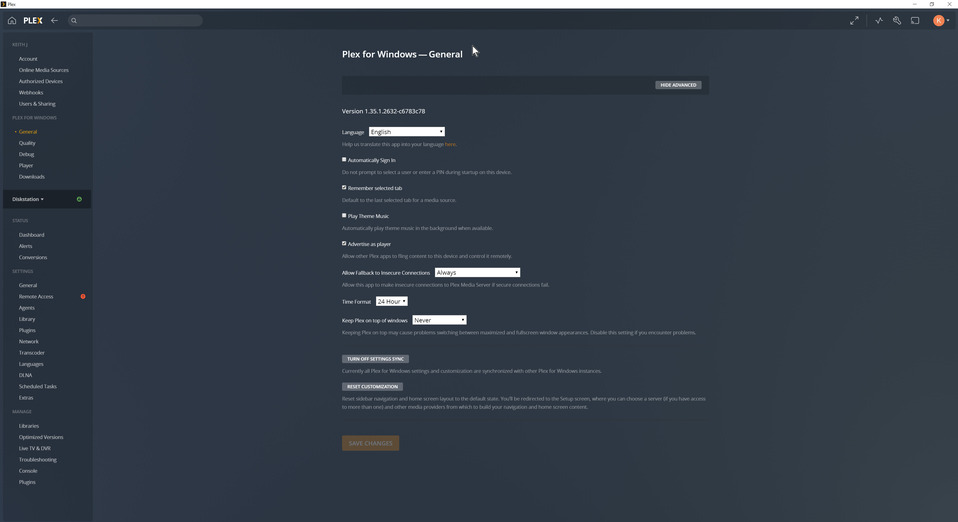
I found a solution by reverting the version of plex for windows.
The version that worked for me is 1.35.1.2632-c6783c78.
The current version, 1.39.1.2763-300bb607 still crashes.
Glad to hear the good news for you. I let mine update 1.4 and the issue is still present.
I have been looking for the auto update switch but can’t find it. By change do you know where this is located? Screen shots would be a huge plus for me.
Hi, the automatic update for the windows app should happen once the app is closed. Then upon reopening the app, you should get prompted for windows admin access for the installer to run.
I think the only thing I did was uninstall & remove appdata, then installed the lower version number. Then what happened in my previous post.
There is no way to turn off the auto update as far as I know, sorry