plex web version : 4.54.5
plex media : 1.22.3.4392
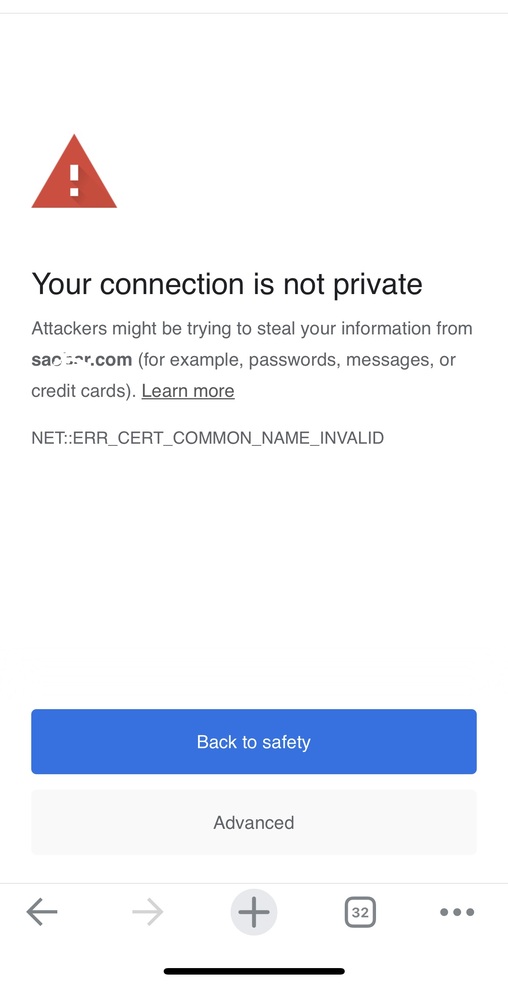
The server cannot prove that it is xxxxx.com. Its security certificate comes from *.9c6c47c319b44268b3cbcc19839b0958.plex.direct. This problem may be caused by a configuration error or your connection has been blocked.
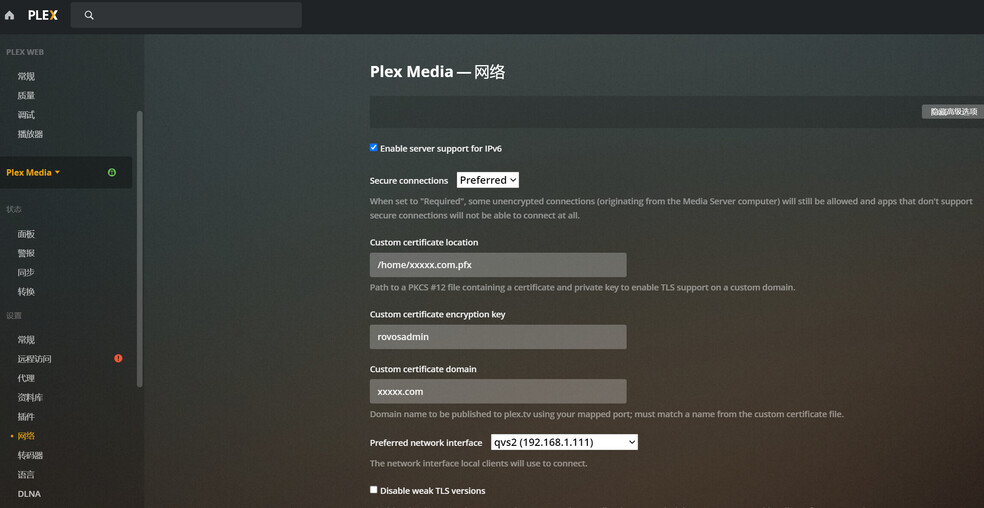
Install PositiveSSL for plex, other web can be installed normally, qnap nas can also be installed successfully, only this plex installation is unsuccessful.
Than you.
Settings → Server_Name → General
Settings → Plex Web → General
Also Authorized Devices.

Or just drag the pic into the editor window. It will insert at the cursor location.
Others can hopefully help with your certificate issues. I don’t use a custom certificate and have never configured one.
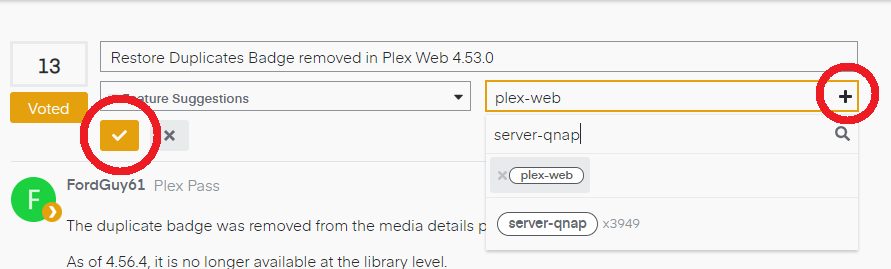
Add the server-qnap tag to your post, since that is where you are running Plex Media Server. It will get additional eyes on the thread. You should see a pencil icon to the right of the thread title. Click on it. You should then be able to add additional tags. When finished, click on the check mark in the orange box to save changes. Example below.
Good luck.
Example from one of my recent posts:
The installation of plex ssl was unsuccessful. It has been invading me for several days. I am about to lose interest in plex. Isn’t plex officially solved the SSL problem?
What’s the use of plex pass members? Problems can’t be solved.
Where is the official technical support? Doesn’t official technology solve the problem? There is no official service phone
You must also include the intermediate CA when creating the P12
I use Let’s Encrypt for my CA.
openssl pkcs12 -export \
  -out cartificate-name.p12 \
  -inkey domain-cert.key \
  -in domain-cert.crt  \
  -certfile "Acmecert_+O=Let's+Encrypt,+CN=Let's+Encrypt+Authority+X3,+C=US.crt"
What you’re doing here is proving the cert is from a trusted source. Plex won’t use a user-signed cert because it doesn’t prove anything.
If you only have issue with plex.direct on your LAN,
you must do one of the following:
- Create an exception rule in your DNS resolver (router/edge device) to allow
private domain: plex.direct
-or-
- Disable DNS rebinding
On pfSense, the exception looks like:
DNS Resolver rule:
server:
private-domain: "plex.direct"
so-reuseport: no
Don’t forget to have this same cert on the host itself.
Thankyou, What type of web server is plex used, apache or nginx?
I use pem to convert to pfx format
Pretty sure it’s NGINX-style but it is entirely home grown. They might have taken pieces from both NGINX and Apache for all I know.
I’ve looked at the code and know it’s not a traditional “web server”.
Using a PEM is fine as long as you have the intermediate CA included in the P12.
(This is what causes most users the most grief)
How to set plex.direct on RouterOS?
RouterOS IP: 192.168.1.1
IP—DNS—Static:
Is this setting correct? Thank you.
That’s not right. You’re trying to create a wildcard DNS entry with that.
It’s not the same as defining a domain exception rule.
This appears to take you in a direction.
https://forum.mikrotik.com/viewtopic.php?t=115330
Sorry,
I don’t understand why the plex official does not publish detailed graphic tutorials. Not everyone is a domain name expert.
There is no official documentation because of the plethora of variations available for purchase in the consumer space.
Under normal circumstances, modem/routers accept the DNS without issue.
Those which have DNS Rebinding Protection modes typically have:
- Ability to disable DNS Rebinding
-or-
- Means by which individual rules may be added for special cases.
Given the number of vendors and models available for consumer purchase, creating a complete list of all possible devices and use cases is not reasonable.
This is, unfortunately, a case of getting to the user forums for your modem/router choice and investigating.
In the link I provided, it appears to be consensus that MicroTik does not support user-defined DNS rebinding rule specification.
If MicroTik router is used, Can’t plex use ssl?