I’ve not seen many face this issue so would appreciate help from an employee if possible.
We have a server with a 1gbps uplink, whenever we try and stream a 4k file (20gb-100gb) plex bottlenecks the bandwidth so we end up watching a loading screen instead every few seconds.
My bandwidth is 350mbps, so it shouldn’t have an issue with pulling the file. We have tested the speed to the server locally and remotely, and can confirm it is not the server itself. Only when plex is trying to stream a file bigger than 20gb it locks the bandwidth to a fraction of the file. Is there anyway we can get plex to use the full bandwidth of the server?
Any help is appreciated.
Please don’t ask why we want to stream a large file over the network, this is irrelevant.
There’s multiple options that can cause this – none of those is related to the file size… they’re mostly about the average/maximum bitrate of the video.
Server side:
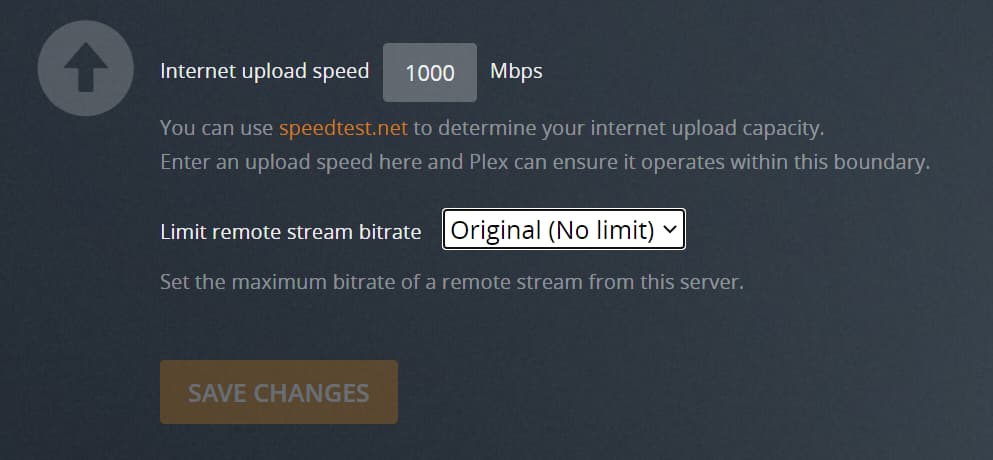
check if you have set limit to remote stream bitrates: Settings > [Server Name] > Remote Access > Limit remote stream bitrate
similarly… check if you have set parameter as the available upload speed: Settings > [Server Name] > Remote Access > Internet upload speed
Client side:
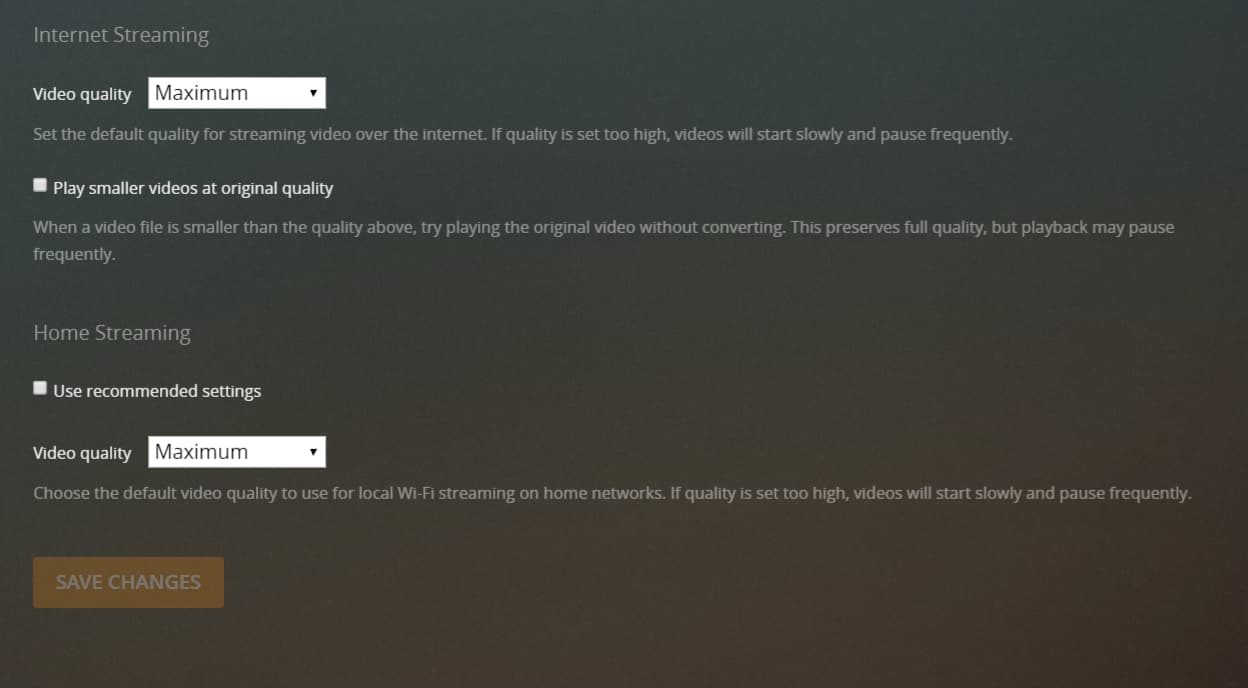
check your client settings for remote video streaming quality (e.g. via Plex Web Settings > Plex Web > Quality > Internet Streaming > Video quality or Plex for iOS Settings > Quality > Remote Streaming) → set this to Maximum or Original quality to ensure Plex will not limit the bandwidth/bitrate when streaming in such a setup
Keep in mind:
If your client cannot play the video as-is, you’ll also need to bring the power of your server to this equation. If the server can only transcode your file in a certain quality while keeping up with the stream, you won’t be able to get a higher bitrate.
However in that case you should have seen a different error message (e.g. “Your server is not powerful enough…”)
While the maximum bitrate can be (significantly) higher than the average bitrate… there should be sufficient room between the nominal 90 Mbps avg. bitrate to your available 350 Mbps download bandwidth on your end.
Keep in mind your stream will go through the internet… so ever player could potentially cap your particular stream. Have you already tested what bandwidth you’ll actually get between the 2 endpoints?
Also… how is that Plex for Windows client connected within your home network?
This can easily come down to a poor WLAN connection (e.g. due to distance to the access point, obstacles, interferences…). If you’re on a wired network… is the device directly wired to your router or do you let it go through some other switches/access points/…?
Indeed, even tautulli estimates around 180mbps to stream John Wick, my bandwidth of 350mbps should be enough.
We have tested this with no one else on the network to eliminate this as a factor. I and a colleague have tested the bandwidth between both our houses network and the server and it maxes out at our bandwidths limit (mine 350mps and my colleagues at 1000mbps)
The Plex client is directly connected via a wired connection to the router, not passing through anything else.