Remote access - streaming bandwidth - "bandwidth limit of 2000kbps"

Server Version#: 1.28.0.5999
Player Version#: Chromecast with Google TV / Roku / others

When streaming video content to some family members, their connection to my Plex server is being limited to 2 Mbps and I cannot figure out why. This impacts some but not all users.

My upload internet speed is 1 Gbps, and there is no strain on the server hardware. The users have fast and reliable wifi on their end.

I have tried everything I can think of or find online: tweaking the Remote Access, Network and Transcoder settings, putting the server behind a reverse proxy, using a CDN (Cloudflare) as the connection point with a custom domain, changing the port number… to no avail.

The users have their Plex clients set to download content at original quality.

Looking in the logs (attached) I find a line that tells me something strange is going on:

“Changing decision parameters provided by client to fit bandwidth limit of 2000kbps”

Where is the system finding this “bandwidth limit” of 2 Mbps? And why is it impacting some users but not others? There does not appear to be a pattern related to the client device being used, on/off home wifi versus cellular connection, the country or location of the user…

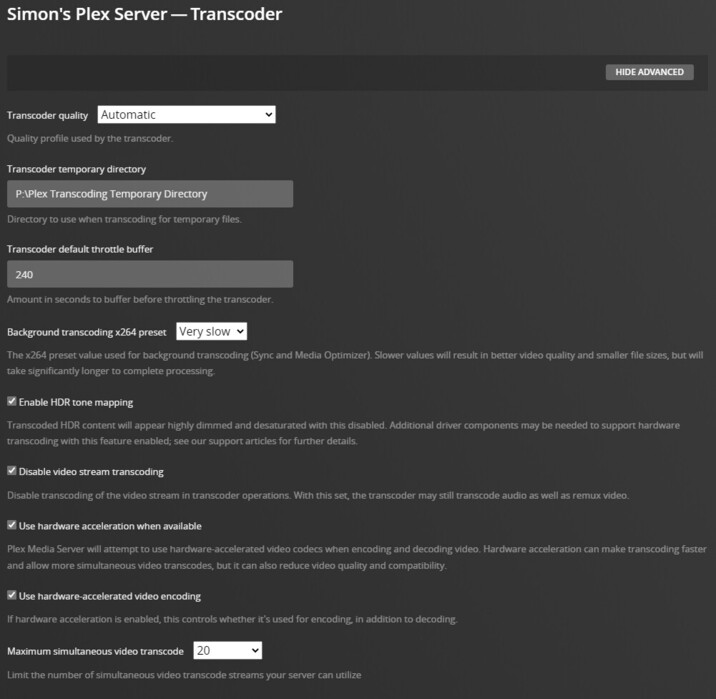
I’ve attached some screenshots of my server settings, a screenshot showing a video being played with this bandwidth limit, and the server logs showing the problem.

I greatly appreciate any help anyone can provide! Much appreciated in advance.


Plex Media Server 2022-08-10.log (33.1 KB)

The good news seems to be you’re not stuck with an indirect/relayed connection.
Have you already checked the video playback quality settings of the Roku (Settings > Video > Remote quality)?

Hi - and thanks so much for helping out.

Yes, we’ve tried changing the settings in the clients. It’s not just Roku devices that are experiencing this - it is also Chromecast, iOS apps on the iPhone and maybe others. Had it set to Original Quality, and various lower bitrates, but it has no impact.

I think the key is this line from the logs, which suggests to me that Plex is finding a 2 Mbps limit somewhere in the system:

Streaming Resource: Required bandwidth unknown (media requires deep analysis) Changing decision parameters provided by client to fit bandwidth limit of 2000kbps

A curiosity about it is that it is not impacting all users, just some. For example, when I stream content myself while off my local network, using the Android app, there appears to be no limit at all. I can stream 4K content with no transcoding.

Any other thoughts or ideas? I wonder is it possible this is a bug?

Simon

Here’s another example from the logs - same user, different video.

Streaming Resource: Calculated bandwidth of 5411kbps exceeds bandwidth limit. Changing decision parameters provided by client to fit bandwidth limit of 2000kbps

I ran another few tests, capturing logs on the client and server side. It is clear that there is something in the user profile that is driving this behavior - but it is something that is not adjustable by a user.

Logged in as myself (simonbolster), using the Android app on a Samsung phone, running off my network (so using mobile data), I played a movie. It streamed perfectly, Direct Play, full bitrate, no transcoding. This is shown in the attached log files “Client log simonbolster” and “Server log simonbolster”.

Here’s a screenshot of the Dashboard showing the movie working as expected.

Android - Remote

I then logged out of the app and logged back in as a different user (leonar945). I tried to play the same movie, and it failed to play. This is captured in the attached log files “Client log leonar945” and “Server log leonar945”.

The client logs diverge at line 69 in the simonbolster client log, and line 72 of the leonar945 log.

In the simonbolster client log:

[MediaDecisionEngine] Analyzing media: 1920x1040 9599kbps (Container: mkv, Video: h264, Audio: dca)
[MediaDecisionEngine] Selected subtitle (srt) can be direct played (via Transcode? false)

In the leonar945 log:

Analyzing media: 1920x1040 9599kbps (Container: mkv, Video: h264, Audio: dca)
Bitrate 9599 exceeds maximum allowed (720)
Resolution 1040 exceeds maximum allowed (720)
Selected subtitle (srt) can be direct played (via Transcode? true)
Unable to play; server unable to transcode video

The server logs also show what’s happening. The interesting parts begin on line 34 of the simonbolster log and line 48 of the leonar945 log.

[Req#1e38/Transcode] Streaming Resource: Adding session 02193BE8:c3baf72c89bd16e2-com-plexapp-android which is using 20158kbps of WAN bandwidth.  Used is now 20158kbps
[Req#1e38/Transcode] Streaming Resource: Added session 02193BE8:c3baf72c89bd16e2-com-plexapp-android
[Req#1e38/Transcode] Streaming Resource: Reached Decision id=169568 codes=(MDE=1000,Direct play OK.) media=(id=391382 part=(id=411124 decision=direct play protocol=* streams=(Video=(id=1065040 decision= width=1920 height=1040) Audio=(id=1065041 decision= channels=0 rate=0) Subtitle=(id=1065042 decision=ignore languageCode=eng location=embedded))))

versus

[Req#2199/Transcode] MDE: Selected protocol hls; container: mkv
[Req#2199/Transcode] MDE: analyzing media item 391382
[Req#2199/Transcode] MDE: Dawn of the Planet of the Apes (2014): Direct Play is disabled
[Req#2199/Transcode] MDE: Dawn of the Planet of the Apes (2014): media must be transcoded in order to use the hls protocol
[Req#2199/Transcode] MDE: Dawn of the Planet of the Apes (2014): no direct play video profile exists for http/mkv/h264
[Req#2199/Transcode] MDE: Dawn of the Planet of the Apes (2014): no direct play video profile exists for http/mkv/h264/dca
[Req#2199/Transcode] MDE: Dawn of the Planet of the Apes (2014): selected media 0 / 391382
[Req#2199/Transcode] Streaming Resource: Calculated bandwidth of 20159kbps exceeds bandwidth limit. Changing decision parameters provided by client to fit bandwidth limit of 720kbps

Note that this is not a case of it works for me, but not for anyone else - for some users things work perfectly, but for others they hit this problem.

So! The questions are:

  • where is Plex getting the bandwidth / resolution limitation for users from?
  • and is there any way to modify or influence those values?

I found quite a few other posts in the forums that appear to be about the same issue, but unfortunately none of them reached a resolution…

Thanks in advance!!

Client Log simonbolster.log (94.4 KB)
Server Log simonbolster.log (27.9 KB)

Client Log leonar945.log (18.2 KB)
Server Log leonar945.log (22.5 KB)

What’s the remote streaming video quality you’ve set for your user leonar945? That’s a per client setting/configuration which usually defaults to a rather low bitrate to avoid depleting user’s mobile data plan or other restrictions (iirc)

Based on the log snippets, there’s a restriction to 720 kbps and a max resolution of 720p in the client config.

The problem definitely isn’t in the client app or it’s config. Logged in as one user (me) the streaming works fine, full bitrate/bandwidth. Logged into the same client, same device, same network and viewing the same video, it restricts it to 720. The restriction is being read from somewhere - just not in the client.

Ok - hold that thought for a little bit. Am investigating something that might work out. Will report back. Thanks!

Just adding: the client config can be different for different users. If you sign into your phone with 1 user, you can configure the Plex App differently than how user 2 configured it.

This topic was automatically closed 90 days after the last reply. New replies are no longer allowed.