From this morning, Plex Crash.
I have 15 libraries pin. But one seems to have an issue.
- If I pin it : Crash (Synology consider that had stopped manually)
- If I launch the server (without actualize the webpage or app) : library does not appear in the start page. => Ctrl+F5 to get the missing pin’s library => crash
The only way to access Plex without any crash has been to unpin it.
I tried :
- to purge bins from every library
- Rescan every library (Tautully received new data from the broken library)
I take any idea !
Server Version#: 4.146.0
Player Version#:Web / Windows Home Theater app / Android 15 app 2025.16.0 / Samsung TV app…
WEB version is 4.xxx
Server is a 1.xxxx
web is always disconnected from server.
if one section is causing the crash, that’s the DB
@Leemahongh
Question: Are you comfortable using SSH and the Linux CLI on the Synology NAS?
Please attach a debug level set of server log files that capture the crash.
Plex Media Server Logs_2025-05-17_09-26-26.zip (6.2 MB)
Hope it would be helpfull because I do not found anything
I though backup was include, but my last one is from 2023 
Oh ! I just figured out what you pointed…
Version : 1.41.7.9795-b8182f5e6-x86_64_DSM72
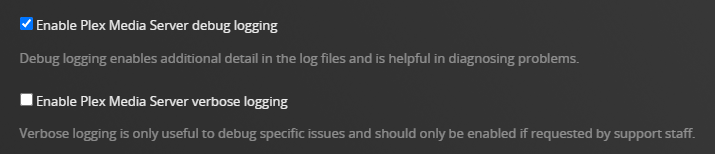
Disable verbose logs
-
Please disable verbose logging. Only debug level logs are required. Verbose adds too much information, causing the logs to wrap very quickly and possibly lose necessary information.
-
Stop and restart Plex Media Server after changing the log level.
Settings → Server_Name → General + Show Advanced
Log files
The log files do not show a Plex crash. They contain less than an hour of activity, from 01:39 to 02:35 this morning.
After disabling verbose logging and restarting Plex Media Server:
- Wait three minutes for Plex Media Server to fully start and log the startup sequence.
- Re-create the crash you describe in your first post.
- Restart Plex Media Server.
- Wait three minutes.
- Pull a new set of log files and post to the thread.
I though verbose would be helpfull due to a “specific issue”. I will disable it tomorrow and generate proper log.
Thanks so much for your time !
One more request.
Please attach a screenshot, directory listing, etc. of the Plex database files.
I would like to see their size.
Below is a screenshot from my Synology (File Station).
You may need to expand the window and column sizes to see the full names and sizes.
Thanks.
First of all, thanks again for your time.
This morning, when I pin my library to reproduce the crash, nothing happens: no stop, the line “last add” of this library is up… So I think this problem is solved by the remove/re-add operation I have done.
But I can use your Plex’s science for one last thing.
The screenshot:
Do not be afraid, I really have a huge “collection”… reason why I search to solve this problem instead of starting from scratch ^^
Can I delete old ones from 2023 ?
Have a great day.
Thanks for the screenshot. There is a bug in an earlier Plex beta release that causes the database files to become abnormally large (ex: 30 GBytes). Your system was not affected.
Please post a new set of log files (be sure to disable verbose logging and restart Plex first). I would like to look for any signs of database corruption.
In Settings → Scheduled Tasks, is Backup database every three days enabled?
If not, enable it. Plex will keep four database backups, deleting the oldest backup as needed. The backups can help recover if there is ever a problem with the database.
Wait before deleting the 2023 backups. I would like to see the log files first.