Server Version#: 1.25.5.5492
Player Version#: 1.40.1.2823-6f60f3a7
Tuner Make/Model: WinTV-quadHD
Guide/Lineup name: unavailable
Using XMLTV?: no
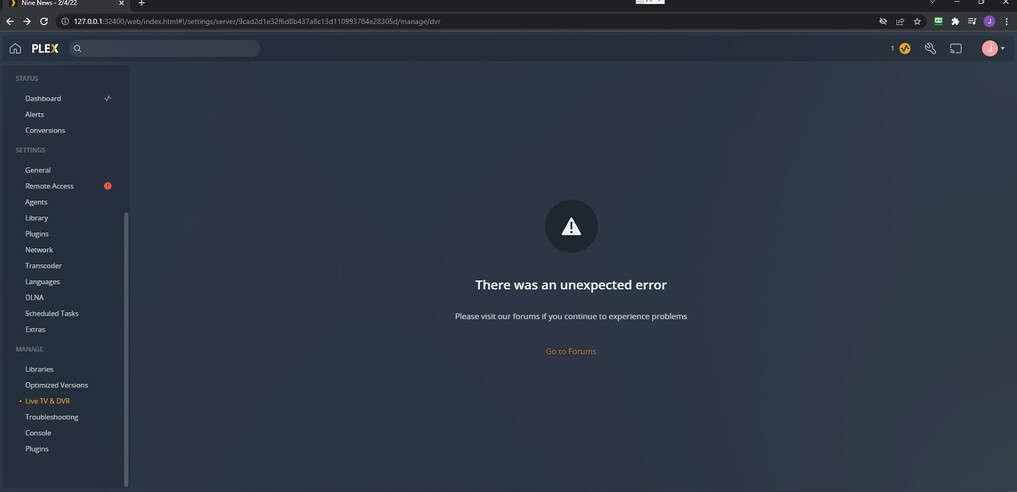
I have been having issues with my Plex server so I reinstalled the Plex client but everything stayed and now it’s completely screwed up the live TV DVR and I cannot even click on the tab any recommendations on how to just start fresh I just want to start fresh I have deleted the data in the programme files I have used the uninstaller but every time it just keeps bringing back my old data I don’t want to use anymore if there’s any easy ways to fix the issue I’m having now I would do it and not reset if it’s easier
If you did not unclaim the old server install before uninstalling then your account does not know server is gone. You can remove in the authorized devices settings. https://app.plex.tv/desktop/#!/settings/devices/pms
I did remove it for that URL but the only difference was when I re downloaded Plex media server was it told me to claim it and then I got the same DVR error I deleted the Plex media server with the uninstaller from control panel does that still leave some of the data on the server that has to be manually removed

i got it I just had to delete this in the registry editor HKEY_CURRENT_USER\Software\Plex, Inc.
but it still keeps giving me this era even when I’ve reinstalled the programme is there anyway to get log files on why it’s doing it looks like there’s been a fix from Plex but I can’t find the setting to delete the tuner where would it be it seems like I’m having this issue


Stop using https://127.0.0.1:32400/desktop to bring up the web app.
Open a browser (incognito mode if you have to) and use https://app.plex.tv/desktop as directed.
Thanks a lot mate that seemed like it got it to work I would have never thought of that being the issue thanks a ton from saving me more troubleshooting
