@ChuckPa Thank you!
While I have you on the line, most of the errors went away after reinstalling the server, but the homescreen is still not customizable. When I reset the settings for the homescreen the setup screen is visible for a split second and then it goes away with no possibilities to customize the homescreen. I truly miss the “Continue watching” which since two weeks back doesn’t show up on any of my devices. Is this a known bug?
Checking my shield… standby
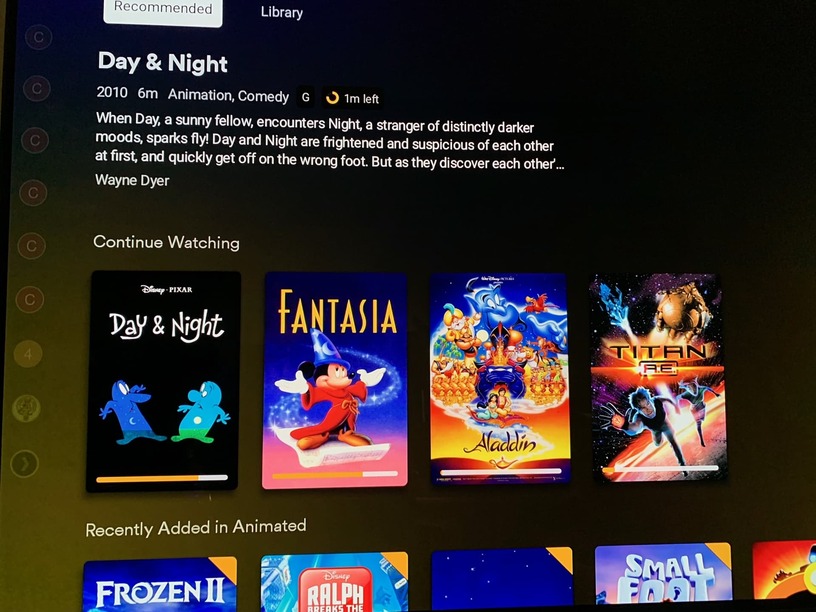
Continue watching has always been part of recommended. But regardless please make another topic about that as it has nothing to do with resetting certificate.
May I ask what could lead to this error of API rate limit showing up? 
I luckily never had this issue and would like to keep it away from my servers.
Sorry if this has already been written here…
Can I also have someone reset the cert on my account? I have been getting this error for the past couple of weeks and even with the server off for a day it still shows up in the log every few minutes.
CERT: Error acquiring new certificate: Failed to upload CSR: 429, <?xml version="1.0" encoding="UTF-8"?>
good thank
Hey mate, are you able to take a look/reset my certs? I am having errors regarding [CERT] TLS connection from XXXXX came in with unrecognized plex.direct SNI name ‘XXXXXX.plex.direct’; using installed plex.direct cert
Or am I missing something else?
Your cert was fine. I reset it anyway.
Please restart the server and your devices.
If you’re getting an unknown/bad SNI from one of the players, restart that player.
It is probably still caching the old cert/connection
Thanks for your help once again mate!
Hey man, could you please reset my certificate, too? Got a power outage and the cert file got corrupted, Plex tried to rebuild it many times until my API limit exceeded. Now I deleted all corrupt files, but can’t get a new certificate because of the API limitation. Thanks in advance!
Looking at your account, You’ve been issued 5 certificates within a 30 minute window.
There must be a problem on the host (easily corrected)
- with PMS stopped
- In /var/lib/plexmediaserver/Library/Application Support/Plex Media Server/Cache
- Remove the
cert-v2.p12 - Also make certain the Plex user (default is plex:plex) has ownership of all of /var/lib/plexmediaserver and everything below it.
Something is preventing PMS from saving the certificate.
I will reset it now for you.
Please check/correct the certificate storage in Cache .
I already deleted the cert before, but now I got a new one, so thank you!  Should I restart server now?
Yes. Simple restart to be certain all is well.
Seems to work for now, thank you very much for your support!
But looking at my log, I just discovered another corrupted file, it’s the main.der file in Cache/OCSP.
Can I just delete this and Plex will rebuild by itself?
Yes…
Stop Plex.
Delete it.
Start Plex
Let it self-populate.
It should be around 503 bytes in length
Thank you! Everything working now and I can connect securely again
Hello, after resetting my password and choosing to ‘sign out connected devices’ I have reclaimed my server, but I am getting the “API rate limited exceeded” error and cannot access my server over a secure connection. Could you please reset my cert as my server is unable to acquire one. Thanks!
