Server Version#: 4.44.1
Player Version#: 8.7.2.20952
A while back I went through
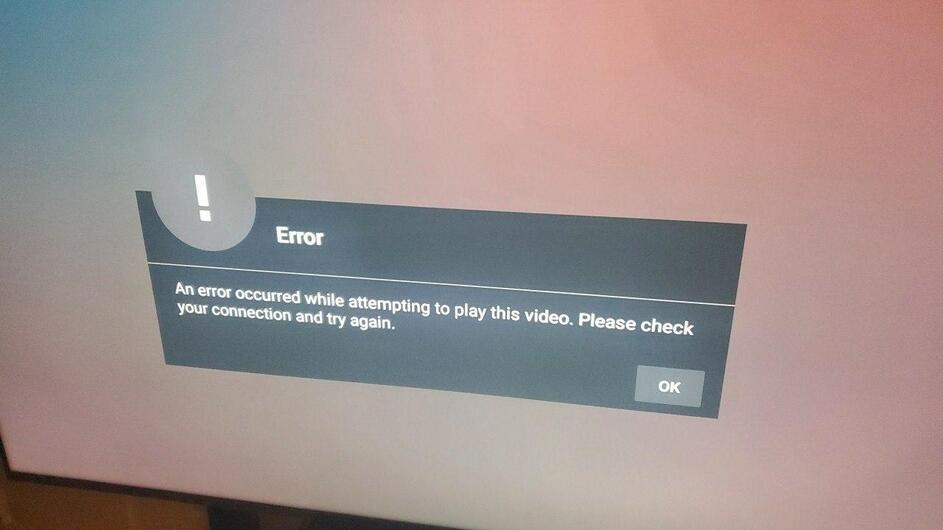
And was able to get my setup working however about a week ago without me changing anything my plex client can no long access my server. Right now I have a hole punched through my firewall that allows full communication between the two devices and all seems to be working. Did they change what ports it uses to communicate with? I would prefer not to have this hole in my firewall
Are you talking about from external? The firewall on your router?
I’ve found on several occasions that UPNP is unreliable with Plex when restarting my servers / Plex Server for maintenance. On the Plex Server, instead of using the automatic port, I click “Manually Specify” and then enter in the port, which I havent had troubles with every since.
I am referring to the internal (LAN) ports. The ports listed on the referenced support page speak to LAN ports.
For Port Forwarding from the edge device (modem/router), only port 32400 (and its external assigned companion) need be open & forwarded for Remote Access at the edge device itself.
please see the logs here, sorry for the delay. RIght now I have every port from the shield to my plex server open and I am getting that error again. Sometimes it will fix itself when I reset the shield but most of the time it doesnt.
I am able to view the videos on my phone and computer (on the same vlan as the plex server).
Oct 25, 2020 13:25:32.335 [0x15539edf6700] ERROR - [Transcode] [FFMPEG] - Driver does not support the required nvenc API version. Required: 10.0 Found: 9.1
Thank you for the quick response! Now I just have to figure out how to update it on my Unraid host as it seems like the current drivers that I have is the newest.
So it started to do it again after updating the drivers (fixed the issue right away before) and I tried looking through the log but i dont know what im looking for. I am running the 450.80.02 nvidia drivers now.(File removed)
Jan 02, 2021 17:03:16.227 [0x152b383bf700] ERROR - Update time was too far in future. No time machines allowed.
Jan 02, 2021 17:03:16.227 [0x152b0aff7700] ERROR - Update time was too far in future. No time machines allowed.
https won’t allow a connection if time is too far out of sync.
yes for the main ntp server that is correct and for the secondary I have time.google.com. I cant tell what the time my plex server (unraid docker) or client (nvidia shield pro) is seeing but the barebone hardware that either is running on has the same time stamp.