Server Version#: Version 1.25.3.5409
Player Version#: Version 1.40.1.2823-6f60f3a7
If you set an internet stream limit like 20 Mbit/s:

Then it is not possible to select a playback quality in Plex for Windows:

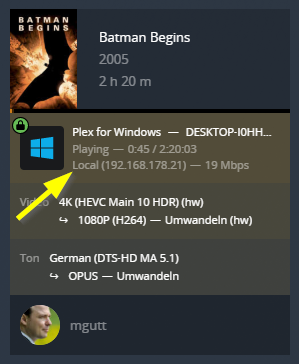
And the movie gets transcoded although its in the local network:
This does not happen if I choose original:

Then Plex for Windows displays the quality settings:

And direct play is active:

Additional information:
My plex server is running in a docker container with bridge network:

Local IPs are set in Plex as follows:

Temporary solution:
Add the following to the windows hosts file (so the domain does not resolve to the public IP address):
192.168.178.8 plex.example.com
Note: You need to restart the Plex for Windows App after you changed the internet bandwidth limit. The app uses only the setting which was present while it started.
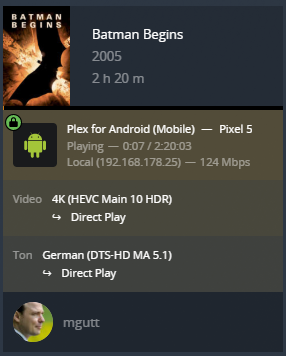
Side note: This bug is not present for the Android App (20 Mbit/s internet limit is active):