I have 2 servers on another EU country and I face some issues under windows plex server.
For beginning my servers are connected on an gigabyte connection on the same router with gigabyte network cards.
One server is running on windows 7 with direct play for movies. Is with i5 processor. Problem here is that when I try to play an movie from other country, my internet provider, where is connected the player, always is limiting the bandwidth at 3 or 5mb. On speed test I get minimum download of 900 Mbps and the internet works without problems. I was testing with Android tv(connected with Ethernet), nvidia shield pro 2019 (Ethernet), Dell xps(Ethernet), mobile phone with wifi 6 connection. All of them get the same limits off 3-5 mb.
Testing with an Hotspot from mobile phone 4G or 5G connection, all my device get the real speed to watch the movies ( I checked 4k with 60 bit rate),means that the home internet provider is playing with my server.
On the other side if I transfer an big file from server to my computer (computer connection over same provider with problems) I get minimum speed of 500 Mbps without falling down or any limits. Means that only plex server connection is limited.
Second plex server is an cheap one created with raspberry pi 4, open media vault and Portainer. On this server I have no issues with connection. Everything it works smoothly and no limitations.
I don’t understand how can one server can be blocked and other one with no issue on the same internet providers, same players, same location.
Sorry for my english and thanks in advance if someone knows how to fix this issue
Just to make sure I understand correctly: Both the Windows 10 server and the Raspberry Pi server are hosted on the same network in Country “A.” When you are in Country “B,” playing a video from the Raspberry Pi Plex plays at full quality. Playing the same video file from Windows 10 Plex is limited to 3-5Mb?
Can you show us a screenshot of the Windows 10 Plex dashboard when you are playing a file and suspect it is being speed limited? We might be able to tell if its a Plex server setting that is off rather than your internet provider.
Thank you for your answer.
Windows does not work on raspberry devices I have Linux on this server and it’s working great.
Both servers are in country A connect on the same router. I’m on country B and my limitations are only from windows 7 computer with plex server. Something from country B home internet provider is limiting only the windows server connection at 3 or 5 mb. From Linux server is working without problem. If I try to see an video from mobile data on country B, I don’t get any limits for bandwidth on windows server. This means that the settings on windows server are on full capability and the problem is only the home provider.
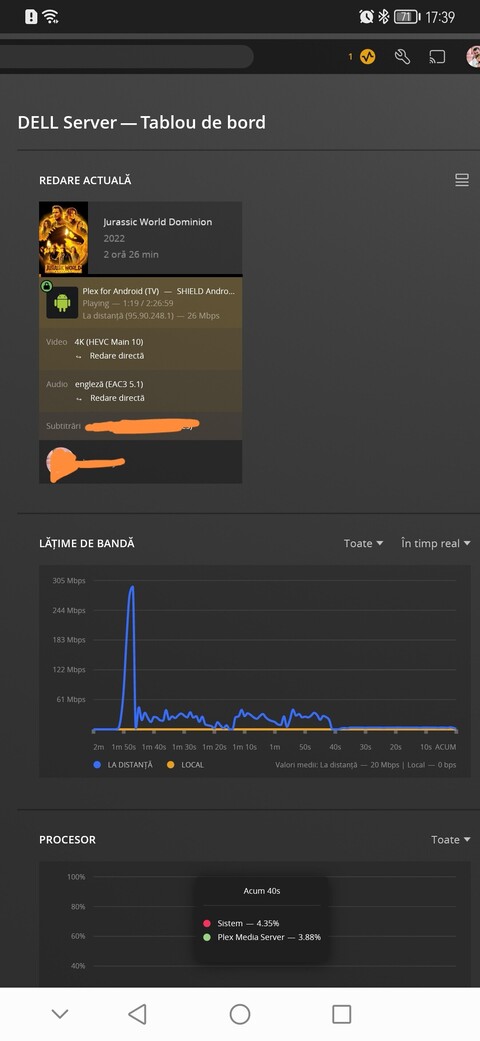
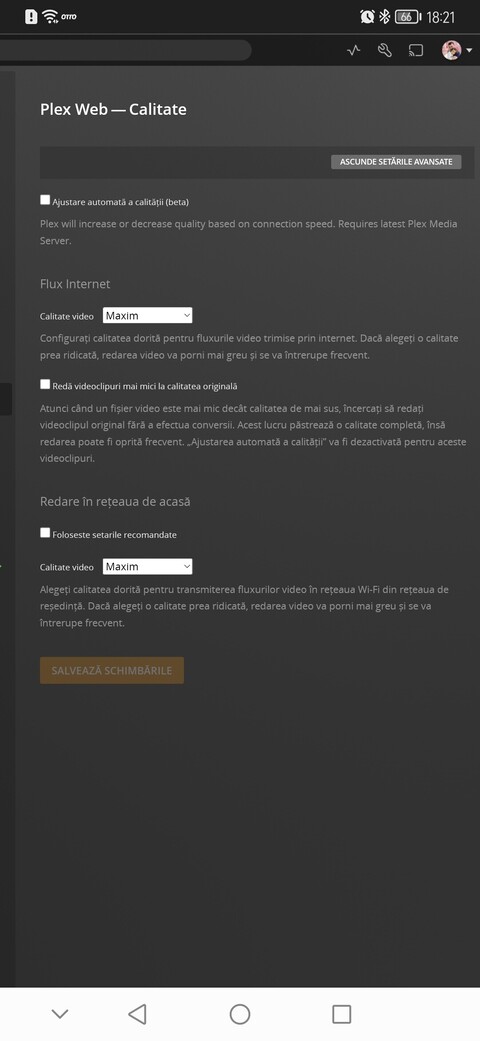
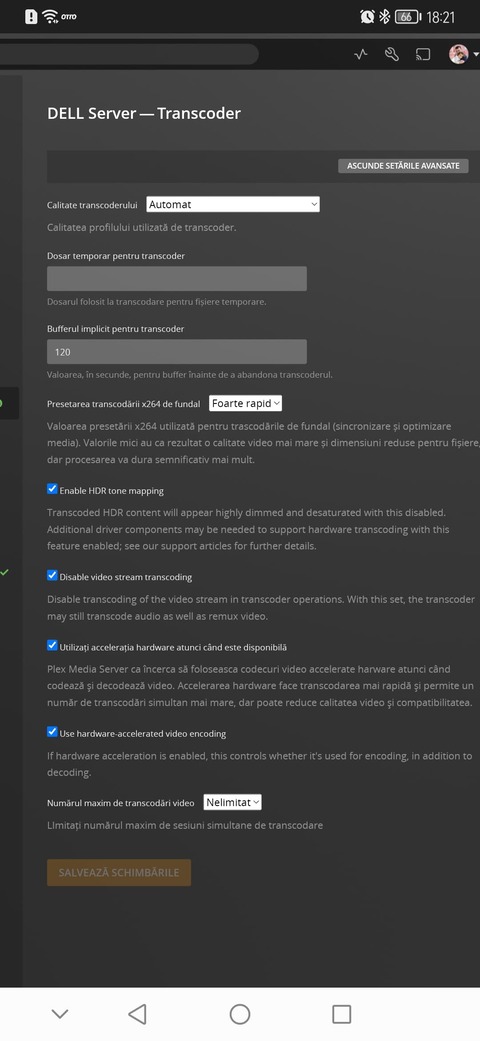
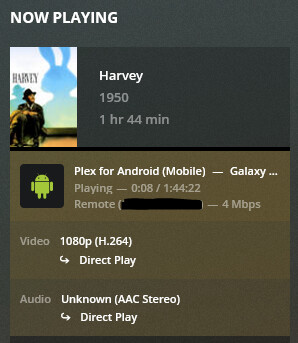
For example I attach some screen shots playing movie from mobile phone on windows server. All are playing smooth and nice.
For thys moment I have only this one. I will do it more in the evening when I get home.
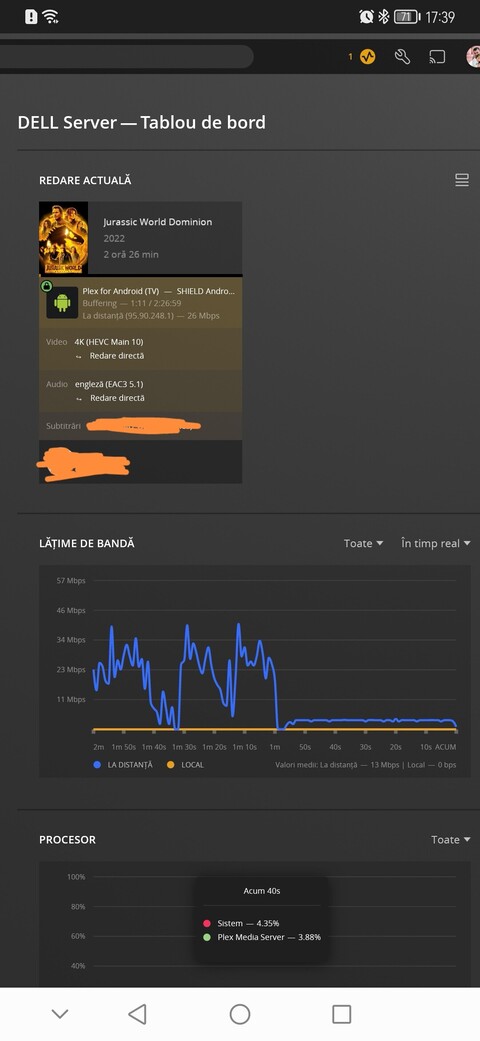
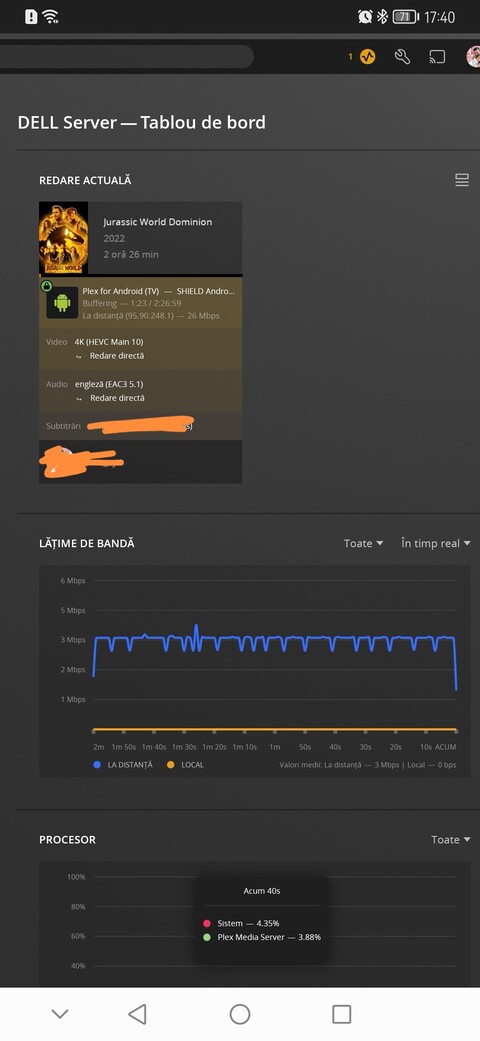
This is the same windows server with home internet.
All settings for transcoding are disabled. Always direct play.
I forgot to mention that on 5mb limit is always on buffering and the video starts after a long time of waiting. After 2 seconds of playing again buffer…
Now I get the results. This time video was starting after around 30 seconds after I hit play on my nvidia shield, it was playing for 30 seconds, speed jumps to 305mb and then limit at 3 mb.
Same nvidia connected on wifi (Hotspot from mobile phone) start the video in 2-3 seconds after play button and plays the movie without buffer
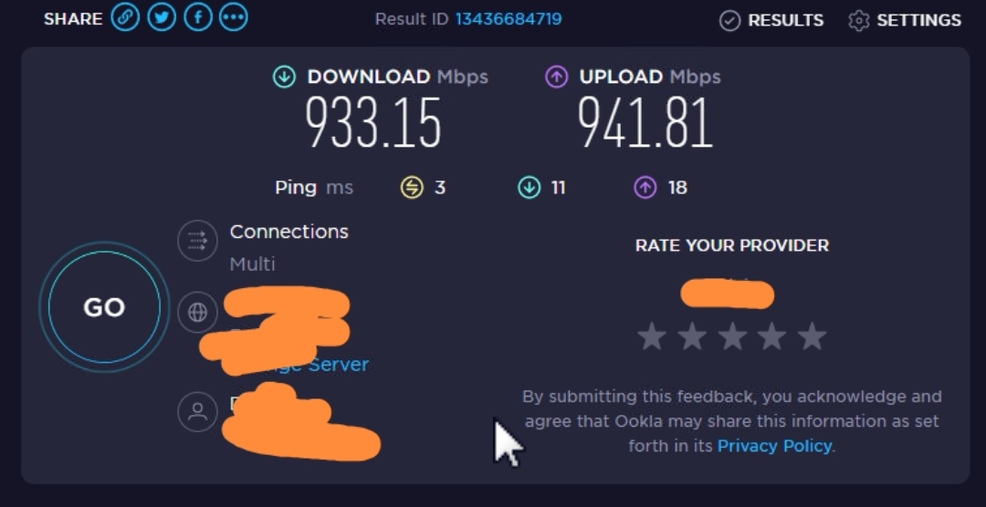
Here is the speed test direct on my Dell server from other side. Here I have an fiber connection directly to home. Speed server for testing it was made on the City where I have problems with internet provider.
Do you have any type of internet security program running on the Windows machine? something like Windows defender or other antivirus checking anything related to Plex. Since it works fine form the Pi, I don’t think it’s a connection issue, but maybe something with the server.
Go ahead and reproduce and get me both the server log and the android log from the Shield.
I disabled everything. Tried extra settings on windows firewall. Disable firewall and security on router. Nothing works. But I don’t know if is from server because if I watch on mobile data, it works great. I send you now the logs
The logs you sent me show your devices looking for your 2 servers at 2 different public IPs. Can you also send me a log from your Pi so I can check what IP’s its using. I’m wondering if something is configured wrong on the server end. Not sure why it would work fine on cellular.
For the logs from the Shield, scroll down in the article to the section on Android TV. I still need that log. Your phone logs don’t hep since you are not playing the video back on the phone.
With rpi now is a little bit heavy. My main hard disk is broken. That’s why I’m trying to use the Dell server until a friend of mine will go to replace the damage hard-drive. Now rpi is off so I believe can’t be an ip fighting over network.
I’ve sent some logs from nvidia. Maybe are the correct ones
 I have Linux on this server and it’s working great.