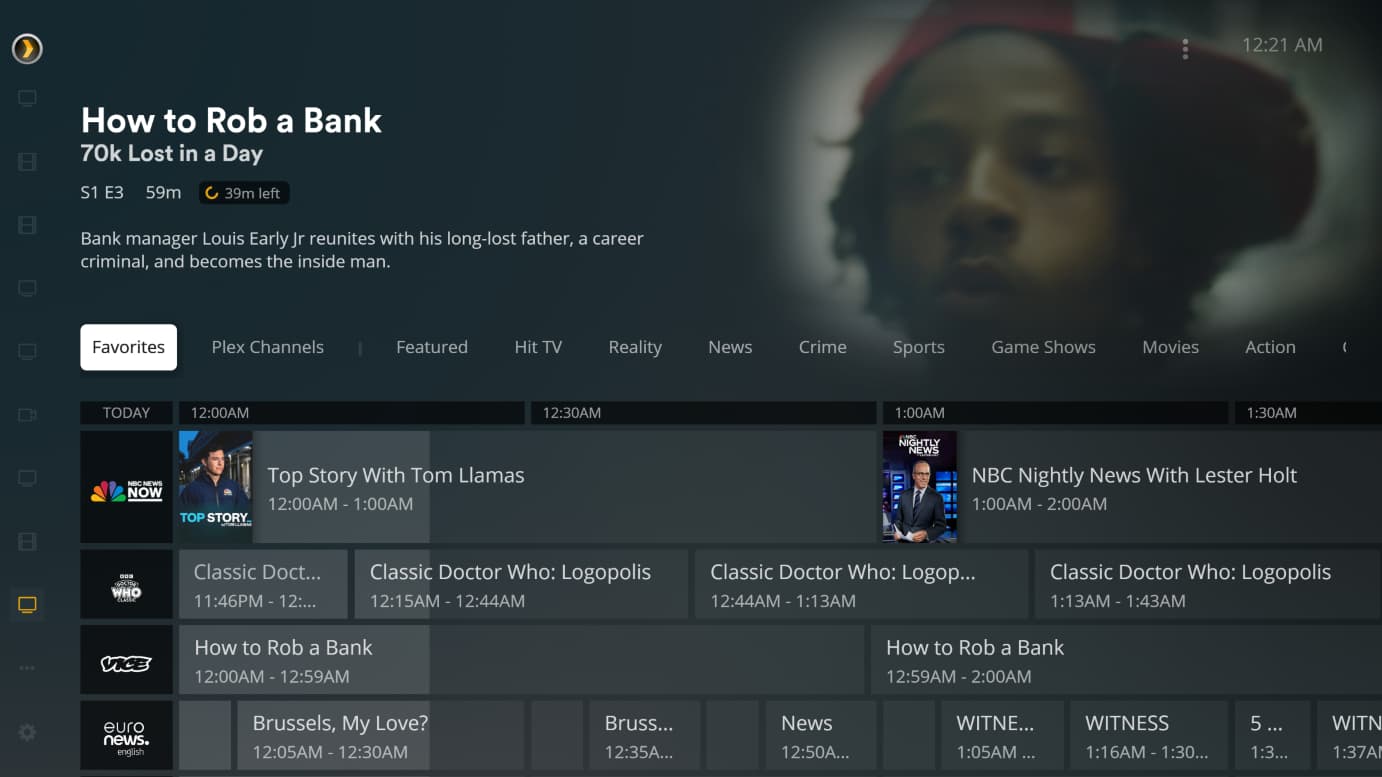
Server Version#: 1.32.6.7557
Player Version#: 1.49.0.3994
Reading through the forum here, it looks like I may be flogging a dead horse, but I wanted to raise the issue anyway. I’m running the HTPC (Windows) client, and the only way I’m able to scroll through the channels in the guide is with the up and down arrows. This takes FOREVER when trying to skip over 50-100 channels. I would have expected the mouse scroll wheel to do it, but I read that an esthetic decision was made to deprive users of this feature.
So how else can you do this? Page Up and Page Down seem to be ignored. Are there other key codes to scroll a page at a time, or even more? Some of the notes here allude to the idea that the HTPC client is intended to be used with a remote control, but what keycodes should be configured to the remote control to scroll through the channel guide quickly?
I think I would have to rely on the favorites tab 99% of the time. TBH a lot of those channels aren’t worth the energy a battery uses to scroll past them
I just enabled Plex TV and Plex Movies and my Logitech remote scrolls just fine (runs via my FLIRC USB) - I have mapped Page Down and Page Up and also Home and End. My Down and Up keys are set to do item scroll on single press and fast continuous scroll holding the key down.
The setup here is a big tv in a small room. Is that technically a home theater? I don’t know, but I do know that running the Plex desktop client makes the channel guide too small to easily read from our usual viewing position. I experimented with dialing up the Windows text size option (settings->display->text size), which seems to improve things.
As far as the remote is concerned, I’ve got a Pepper Jobs remote that I bought back when I though I was going with Kodi. It sends windows keycodes to a USB dongle (RF, not IR), and can also ‘air mouse’. I’m pretty sure it can be remapped, so I should be able to get it to work, and if not there’s always Logitech/FLIRC.
After deciding to finally give up on WMC, and having experimented with Kodi, nextPVR, and Jellyfin, I’m increasingly thinking that Plex will be my home. I disagree philosophically with the idea of leaving features out of the HTPC implementation to ‘guide’ users to the ‘proper’ behavior. OTOH, I’m grateful that I can easily install both the HTPC and desktop clients, and hop back and forth between them until I decide which one works best for me. (And more importantly, which one passes the spouse test.)