How to translate it locally?
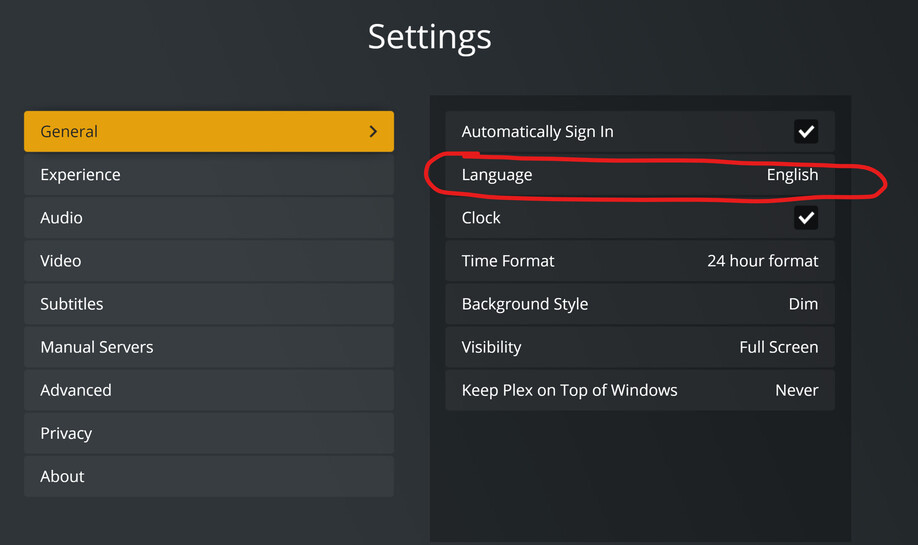
Yes, its translation is not complete, I can help you translate this client into complete simplified Chinese.
In addition, can you help me inform your colleagues? I have helped you translate the simplified Chinese of other projects, and I hope that users can see it as soon as possible.
The following is my translated project
Android
https://www.transifex.com/plex-1/plex-android/language/zh_CN/
iOS and Apple TV
https://www.transifex.com/plex-1/plex-ios7/language/zh_CN/
Plex for Smart TVs and Consoles
https://www.transifex.com/plex-1/plex-for-smart-tvs-and-consoles/language/zh_CN/
Plex Media Server
https://www.transifex.com/plex-1/plex-media-server/language/zh_CN/
Web Clients
https://www.transifex.com/plex-1/plex-web/language/zh_CN/
These translations are not “live”. They first need to get fetched into the user interface development project.
From there they go into future versions of the various Plex clients.
There can be major delays before a new translation arrives in a publicly released Plex client.
Considering the new HTPC app’s ability to pass-through full resolution audio (Atmos, DTS:X, etc.), does this mean that the Nvidia Shield is no longer necessary? I’ve been trying to move away from having to rely on it, but want to make sure I am not missing something glaring or important.
Software is one part of it, you also need an HDMI 2.0b port to handle the bandwidth required for lossless audio + video.
Thank you for your reply
Right, that makes sense.
The Shield technically supports DV, but its implementation has had all kinds of issues with the different profiles, so not sure if that even matters.
Unlikely yet, if ever… The 2 things that the Shield can do that neither PMP or the new HTPC app can do, is correct HDR handling, and Dolby Vision.
I know that there are Windows extensions for Dolby Vision, and I certainly hope that one day it will be integrated into the new HTPC app, but it’s a bit early yet I’m afraid.
It does seem like Dolby Vision, especially the profiles used when ripping from the disc, have red and green push on the Shield.
And my understanding is that HDR will be fully supported on htpc shortly. Based on recent posts.
Indeed, it does look like that is coming to the HTPC app…
But Dolby Vision is another thing entirely… However the way I see it, we now have Plex actively developing a new product specifically for the HTPC, and have stated for the record that proper HDR support will be worked on, and so in theory, it’s only a matter of time - possibly lots of time - before DV could become a possibility 
But once the few oddities get worked on in the new app, it will actually already be better than the current PMP just on performance alone!
Besides the mentioned choppyness issues, I found one unmentioned bug (afaik):
The “next” episode on the next screen isn’t always the next episode. If I have a file named “My Series S01E01-E02” then Plex Media Server will map that correctly to both episode 1 and 2. When I finish watching this episode (thus both 1 and 2), the next page will send me to episode 2 instead of episode 3. This effectively restarts the episode.
While I mostly agree with this, just a quick reminder that there is also another usage scenario that I have mentioned before in this thread:
- sometimes using the 10’ interface via remote control (content is projected on a screen)
- at other times using touch input to control the app (projector turned off and I just want to pick out some music)
And providing touch input support should be almost the same kind of thing as providing mouse input support. Admittedly this is a niche use case, but it could differentiate a Plex HTPC from other player devices.
You should be using Plex companion for this Category : Casting, Flinging, & Remote Control | Plex Support
True, that seems like a good way to go. I am just too used to the 23" touch screen that has been sitting next to my stereo system for many years. It was the latest and greatest thing back in the days when Windows 8 came out…
Love The App its nice and clean cant wat for HDR support
If i had to pick on one thing it would be customization, why not let us choose the accent colours?
so instead of the orange accent we could choose blue etc?
The app looks loosely based on kodi so i dont think this would be all that difficult to be honest
Is there any way to slow the Entertainment screensaver transitions to something greater than 15 secs. They are pretty awesome!
Thanks for all the GREAT work getting HTPC out the door!
I have been using the Photos Screen Saver, and have seen some issues with it. (These same issues happen the the Plex client screen saver on my Samsung Smart TVs too.)
- The screen saver repeats photos often - it will often show photo A, then photo B, and then go back to Photo A
- If it repeats a photo, it usually displays the incorrect file name.
Feature Request: Can we have an option added to the SS settings to ignore video files when the screen saver is active? It is very jarring if a video with audio starts playing while in SS mode.
Thanks,
Geoff.
Looks good so far and I will give it a proper test once HDR support has been added. Looking forward to the day I can stop using Kodi, Plex plugin and MadVR for my 4k HDR movies and just use Plex for everything again.
After signing in, on the customize your navigation screen - If there are too many sources to choose from, it runs off the bottom of the screen with no way to scroll. Resizing / maximizing the window doesn’t help.
