Server Version#: Version 1.25.8.5663
Player Version#: Client 1.14.0.2935-9b4e5856 / Platform 10.019043
Ever since 3 updates back, Plex HTPC quit sending 5.1 or 7.1 audio to my receiver. Everything only goes in Stereo. I’ve waited through two updates and it hasn’t resolved, tonight being the latest.
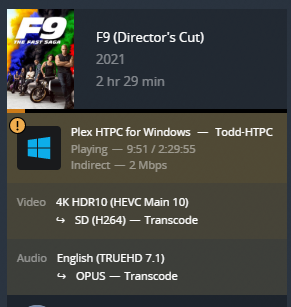
The server says it is in Direct Play 5.1/7.1 (see snip from tautulli)
My HTPC is showing audio in 7.1 mode.
The receiver shows 7.1 on the display when nothing is playing. As soon as playback starts it changes to stereo. (this is written on the screen of my receiver, what audio format it’s playing). It appears to be dropping all other channels, not downmixing to stereo. This is true for every audio format I have tried.
However using Plex Media Player on the same PC/ hardware / settings, everything still plays fine. No audio problems at all and the receiver shows the correct mode.
I tried taking it out of direct play just as a test, but the results were the same.
I have attached a debug log. Please note I played the same movie file twice. First time from Plex HTPC, and the second from PMP so maybe the difference would show up. plexlog.txt (13.8 KB)
I like Plex HTPC over PMP for a few reasons, most notably it works with the “watch together” feature and PMP does not.
Does anyone else have a similar problem or is it a known issue? Seems I can’t be the only one with something this significant but I don’t see any messages.
HTPC and Server are connected via hard wired network
HTPC >HDMI > Receiver > HDMI > TV
All audio is played by the receiver, TV has no hand in it.
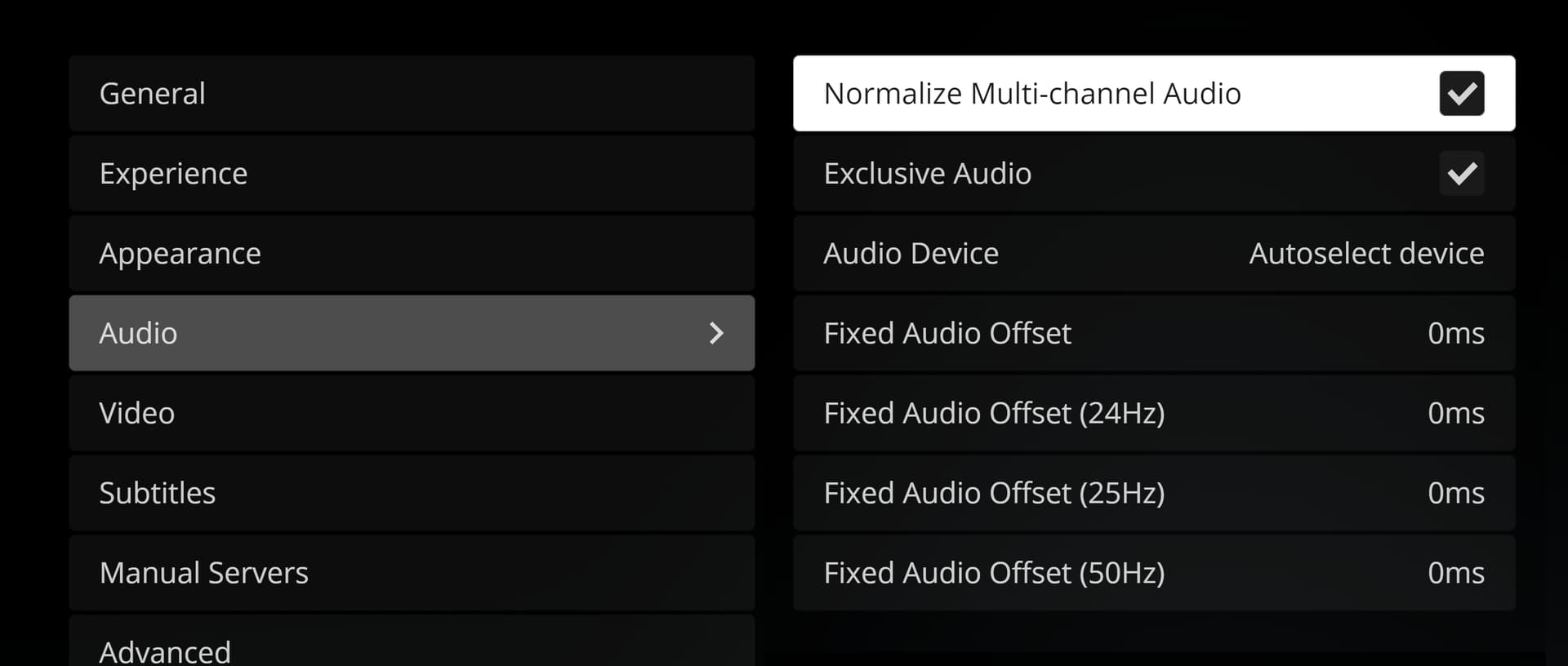
My Plex HTPC has only minimal audio settings.
I can pick my auido output device or set it to auto. the only manual option that shows up in my receiver. (Mine is set in Auto)
There is no “HDMI Passthrough” anywhere in settings.
PMP has a place to select the number of channels. PlexHTPC does not. In fact there are a lot more settings in general on PMP than HTPC.
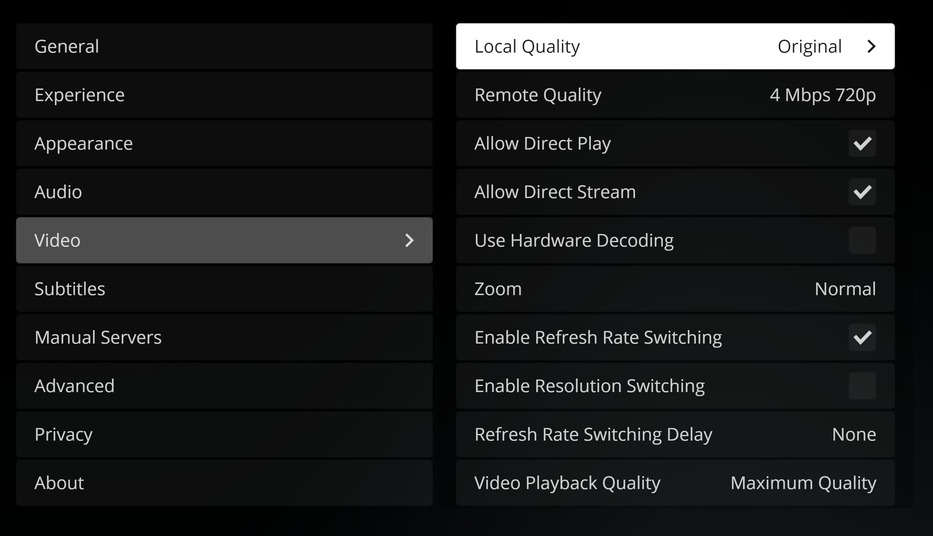
Direct Play and Direct Stream are both enabled (but that is under video).
I’ll see if I can snip a few screenshots of the options under settings.
Thanks for the help. I should be around during the day more tomorrow to troubleshoot
On the “Audio” tab,
you have to select the HDMI output of your computer.
Only then, you will get the menu item “Audio Device Kind” which you need to set to “HDMI”.
Once you’ve done that, you’ll get the below checkboxes for the various sound formats. Tick those, which your AVR does support, Clear those which are not supported by your AVR.
Set the “Audio Channels” to “7.1”.
OK, I did all of that, and it is still doing the same thing. Once playback starts it drops to “stereo” and only sends the R/L channels.
I have manually selected HDMI, 7.1, and checked all the boxes. The receiver is a Marantz Processor and can handle all of them.
3 versions back it did this all set on auto and worked fine.
Play around with the “Normalize Multi-Channel Audio” and “Exclusive Audio” checkboxes.
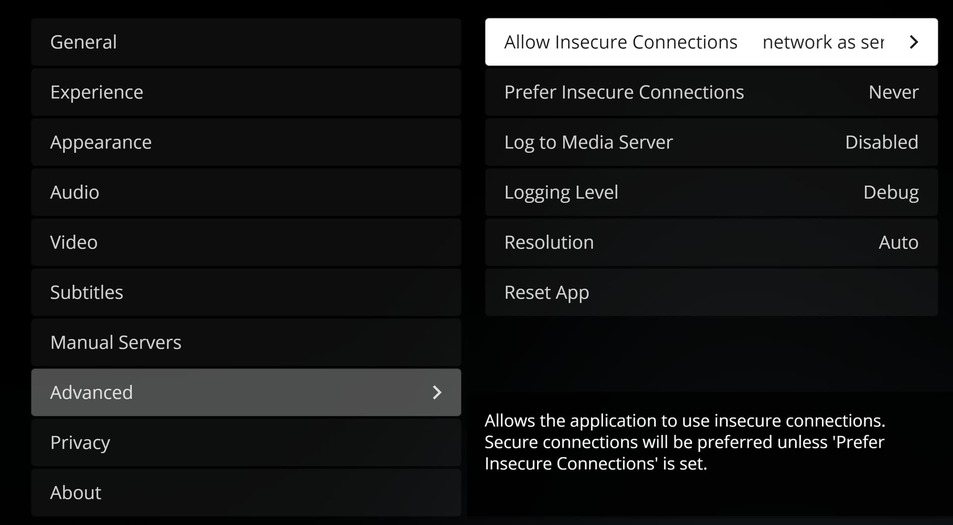
On “Advanced”, I’d set “Prefer Insecure Connections” to “On same network as server”. There is no point to encryption if the data never leave your home network.
While playing, do not only use Tautulli but also the Plex Dashboard of the web app. Of particular interest is the type of connection show there:
OK still doing some testing. When I clicked off “Exclusive Audio” it started outputting 7.1. But now it’s transcoding to stereo rather than doing directly play.
Also of note it does show “indirect” but is obviously local. what would prevent it from seeing it’s local?
I’m pretty certain that exclusive mode doesn’t cause your client to suddenly appear as ‘remote’.
There must be something else at play.
VPN software?
Do you run Plex HTPC and Plex server on the same machine?
It doesn’t appear so from your description above.
Did you try the network settings I mentioned above? If you did, revert them.
If you didn’t, try them.
Take also a look at your router configuration. Look for a setting called “DNS rebinding protection”. If you find one, put the domain name plex.direct into a list of exceptions for which this protection is not applied .