Server Version#: 1.23.2.4656
I am attempting to backup my Looney Tunes Golden Collection DVDs into plex and I am naming them in this format
/TV Shows/The Looney Tunes Golden Collection/Volume 5/LTGC V05E05 - A Star is Bored.mp4
/Volumes/MOVIES/TV Shows/The Looney Tunes Golden Collection/Volume 5/LTGC V05E54 - Gold Diggers of 49.mp4
It has worked out pretty well so far, it is seeing the Volumes as seasons which is fine but the 2 files mentioned above are combined for some reason behind a single episode and I am not sure why. Any help would be appreciated as there are a few others i think are doing this as well.
Also this episode was listed as Episode 5000
TV Shows/The Looney Tunes Golden Collection/Volume 5/LTGC V05E07 - Transylvania 6-5000.mp4
Any thoughts as to how to fix these would be greatly appreciated.
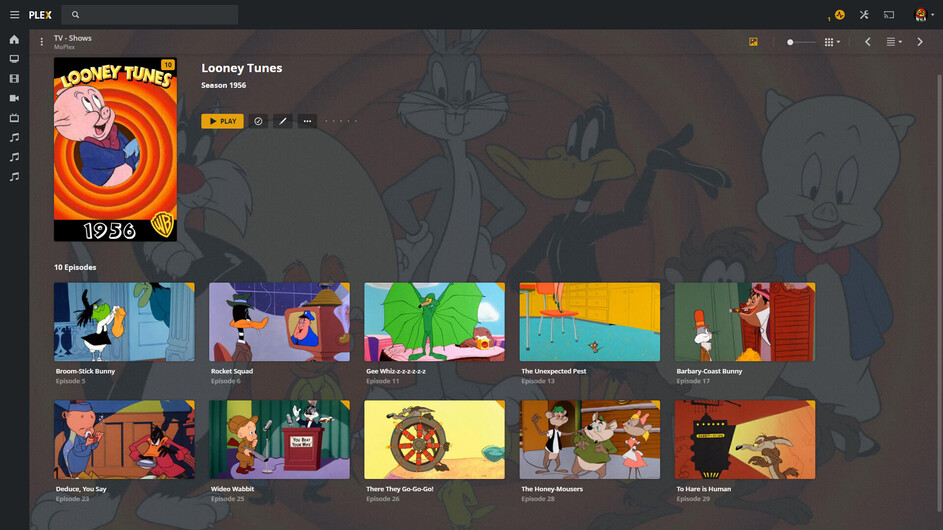
There is only one Looney Tunes for this time period:
Specifically - there is no such thing as Looney Tunes Golden Collection.
There is also no such thing as “Volume 5” in the Plexiverse.
You may not want to hear this:
But you’re going to have to match and name what you have with the TVDB Above - if you expect this to work right:
… and now I’m sad - 'cause I don’t have:
Looney Tunes - S1956E22 - A Star is Bored
I’d like to have The Golden Collection - but it will take some work on my part to include them properly - I’d hate to leave this world with that job undone. Considering all the time I’ve put into this project previously…lol:
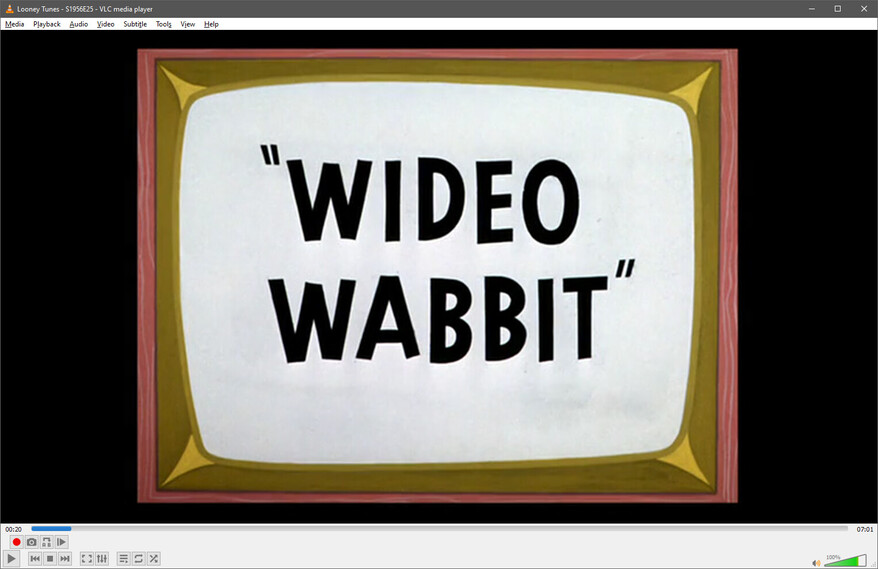
Here’s what I do - I play this much of each toon:
Then this a few seconds later:
Then armed with “1956”, I go to TVDB and get the episode number:
Of course, Wideo Wabbit isn’t A Star is Bored, but you get the idea.
I can also tell ya there wasn’t a Cartoon Network in 1956 - and I know 'cause I was there…and there were only 3 Networks to keep track of…lol
Interesting, I don’t mind to go through and rename to get them correct but how do you get the Episode number and other info from just the date on the opening screen.
I get the Copyright Year (can be a year before or after at TVDB - depending when the copyright was filed) - then get the Episode Name - then go to TVDB to get the Number. <— I was editing while you were reading.
I have FileBot and I could just pre-name:
Looney Tunes - A Star is Bored
and FileBot would do the rest, but…
Have you ever tried to Misspell a bunch of Looney Tunes?
It’s impossible to get it right the first time…
Note:
After about 100 - you get pretty good at Roman Numerals.
thanks so much for the help here, I got all my Looney Tunes renamed and looking great in Plex.
Any chance you have any insights on how to name the Charlie Brown specials to get them to show up correctly? Christmas, Great Pumpkin, Thanksgiving and It’s Magic charlie brown. I have tried a few different ways and can’t get them to look and get named correctly.
Looks like I solved my own problem here. Looks like the TV Specials are seen only as movies. I moved them to the Movies library and they are showing up fine. All of them on their own in their own folder.
Most of those belong to:
The Charlie Brown and Snoopy Show Specials:
https://www.thetvdb.com/series/the-charlie-brown-and-snoopy-show/seasons/official/0
If you have some of those and want them to be associated, you can find and name them accordingly.
Those ‘Movies’ can go in any Special Season however… just name them about 10 higher than the highest special - then hand edit 'cause they won’t match, but they’ll be there.