I am needing help with listing the TV Show, Adventures of Sonic The Hedgehog, as I have ripped it as a DVD, yet it is not for some weird oddity showing up the DVD Series episodically, and I have looked up the way it is managed in Files, yet it is okay. So Now what can I do to force it into DVD episodically and not TV Episodically. It really is frustrating.
I am not sure what you are expecting here.
Plex doesn’t distinguish between “TV episodes” and “DVD episodes”. These are all “series” or “TV shows”.
Are you referring to the ordering of the episodes?
Or do you have more than one library for series and it appears in the wrong one?
So For Example, it is meant to be the Super Smash Squad episode, Like This in order
https://thetvdb.com/series/the-adventures-of-sonic-the-hedgehog/seasons/dvd/1
But It Shows This Episode airing.
https://thetvdb.com/series/the-adventures-of-sonic-the-hedgehog/seasons/official/1
Best Hedgehog Episode shows up instead.
How is the video file named? In particular, which episode number does the file name contain?
Which metadata agent has been selected for the whole library? (please don’t change it just yet!)
So I have set it to TheTVDB metadata agent so I can select DVD Series to list the episodes, and I list the episodes as Adventures Of Sonic The Hedgehog - S01E01.mkv even the weirder part, it shows up my other DVD Series as easy to change to DVD Series Episode ordering. But it doesn’t show up For Sonic.
This is the old metadata agent which will stop working in the future.
You can do the same if you use the new agent “Plex Series”. For each tv show individually, if need be.
Please post the first ~20 lines from the Plex XML info of the episode.
I don’t generally understand that stuff mate, so I am sorry if I cannot, i will work on it though, I shall Try it with that and see if it will pick up. Thanks, but is there another way of fixing it too? Like how to label it as DVD so it will pick up the DVD Episodes? Even renaming just doesn’t work.
Please just show me how the video file is named.
You can find that out by looking at the plex media info.
There is no way to define which episode ordering to use, only by using a specific naming scheme.
Adventures Of Sonic The Hedgehog - S01E01.mkv
And I have it like this
Adventures Of Sonic The Hedgehog (1993) (NTSC) (DVD)
Go to the topmost level of the series (easiest by clicking on the series title)
then “edit” the series.
Go to the “Advanced” tab.
Make sure the selector for “Episode ordering” is set to “TheTVDB (DVD)”/“DVD order”.
Now Refresh Metadata for the whole series.
Wait a few seconds.
It isn’t showing mate, i tried that, and it still wont show. I have it in Plex Series now.
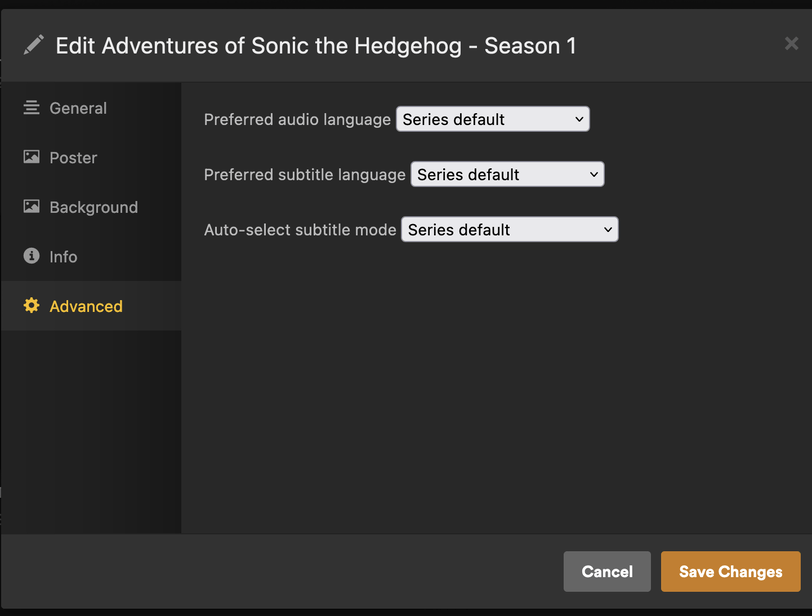

No Wonder why, and here it is, and I got it working.
