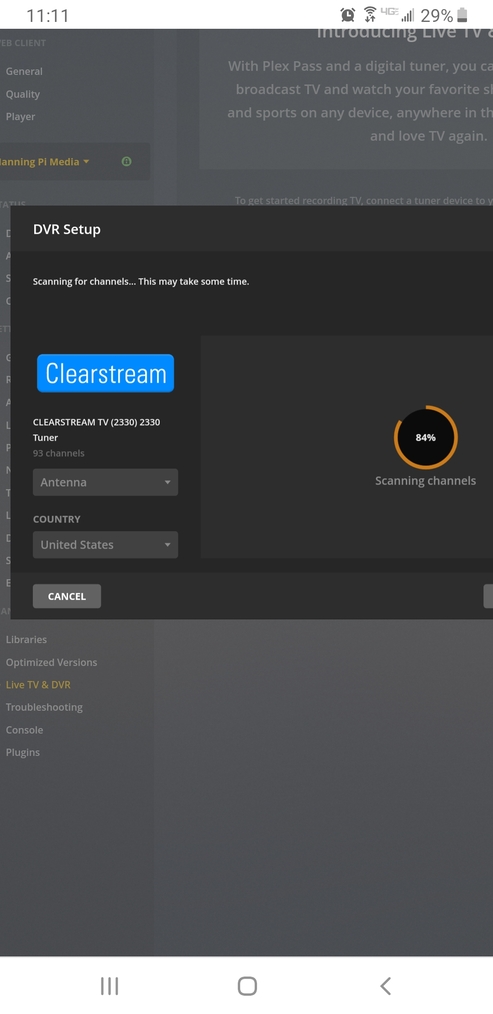
So as per the screen shots. You can see where the plex server software has successfully scanned several channels but then when it hits 100% it says no channels are found.
I can pull 106 channels in the clearstream app but not in plex. I have also tried completely exiting the clearstream app and scanning. Tried restarting things, updating things, etc… anyone run into this?
My guess is that we’re encountering some data we don’t like at the end of the scan, which is causing it to fail. Can you attach your server logs so I can see where the problem is?
Damnit… same problem! What the heck. I can scan 2 channels, cancel and it saves… otherwise, it just says no channels, and there’s 49 available. Is there any way to manually input the channels? I can’t get it to abort nicely during the scan. How much percentage could you complete before this failed?
Here is the way the channel list appears when fully loaded on my ipad’s clearstream app. Plex will only allow me to scan and abort the scan after the first 12 are found, anymore than that and it returns 0. I have a feeling the naming of the ones that have “,” or “!” in them.
It has been determined that there is an issue with the channel list, which the Clearstream is sending to Plex.
Clearstream have been notified and are working on a firmware fix.
Same issue here. I cant get it to hold the channels, sees them but when its finished says no channels. Frustrating, as I bought this as Plex said it would work.
I’m assuming they are in no hurry to resolve the issue and it sounds like plex is going to leave it to them to fix the data being sent rather than changing how the data is being parsed.
wish antenna’s direct had a forum i could go and harass for answers…-sigh-
Will tried it once more today after 1 week. Same issue, no patch or firmware for either. So guess if Plex recommends something that they say will work, don’t believe it.