Server Version#: 1.25.7.5604
Plex Media Server Logs_2022-03-15_06-06-58.zip (8.2 MB)
Player Version#: 4.76.1
recently plex has been taking longer to load when starting it up and loading folders. it takes several tries to load some folders. when starting plex up on my android shield i noticed it takes a much longer time late at night. it initially can’t find my server but soon after it does. the server is set to startup on booting and i almost never turn it off. i have it connected directly to my router via ethernet. i have most of my stuff that i stream on a 10tb western digital hdd that is a couple of years old. maybe its starting to go? but i checked some western digital hdd programs and it shows no overheating and it looks fine. i dont have a NAS server. i plan to get one at some point. right now im saving my money for something else. thanks in advance for anyone that can help me.
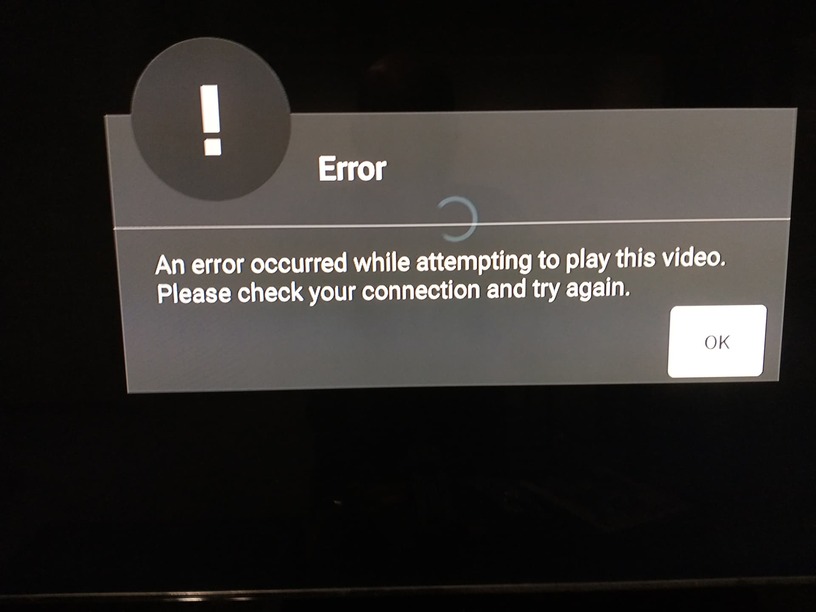
this is a picture i get when loading some folders sometimes.i got this when on the web player. i honestly cant remember if it says the same thing on android shield. im exhausted from lack of sleep rn thats why lol.
A number of over 100 libraries appears to be excessive. Which either indicates that you have a s***ton of media or you are creating a new separate library in Plex for each single tv show. Which doesn’t make sense.
What type of drive is E:?
Did you add the root folder (i.e. just E:) as a source to any of your 113 Plex libraries?
If you did, remove that and add only the subfolder(s) which actually contain media.
I am seeing references to some path E:\jenkins\server\3585609998 which doesn’t look like it contains actual media, nor any Plex-related files. You should avoid pointing Plex to any folders which don’t have media in them.
In general, strictly adhering to the recommended media organization and folder hierarchies will speed up operation of Plex servers with large collections of media.
Verify the free space on drive C:
it must have plenty of room, or your server performance will suffer.
In the worst case, your plex database might get damaged if you run out of free space.
Tell your anti virus to stay out of the Plex data folder.
hi
i had no idea that was excessive. thank you for telling me that. i dont make a separate library for every tv show. but i have split some things like for example which folders i have for lossless audio. e drive is a bluray disc drive.i have no idea what or who jenkins is.am i hacked? cause i am at a loss what that is.
i have 313gb out of 1.81tb on my c drive. which is why most of my data is on my 10tb drive.
i am redoing my media folders and cutting down the amount of libraries on plex.
btw if i move a folder that is shared on plex will it remember the tv show episodes and movies etc that was already watched?
Make sure it has not been added to a library.
That depends on
- whether the show/movie has been “matched” at all
- if 1), wether it had been matched using the same metadata agent in both the previous and the current library
In other words: un-matchable media, like personal videos, training videos and similar will likely lose their metadata and “played” status when you move them to a different library.
ok i redid my libraries. i got it down from 100 something to 15. its a lot tidier now. however i looked at each library and e drive is not added to any. like i said e drive is a bluray drive… i couldn’t find a drive or folder named jenkins. this is alarming to me. what should i do about that?
Upon further investigation, it might actually be a reference to the machine where the server software was developed/compiled on.
Not a real cause for concern (but also confusing and therefore kinda bad). I will forward this to the developers.
Is the performance still bad?
hi otto
sorry for the delay. i tried plex today and noticed some files were marked not watched yet but there were in fact watched cause i have them numbered from the past to recent. it was like that in several libraries. i guess my hdd is dying? luckily im almost done backing everything up. another sign i think i heard my hdd making a grinding hoise and windows keeps freezing. im doing a factory reset and hopefully it will fix that at least. did you find out anything on yuor end?
had to do a factory reset cause i was having problems with windows. but now i have a new problem. the thumbnails in the web app and on my android shield streaming device show a black screen. they play fine in the web app and on my android shield just no thumbnail. the folders they came from worked before i did the factory reset. any ideas on how to fix this? thanks in advance.
i cant be the only one who had this problem and didnt figure it out. i saw a post on here with someone who had the same problem but the thread was closed. can anyone please tell me how to solve this problem with the thumbnails showing a black screen? is my data damaged or something? thanks in advance!
hey otto
looks like the thumbnail problem is solved now. but i wanted to know if you can help with that e drive named jenkins that had media on it. its a red flag for me cause i checked and i have no media for such a drive nor have i heard of such a drive on my computer. hopefully you can get back to me. i did a factory reset and it probably took care of the problem tho. i can send a log.
Upon further investigation, it might actually be a reference to the machine where the server software was developed/compiled on.
Not a real cause for concern (but also confusing and therefore kinda bad). I will forward this to the developers.
looks like my problem with plex has returned. originally i had over 100 libraries like otto pointed out. now i have currently 15. i added the huge amount of data into many different folders grouped if the content was related like “movie related” for example. so i dont know if this is the cause but the blue circle in plex media server on web takes a while to load stuff. sometimes if i play a video it gives me a message that says either in picture 1 or 2.
like i mentioned earlier most of my data is on a 10tb wd drive. i checked a app and all 3 drives i have look fine and they’re at a very cool temperature. i should note that lately i have been dealing with a very annoying windows problem where the screen freezes and shows a white screen of death as its nicknamed. it goes away after a couple seconds but its very annoying and happens every couple of minutes. weird thing is it happens mainly at night. could that be related? can someone take a look at my new log file? ive never had so much trouble with plex before. its preventing me from thinking on buying a lifetime pass.
Plex Media Server Logs_2022-05-08_02-02-26.zip (1.4 MB)
oops forgot to include this info
Server Version 1.26.1.5772
Player Version 4.80.0
I would recommend optimizing the database, and making sure you can open the directories where the media is on the server. Please note that often the diagnostic programs that hard drive manufacturers provide will only tell you the drive is bad once its really failed, not in the earlier stages where symptoms will start presenting. so take those results with a grain of salt. Im not seeing anything obvious on the server logs.
hello
sorry for not getting back to you sooner. i wanted to take a few days to test optimizing. it worked. but sometimes it lags again but nowhere as bad originally. how often should i do this that wont screw things up? cause ive been doing it everytime things lag too much in opening libraries i mean. it works when i do that. also do you recommend a good app that can tell a better job of when your hdds are dying? i have mostly western digital drives. finally i noticed plex doesnt appear on startup of windows anymore. in startup under task manager it is enabled tho for plex media server. thanks in advance
Leave the server running during the night. That way it will do the DB optimization automatically at least every 3 days during server maintenance.
https://support.plex.tv/articles/201553286-scheduled-tasks/
Crystal Dew World [en] - does the job.
hi
so just to clarify i have the app running in the system tray during the night? thanks for the app suggestion. my other question is can you tell me how i can fix the problem with plex not showing up after rebooting? i checked the startup settings in windows 10 and it shows its enabled. thanks in advance.
Are you expecting to see a full screen web browser with the Plex web app opening at startup? That won’t happen.
This option is purely about the server, which is only the Plex icon in the Windows task tray.
That’s my recommendation.
yeah i meant the server. my bad. can you tell me how i can get the server to turn on after rebooting? i dont know why it wont anymore. like i said i checked start up settings in windows and its enabled.
Maybe you are just too impatient? It takes a while before a rebooted Windows is actually usable (despite the desktop being shown etc.)
i usually hit restart but i tried shut down and still the plex server still has not appeared in my system tray. its been already 20 minutes. so i gave it time and its still has not started. any suggestions?