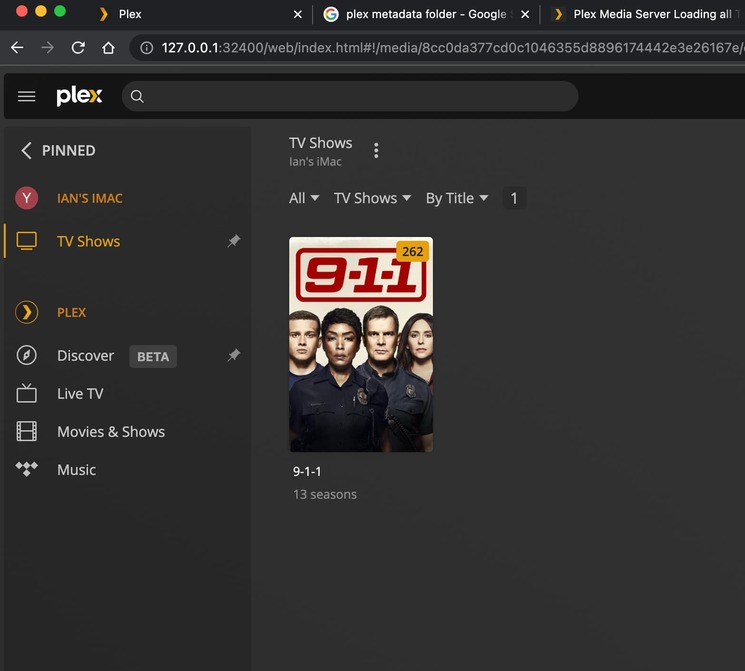
I’m not sure if you can help but I have all my files stored perfectly on a hard drive and have never had an issue. Yesterday, I refreshed my library to add some new episodes in and it lumped all my media into 1 big metadata folder?? I have deleted, reinstalled and no joy? Anything else I can try?
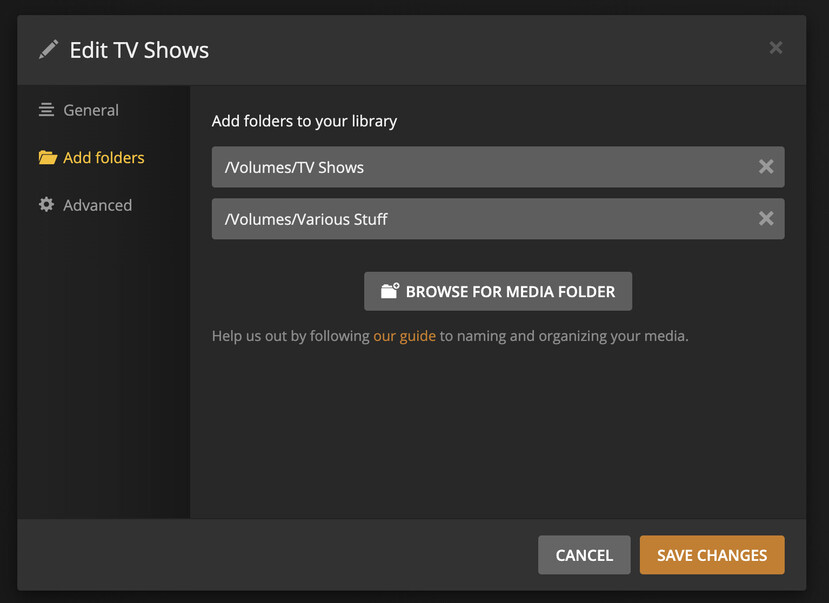
Are you looking at folder view or do you mean it matched everything to one show? Describe how things are perfect. Which folder added to library settings? What server version number are you on? What OS (mac/Win/linux/etc)?
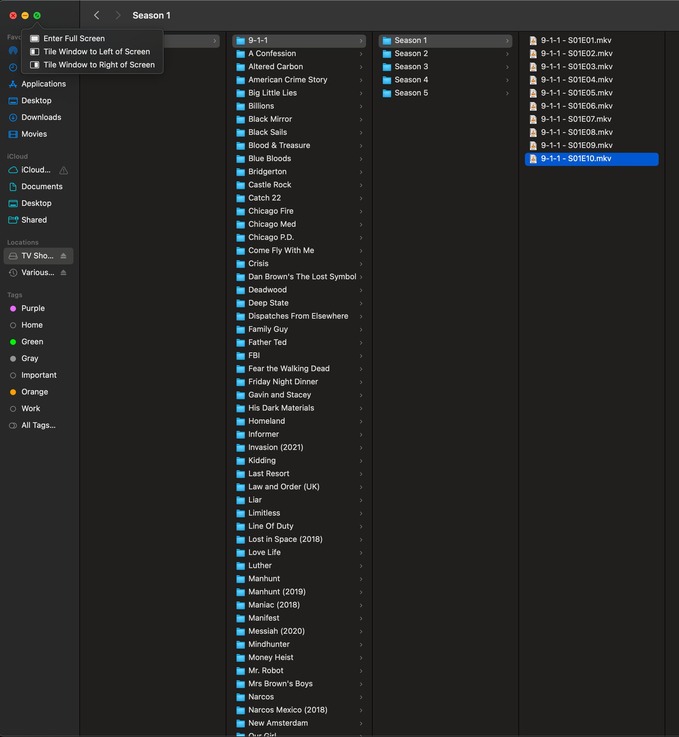
Oh that is an external Drive named TV Shows. I missed that in library settings. There should be a root folder at top level. The Fullscreen menu is covering up that first column so correct me if I am wrong but assuming that is TV Shows.
Like mine is /Volumes/Media/TVShows/ Where Media is the drive. I understand you probably only have shows on there but it just does not like things to be at root of a drive.
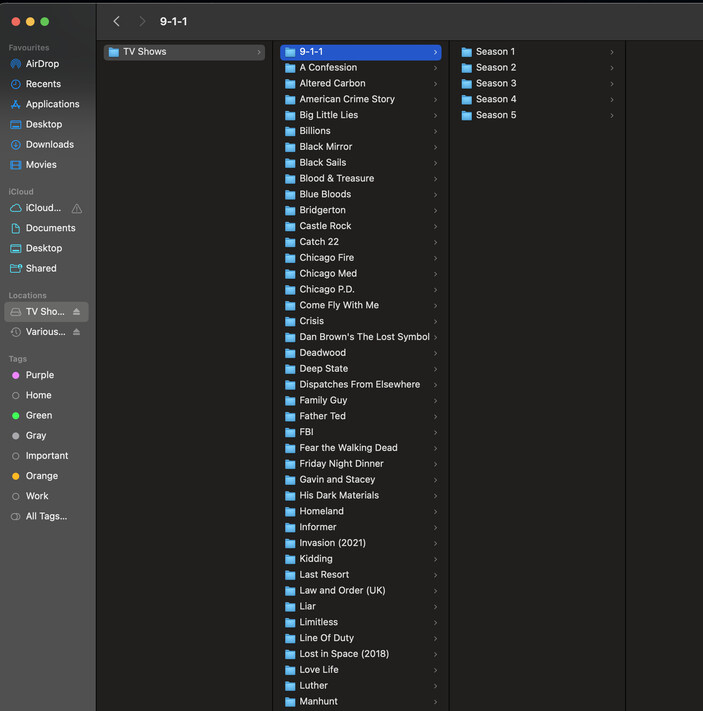
I’m confused? This has never been and issue till I scanned for media yesterday? The drive is called TV Shows, the the root folder is also called TV shows and then each show is in a folder in there? For example TV Shows/TV Shows/9-1-1 etc. etc. How come I all of a sudden have to change my filing system? Did something change in the plex build?
I have done nothing on my drives. I don’t even know what a remap is haha. All I have done is add a couple of episodes into folders that are already on the drive and did a rescan. Now this happens :(. My drives are exactly layed out as you suggested?