Server Version#: Version 1.22.0.4163
Player Version#:google chrome
What happened, Server domain problems had to uninstall and reinstall to domain. Unfortunately my domain name, linked to PLEX, had to reconnect but it did not.
So after I tried everything I repaired the installation of PLEX MEDIA SERVER.
Now it has lost all the library items, but, I have that completely placed on another drive, so, next to a backup, it is safe. How do I get this library into PMS?
I had a bad day today, so thinking does not work that good anymore, but any help is appreciated.
Hi people,
I was thinking about my problem, and as I removed my server from its AD (Active Directory for non Mickeysoft fans) I did not alter anything about the settings from all installed programs, namely, PMS, Backup4all, Webserver, Mailserver and so on. Those were still working even after I entered AD back on it again. The thing was, PMS thought that my domain name, which I have active on the Internet (so no silly thing here) had changed, yet it did not! So there are now two domain names in the general (is it called that?) settings of the Plex Media Server…
If I could find a way to let PMS know that my fully finished library files are still there, then he would not have to rebuild everything, scurrying through the internet for complying pictures for items and is my total library not marked as ‘Not Viewed’
So if anyone can steer me into this abyss of mystery? Thanks…
I don’t know much about AD (I avoid it like the plague).
But Plex as such doesn’t do anything with AD.
I hope you didn’t activate the Windows user account data synchronization to the AD controller/server. Because that would take a very long time, due to Plex Server’s peculiarity of storing all its data in the AppData folder of the user.
The user was administrator, and now it is also administrator, under that account I installed it again, but this has nothing to do with the fact that the PMS builds a whole new library…
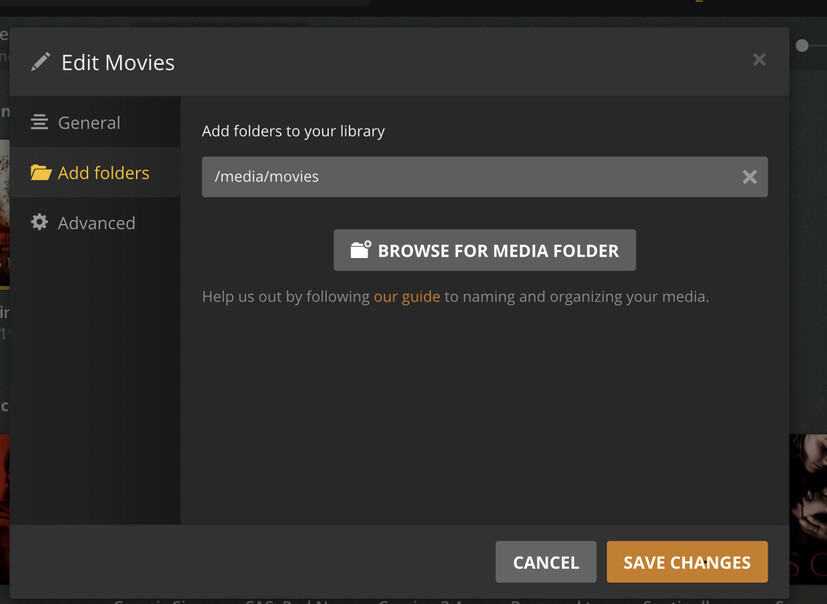
I simply want to tell to the PMS that the folder of all scanned library items is not on the default installed folder, but on another drive (that is backed up twice a week)
So, where do I tell the PMS this?
Can’t you click edit on the library and point it to the new directory?
Do you mean the media files or do you mean the data which Plex is collecting about the media files?
If you mean the latter, see [HowTo] An extended guide on how to move the Plex data folder on Windows
The Windows user account doesn’t need to be administrator, as long as it has full access permissions to every file, folder, and sub-folder
within the Plex data folder.
We already had that once. Then it was filed as a security issue (CVE and all) and was removed.
Thanks again Otto, I understand… I have now added this link to the solution on my server in the correct folder, so future dumb moves on my side would not bother you again