Plex doesnt recognize a library.
Tried stopping the service, deleting the folder files and registry.
What am i doing wrong?
Server Version#:1.40.0.7775-456fbaf97
Player Version#:
<If providing server logs please do NOT turn on verbose logging, only debug logging should be enabled>
What do you mean by „it’s not recognizing a library“?
I had a library on my computer of movies and music when I first installed it, but didn’t use it. when i replaced my tv, I wanted to use Plex to share it, and upgraded to the ful version, and now the library is gone. The files are still there on the drive, but I can’t see a way to tell plex where it is. It asks me to download plex server, but its already running.
Could it be you originally used a different Plex account when you set up the server?
Do you get the same results when opening http://127.0.0.1:32400/web from the machine hosting your Plex Media Server (or http://[PMS IP]:32400/web if it’s running on the NAS or a different machine inside your home network).
Same account. I get the same results from http://127.0.0.1:32400/web
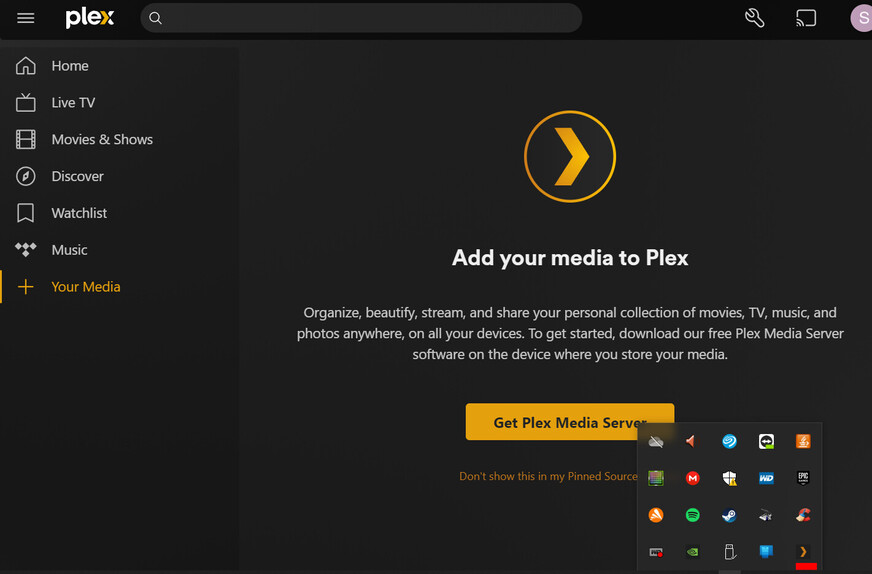
I can see that plex media server is running, but Plex can’t see the instance.
I found that plex media server is using a very old email
Computer\HKEY_CURRENT_USER\SOFTWARE\Plex, Inc.\Plex Media Server. Can I log out of that and log in with my new one?
See the link above (why am I locked out and how to get back in)
Computer\HKEY_CURRENT_USER\SOFTWARE\Plex, Inc.\Plex Media Server was where the problem was. Clearing that seems to have fixed it. Thanks!
