Server Version#: 1.25.5.5492-12f6b8c83
Player Version#: 8.29.1.30697
current situation:
NAS → ASUSTOR AS6402T (16GB RAM, latest firmware and above shown Server installed)
TV → Philips TV 58PUS8535 (WLAN - mostly 5GHz instead of 2,4GHz - or POWERLAN can be used)
STREAMSTICK → FireTV Stick 4K MAXX (latest firmware and latest PLEX installed)
ROOTER → AVM FRITZBOX 7530AX (latest firmware installed)
issue:
While streaming via WLAN or POWERLAN (NAS → TV or NAS → Stick) the streams will start to buffer every 5-to-10 seconds while using content with 1080P - H.264 (Direct Play) with DTS5.1 (Direct Play).
questions/help needed:
Anything I do have to change or should change of below shown settings?
I guess that’s just a rather huge wall of text/pictures. I took the liberty to slightly reformat your OP in order to avoid distracting details which aren’t relevant to your issue.
So let’s take that in a few slices…
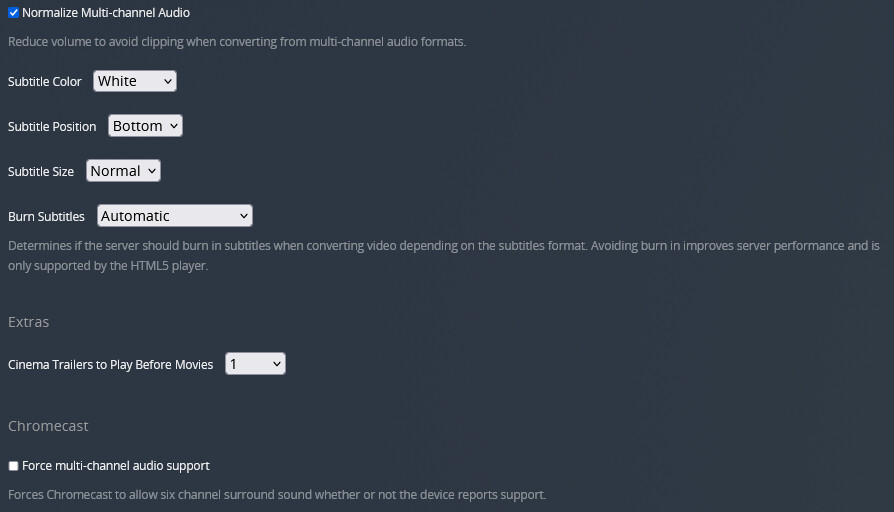
the options in Settings > Plex Web only apply to the web app’s player; those aren’t involved in anything you’re playing on your TV / fireTV stick
Did you take the screenshots of the server dashboard while attempting to play any files? It seems a bit off there’s no network traffic showing. Though that’s not necessarily connected to the streams buffering.
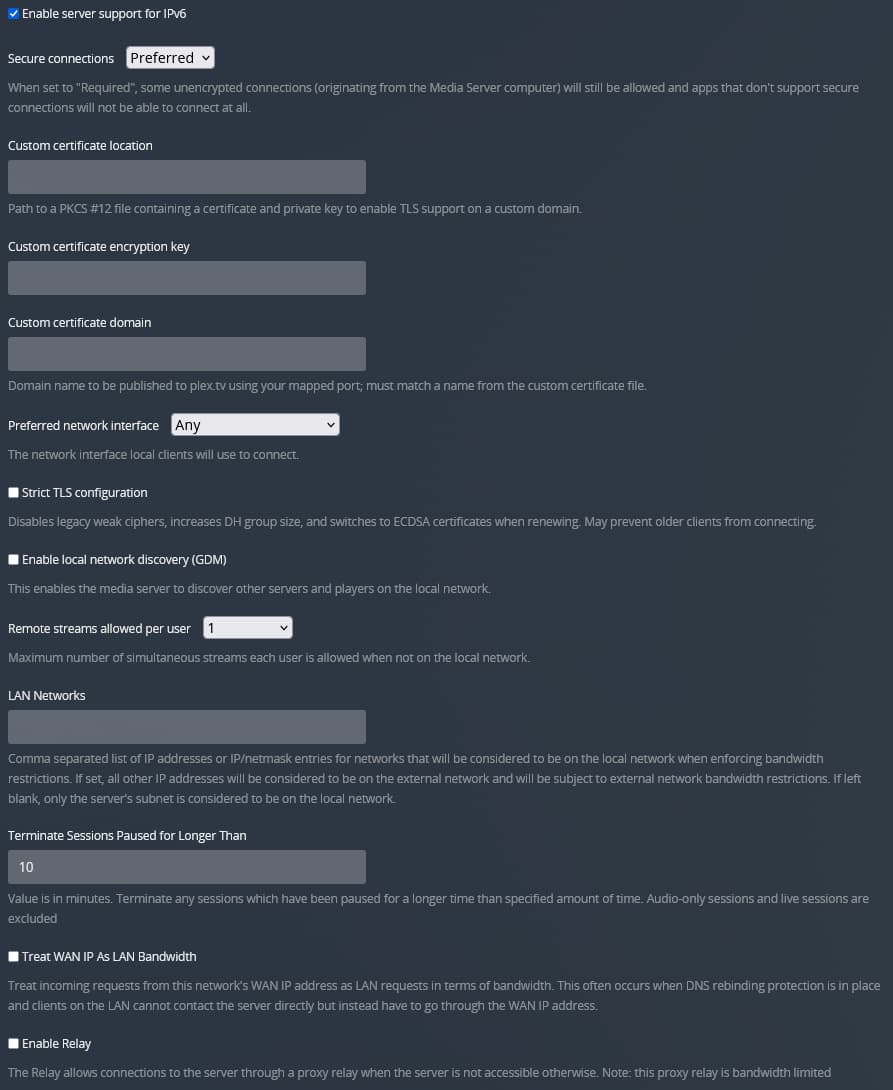
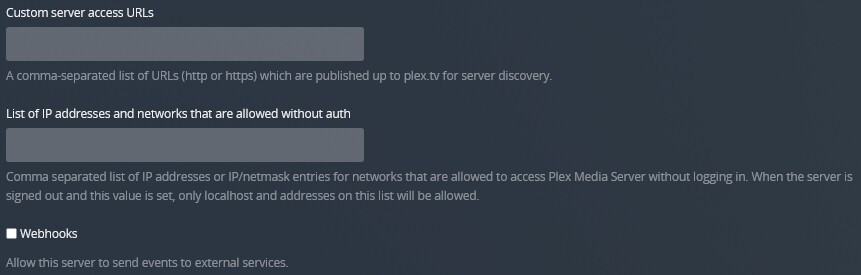
Nothing seeming severely wrong on your network settings
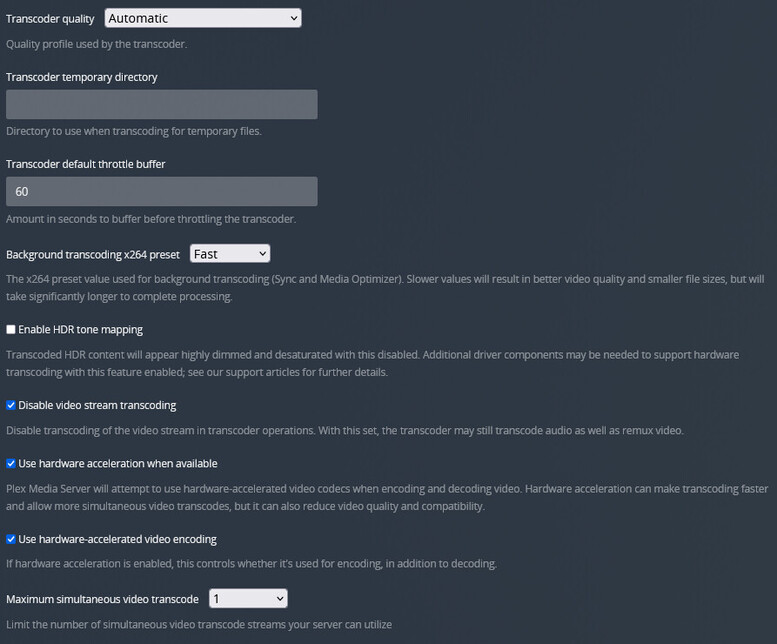
Transcoder settings seem a bit conflicting (e.g. disable video stream transcoding but use hw-accelerated transcoding) – should be irrelevant to the case at hand as you were pointing out there’s no transcoding involved…
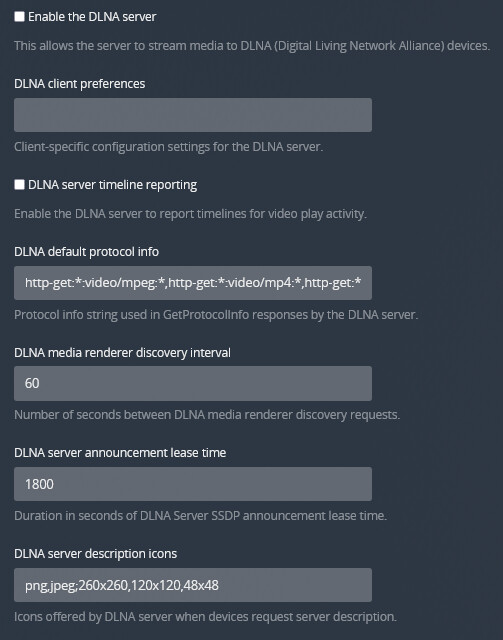
DLNA settings only apply if you’re streaming from a DLNA client (which won’t be possible as you have disabled the DLNA server
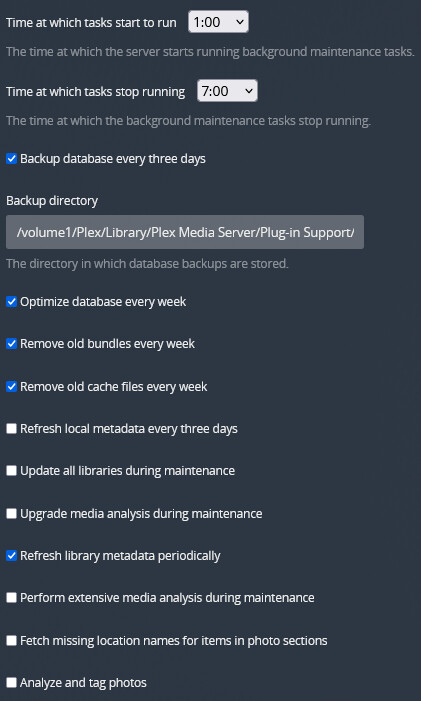
Scheduled tasks are about server maintenance, so they don’t play a role in the immediate playback or streaming hiccups.
As you’re streaming over WLAN (or a power line), the available bandwidth could be a factor. Both network types are sensitive to external influences (e.g. distance, walls, furniture, electronic equipment, neighboring networks…). An average 33 Mbps stream will probably have a few peaks about 40-50 Mbps – that shouldn’t be too much of a road bump for any halfway decent WLAN router / access point… then again the environment factors mentioned above can easily decrease the available network bandwidth significantly.
If you want to rule out issues with the player itself, you could attempt using a different audio track (some TV’s struggle to decode DTS, even if they support the codec).
thanks a lot for re-formatting my thread (not aware how I might be able to, but anyway: THANKS)!
reg. 1)
Ok
reg. 2)
Streamed contend on TV, went to PC and went to PLEX (browser) and took the pic(s) → Yes!
I am wondering, too, why there’s non network-traffic shown while streaming within local-room-network! But that is the pic/behavior ALL THE TIME while checking the Dashboards network-traffic during streaming! Is that normal?
reg. 3)
Well, ok then
reg. 4)
What should I set in order to avoid any transcoding-jobs for video/audio during stream-process (Network-speed is enough (1GBit))?
reg. 5)
Are Philips 58PUS8535 and/or FireTV Stick 4K MAXX DLNA-devices?
Yes = Should I put DLNA on (which settings more, too)?
No = While DLNA is off, the whole DLNA-page is off, right?
reg. 6)
Anything within the settings to make 100% sure that no scheduled task(s) will have effort while streaming?
I have just switched 100% to LAN-streaming but still phasing buffering-/transcoding-problems (even everything has been turned off) while streaming 4K ‘Finding Nemo’ with (E)DTS-sound!
Could the whole buffering-stuff be a problem while Philips TV (58PUS8535) is not able to play multi-channel-sound? Might that be the problem?
Could it be the solution to attach an DOLBY ATMOS-soundbar (I am close to purchase one) to let soundbar be responsible for the multi-channel-audio-stuff and TV (connected to soundbar via HDMI ARC) only responsible for picture?
Thanks
BTW:
Just recognized an strange behavior! Just streaming content (1080p) but DASHBOARD is showing nothing! Just restarted the NAS completely but still nothing is shown within DASHBOARD while streaming!
re #4: there’s no transcoding involved in your streams – so you should be ok; if you’ll attempt to play a video one of your clients cannot deal with, this will give you an error message (client isn’t capable to play as-is, server isn’t allowed to transcode → no streaming)
re #5:
DLNA is kind of a compatibility layer for devices that don’t have their native Plex client. Don’t activate it unless you need it.
Your TV / Stick both have their own native Plex app.
re #6: make sure to set the maintenance window (start/end) so it happens at a time when you’re not watching (e.g. 2am-7am)
As for network bandwidth:
This is not about your internet bandwidth but the available bandwidth inside your home network. With regards to bandwidth, you always need to look for the weakest link as that’ll be your bottleneck – e.g. you can have your entire house wired with Gigabit Ethernet (1 Gbps LAN); if your TV only has a 100 Mbps LAN port, that’ll be the best you can get to your TV. With WLAN it’s not that easy to determine as the impacting factors aren’t “on” your network.
Your internet download speed is relevant if you’re streaming from a remote location.
Your internet upload speed is relevant if you’re streaming while outside your home network.
I have just switched 100% to LAN-streaming but still phasing buffering-/transcoding-problems (even everything has been turned off) while streaming 4K ‘Finding Nemo’ with multi-channel-sound!
Could the whole buffering-stuff be a problem while Philips TV (58PUS8535) is not able to play multi-channel-sound? Might that be the problem?
Could it be the solution to attach an DOLBY ATMOS-soundbar (I am close to purchase one) to let soundbar be responsible for the multi-channel-audio-stuff and TV (connected to soundbar via HDMI ARC) only responsible for picture?
I have tried to play ‘Finding Nemo 4K’ through TV while using …
WiFi = buffering troubles
Wired = buffering troubles
I have tried to play ‘Finding Nemo 4K’ through FireTV 4K MAXX while using …
WiFi = buffering troubles
Wired = buffering troubles
I don’t understand why I do have such problems while playing that 4K-content!
Is it a setting-problem
Is it a hardware-problem
What could be the reason (network-connection is fine/enough - checked on router 890Mbit on WiFi6 and 1000MBit on Wired)
What could be the solution (using soundbar which will be responsible for multichannel-audio and TV only for video = ?=
one notice
i have also philips pus8305 and it is in standby mode
i noticed then sometimes the internet speed is fall down (i use wired)
but after reload tv (android reload) the speed is good and high
so you must know your tv’s speed internet





 Just restarted the NAS completely but still nothing is shown within DASHBOARD while streaming!