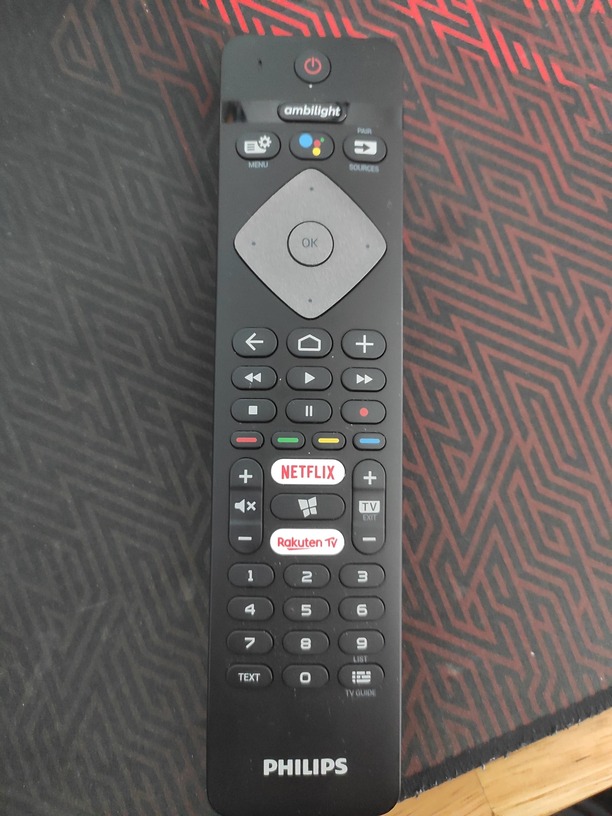
- find button on the your remote
button Sources
Press this button and you must see all your network devices

can you see you NAS in this list?
but other devices you can see?
The following stuff is showing up …
USB-device - nothing
Dropbox
Favorite
Most used
Last used
Do I have to enable DLNA on PLEX-server now to see NAS on TV? 
no it is not need
Ok, so how to get NAS shown here?
which nas you have?
first of all you need to switch on services on your nas as dlna or media
(the names may be different depends of nas )
My NAS is an ASUSTOR AS6104T
DLNA or others media services are disabled by default on the NAS.
pretty sure you would need to do that. 
or if it is difficult for you then download VLC application and try to scan your network
you must find your NAS
Just checked my NAS and DLNA-app/-service (UPnP-MediaServer) is installed and active. I have also checked if MEDIA-folders are linked, too → they are!
I went back to the TV and pressed the upper left button on my remote and checked the list of sources which will show up but my NAS is not showing up!
Any solution to get NAS shown here?
BTW:
VLC I will try next but let us try to get this above solved first!
STRANGE
may be your router blocks such kind of connections
Ha!
NAS is showing now on TV but it says: ‘No available data found’
→ but I have checked the NAS and I put the ‘content-folder’ in, too
So now I am struggling to get the content shown on TV
make screen shot of this message
?
Clicked on ‘NAS-name’ and on right side of the screen it says (in German): ‘Keine abspielbaren Dateien im Ordner gefunden!’ → what means in Englisch: ‘No playable data found in folder!’
try VLC
i think your media files and dlna directories have other pathes
Hi!
I grant permission to whole media-folder! Within that media-folder are couple content-folders within the media-files! Thought that will work → nearly same as Windows Explorer, but I think it don’t!
Will try VLC now
