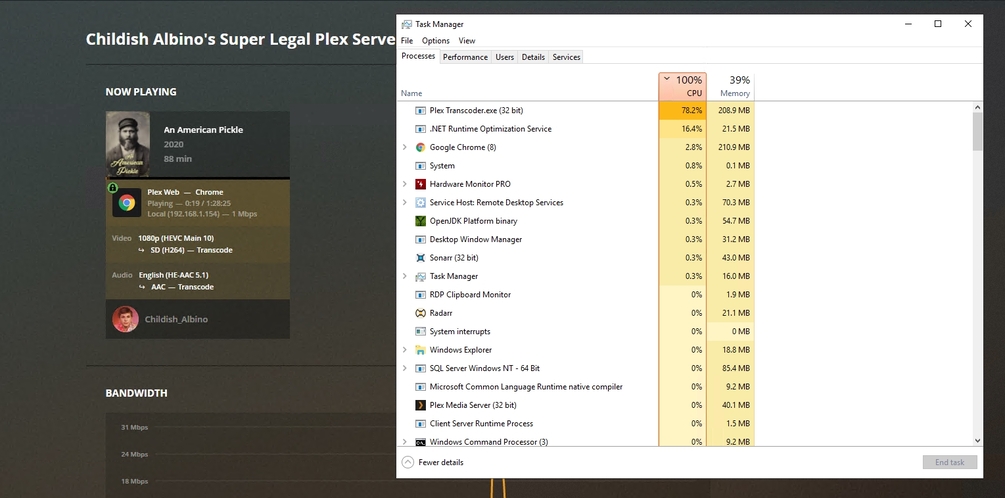
Server Version#: 1.20.0.3181
Player Version#: 4.40.1
I am a lifetime Plex Pass Member and have recently noticed that HW transcoding is not working. I am running Plex 1.20.0.3181 in Windows with a 7600K and a GTX 1050. I have tried repairing Plex with the installer and have cleared the drivers with DDU and reinstalled the latest version. I have also tried disabling and re-enabling hardware acceleration to see if there was a bug in the settings.
This happens on both 265 and 264 files and on all devices I have, nothing I try seems to get it working with NVENC.
Here is the section of the PMS log from when playing the video file. I have also attached the XML for the video, have had to rename it to a txt to upload however92712.txt (41.6 KB) .
Aug 16, 2020 21:42:49.109 [7568] ERROR - [Transcoder] [h264_nvenc @ 0076c400] OpenEncodeSessionEx failed: unsupported device (2)
Aug 16, 2020 21:42:49.124 [7568] ERROR - [Transcoder] [h264_nvenc @ 0076c400] No NVENC capable devices found
Aug 16, 2020 21:42:49.124 [7568] ERROR - [Transcoder] Error initializing output stream 0:0 – Error while opening encoder for output stream #0:0 - maybe incorrect parameters such as bit_rate, rate, width or height
Aug 16, 2020 21:42:54.308 [8952] INFO - [FFMPEG] - MFT name: ‘Microsoft AAC Audio Encoder MFT’
Aug 16, 2020 21:42:54.707 [8952] INFO - [FFMPEG] - MFT name: ‘Microsoft AAC Audio Encoder MFT’
Aug 16, 2020 21:42:54.952 [8952] INFO - [FFMPEG] - MFT name: ‘Microsoft AAC Audio Encoder MFT’
Aug 16, 2020 21:42:55.253 [8952] INFO - [FFMPEG] - MFT name: ‘Microsoft AAC Audio Encoder MFT’
I have attached my debug logs, it looks like around line 839 is where the playback started. plex debug logs - line 839.txt (48.6 KB)
I am using the latest drivers, have tried reinstalling the drivers and also tried an older driver version. I have uninstalled the drivers with both the NVIDIA driver installer and DDU to get a fully clean install.