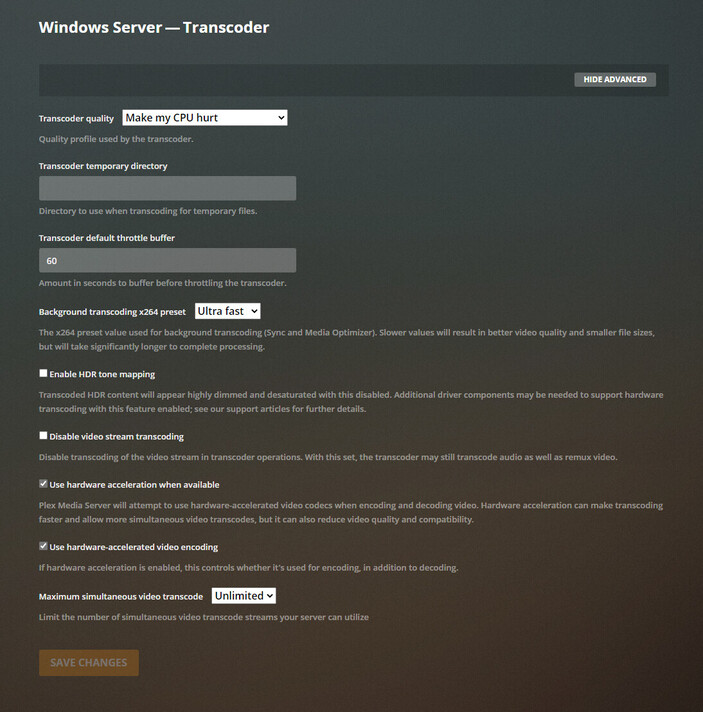
Please turn off verbose logging, as it adds much unnecessary information to the log files. Settings → Server Name → Settings → General, not Settings → Plex Web → General.
Does the failure to use h/w transcoding happen with all media, just this file, just 4K media, etc?
CPU model?
GPU make/model?
Are you running Plex Media Server as a Windows service or on a headless system? Both can interfere with using h/w accelerated transcoding.
Here’s the error message:
Apr 23, 2021 08:29:17.594 [4132] ERROR - [Transcoder] [h264_qsv @ 071af0c0] Error initializing an internal MFX session: unsupported (-3)
Apr 23, 2021 08:29:17.595 [4132] ERROR - [Transcoder] Error initializing output stream 0:0 -- Error while opening encoder for output stream #0:0 - maybe incorrect parameters such as bit_rate, rate, width or height
I searched the forum for those error messages. I did not see any recent postings (last 2 years) with possible cause or solution.
Hopefully others can provide some ideas.
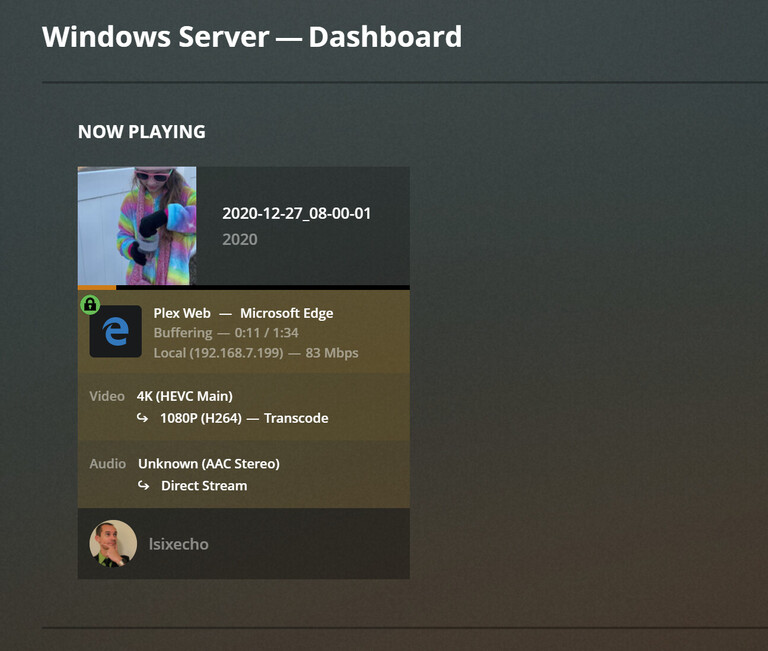
Plex did use hardware acceleration twice when you played the file. It used Nvidia to decode from H.265 and Intel to encode to H.264.
Apr 23, 2021 08:29:16.133 [3940] DEBUG - [Transcode] [Universal] Using local file path instead of URL: C:\Users\joshleonard\Videos\New folder\2020-12-27_08-00-01.MOV
Apr 23, 2021 08:29:16.133 [3940] DEBUG - [Transcode] TPU: hardware transcoding: final decoder: nvdec, final encoder: qsv
When h/w acceleration failed, Plex failed to find find the hardware:
Apr 23, 2021 08:29:17.659 [16632] DEBUG - TPU: hardware transcoding: enabled, but no hardware decode accelerator found
Apr 23, 2021 08:29:17.659 [16632] DEBUG - [Universal] Using local file path instead of URL: C:\Users\joshleonard\Videos\New folder\2020-12-27_08-00-01.MOV
Apr 23, 2021 08:29:17.660 [16632] DEBUG - TPU: hardware transcoding: final decoder: , final encoder: