Is the tray icon there? If it’s there, does it vanish when you move your mouse over it?
If the icon is there and stays there, what happens if you open your web browser and go to http://127.0.0.1:32400/web ?
Is the tray icon there? If it’s there, does it vanish when you move your mouse over it?
If the icon is there and stays there, what happens if you open your web browser and go to http://127.0.0.1:32400/web ?
so
no, and the rest of the message is based on it being there
Then please tell me what is stored in the registry key LocalAppDataPath.
Does it exist at all?
I searched for it nothing came back
That means it is using the default data location on drive C:
What is the current drive letter and folder path of your SSD where you copied the plex data folder?
Open notepad.exe and copy this into a new text file:
Windows Registry Editor Version 5.00

[HKEY_CURRENT_USER\SOFTWARE\Plex, Inc.\Plex Media Server]
"LocalAppDataPath"="E:\\plexdata\\"
Now change the drive letter and the folder name to suit your system.
If your Plex data folder now resides in M:\Plex\Plex Media Server change the line to "LocalAppDataPath"="M:\\Plex\\"
The double backslashes \\ are intended and must remain!
Save the text file, then rename its file name extension from .txt to .reg
Make sure Plex server is not running. (Use the task manager to close any remaining Plex processes.)
Double-click on the .reg file.
Confirm.
The new data folder location is now in the registry and should be used by Plex server on next start.
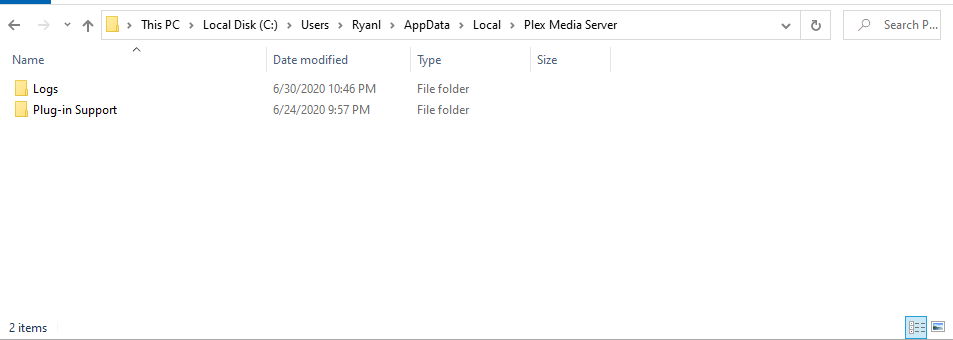
I am so tyred of working on this to make sure i am understanding you, you mean this right
C:\Program Files (x86)\Plex\Plex Media Server
No. This is the Plex program folder, which must remain on drive C:
The Plex data folder is where plex stores information about your media, your library etc.
See the screenshot in my first response above how it is supposed to look like.
Didn’t you say you copied this folder to a separate drive? i.e. not on drive C: ?
Or were you only considering it?
yes then when you told me that was a bad idea, and i just want it to work so depratly. i deleted it all and re installed it on the C drive.
Moving the program folder is a bad idea.
Moving the data folder is a good idea.
So we can assume at this point that nothing has survived.
I think you should start over cleanly:
It says bothj the server and the player, can I just delete the server (also waiting on a back up to finish)
“It”?
The article only describes removing the server.
it says Delete the HKEY_CURRENT_USER\Software\Plex, Inc.
it has 
do i also need to get rid of the player
No. Not necessary.

Done
Reboot the computer and install Plex server again.
Ok to confrim dose it matter if i use the 1.19 downlaod i got a few days ago or do i ened a new new one
To rule out the download was somehow damaged, I recommend to download it again.
Its back up now to figer out hte meta data issue