Problem: The subtitles on the Nvidia Shield android-tv app do not correctly display for live or recorded CBS network shows.
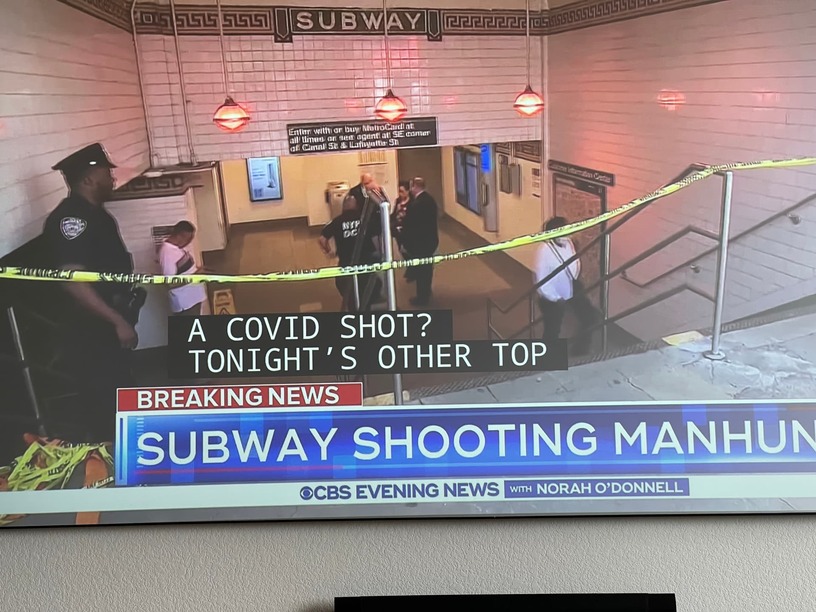
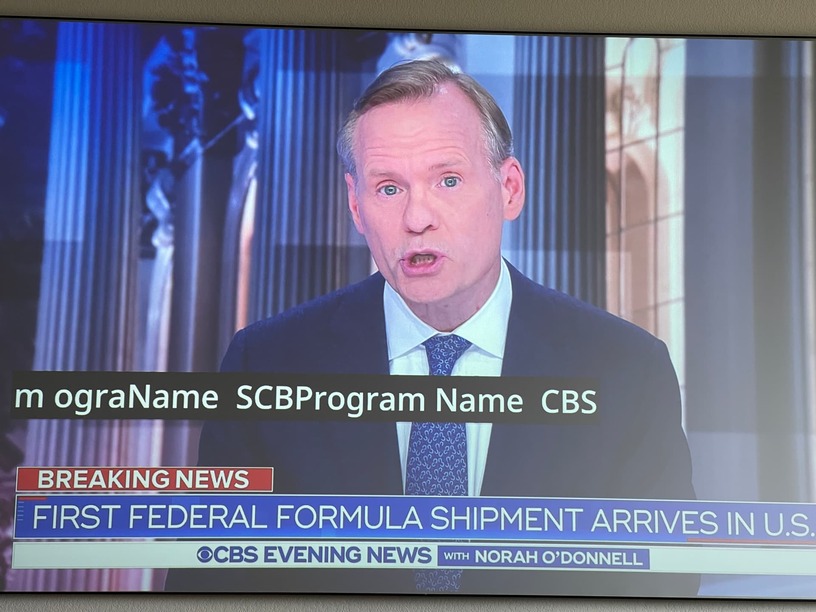
The signal from the HDHomeRun device has 100% signal strength, 100% signal quality, and 100% symbol quality. Image 1 shows the HDHomeRun signal status, Image 2 shows the HDHomeRun app on Nvidia Shield with correct subtitles, Image 3 shows subtitle errors on android tv app 9.2.1.32664, Image 4 shows playback info.
The same error occurs on both Plex LiveTV and DVR recorded TV on CBS television network shows.
The same CBS show subtitles display correctly on the IOS Plex app.
I am happy to provide a short video sample from the plex recording (a .TS file) but I am not familiar enough with handbrake to know how to do it and maintain file integrity. Please provide a pointer to some instructions.
The garbled subtitle text is as shown in the images above (“mem Na CBSram NAProgrme CBSProg”), but it only appears when the video is played in the plex android player. I’ve seen other similar subtitle variations on all shows from our Austin TX CBS TV affiliate.
The subtitles are all correct when I play the same DVR TS files with VLC or other plex clients.