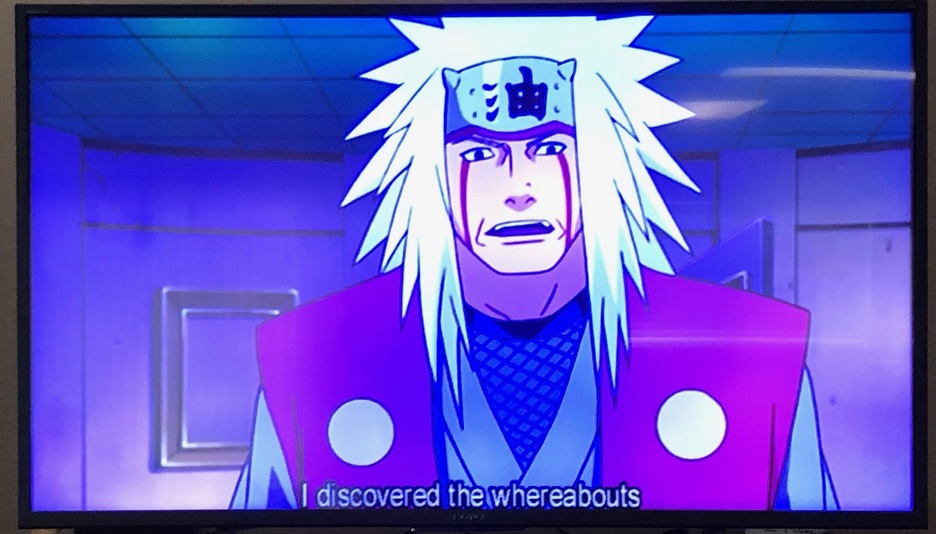
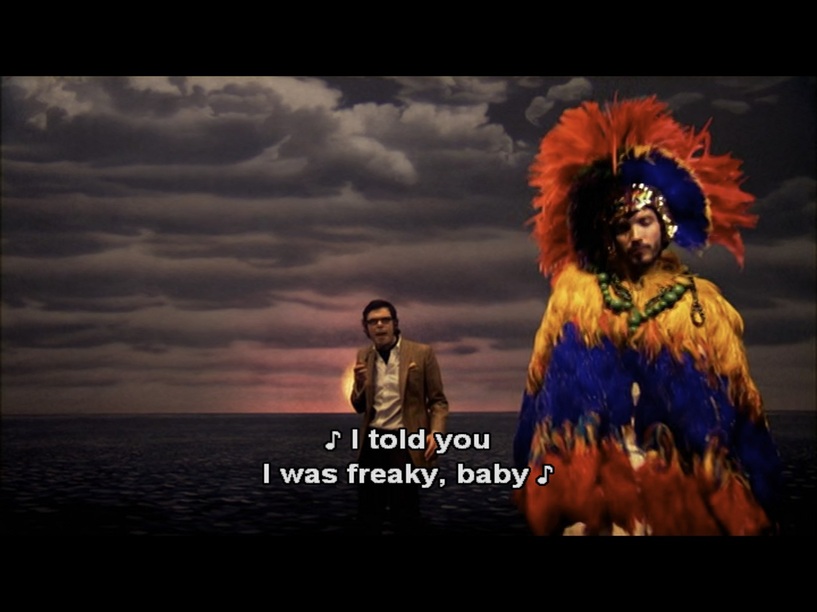
I’m seeing this too on my Kindle, in landscape mode. VOSUB based subtitles aren’t appearing in the area of the screen where the Kindle menu bar appears when I switch out of the Plex app. SRT based subtitles appear fine, but this isn’t an option for all of my media.
@elesel
The aspect ratio of the subtitle fonts makes me think that the Nvidia Shield is not adjusting the VOBSUB to fit the screen properly.
In the examples from the laptop and iPad (where the same subtitles are fully displayed on screen) the font seems to be a bit distorted (compressed vertically). That leads me to believe that those clients are performing some action to make the VOBSUB fit the screen. The fonts on the NVidia shield look to have a “normal” aspect ratio so I’m assuming they have not been adjusted in the same way.
In the end, I’m not really knowledgeable enough to know what has changed to cause this behavior.
Exact same issue. Nvidia Shield Pro on 4k TV, tried latest stable and latest beta. Tried with resolution switching on and off with no difference. Plays fine in Kodi with Plex Kodi Connect. If I select “burn image formats” for subtitles in settings it will display properly but I’d rather not transcode.
They recently updated image subtitle rendering, since it previously was fixed to a 16:9 aspect ratio.
Do any of your vobsubs display correctly? I was concerned when I saw this after updating, but all of mine are displaying properly. I tested 720x480p with anamorphic 16:9, 4:3, and 1.85:1 aspect ratios
Are these videos converted? Some programs don’t passthrough vobsubs correctly when converting video, especially when cropping/scaling. I remux the source vobsubs back in after transcoding to avoid issues.
I haven’t gone through my entire library but the only vobsubs that seem to fit on the screen are Star Trek Deep Space Nine and Voyager. However, the fonts seem huge now.
My media usually goes through makemkv and then handbrake.
I suppose I can test out if remuxing the original vobsub from the disks into the files works but that isn’t a great solution since I’d have to apply that action to a great number of files in my library.
The files in my library used to display their vobsubs just fine so it seems a bit odd to have to do something to hundreds of files because something changed in the PLEX for Android client. As I mentioned before, I’m not having this issue in any of my other clients (iPad, Windows) or when I test the files on VLC.
Seems like the Shield is taking a 4:3 aspect ratio subtitle image and matching the width of 16:9 video which would make the bottom dangle off screen… Just guessing. I’m no expert on image based subtitles and how they get displayed…
I’m not really sure about what the aspect ratios of the subtitles are but I made a sample and uploaded it here:
I played this sample on Shield Plex client and it exhibited the same problem so it should be representative of the issue.
I’d also like to reiterate that is problem is exclusive to the Nvidia Shield. I do not have this problem with Plex clients on windows or my iPad Pro.
Edit: I went ahead and dug the original dvd out of storage and used makemkv to pull the files off. I skipped handbrake and loaded that file onto my plex server. Same results: everything is fine on my laptop and iPad but fails on the NVidia Shield. So I guess we can rule out any conversion errors.
Here is what makemkv reports for the video file:
Track information
Type: Video
Codec: Mpeg2
Resolution: 720x480
Aspect ratio: 16:9
Frame rate: 29.97
Type: Subtitles
Language: English
Codec: Dvd Subtitles
MKV Flags: Default
I see the same issue playing back your video on my Shield TV. It looked like the only difference that my videos had were that I typically process them with BDSup2Sub to prevent stretching/squishing that most source vobsubs have. I demuxed the vobsub track and ran it through BDSup2Sub (without changing resolution, scale, or fps), and remuxed it back in with the original. It played back in frame (albeit with the slightly larger appearance noted in previous posts).
I’m guessing BDSup2Sub adds more information than the original has. Exoplayer seems to require this information currently, which looks like a bug since all other players I tested don’t have trouble with the original.
I really appreciate you checking out the sample file. It’s good to know it can be replicated.
I just found out about BDSup2Sub yesterday and played around with it. I haven’t been having any problems displaying PGS subtitles from Blu-rays so I used BDSup2Sub to convert a Sub to a Sup. It worked but from what you said it sounds like I could have kept it as a Sub. The Sup fonts looked to be the same size as the Sub fonts, so that’s something.
Well, I hope they fix the bug. I guess it is nice that I can manually manipulate each subtitle by extracting it, running it through BDSup2Sub, and then remuxing it back into the video. I just don’t want to have to do that thousands of times, especially since they all used to play fine before and still do on anything besides the Shield.
I’m having the same issue, and was pointed to this bug report. I have verified that it’s happening with VOBSUB subtitles and not with SRT or ASS. Also it’s only happening on my NVIDIA Shield, and doesn’t happen when I play on a Roku or the web client. As others above noted, they used to play just fine up until the last couple of months.
Still a problem. Played 1 minute of video to confirm issue persists and then generated logs.
PLEX Player Device: NVidia Shield Pro
PLEX Player Version 9.3.0.32842 beta
PLEX Server Device: Synology NAS (Updated to DSM 7.1-42661 Update 1)
PLEX Server Version 1.26.2.5797