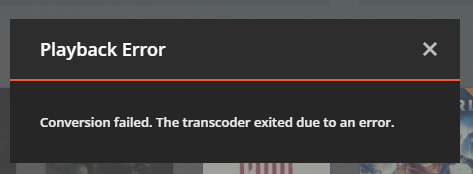
I am unable to play any media at all as my transcoder exits with a very vague and unhelpful error. I have downloaded and searched the logs and was unable to find the source of the error myself hence the post here.
All streams were working fine yesterday evening, I was able to stream two different movies to two different devices with ease. I have never seen this error before, I tried updating to Version 1.13.4.5271 to no avail, it did not fix the issue. It seems to effect every movie I watch unlike some other posts I’ve seen on this forum where it only effects some videos.
Same issues here. Version 1.13.4.5271
Windows 10 (64)
Streaming through PS4
Everything was working fine until today. After reading about other people having issues I decided to post and upload logs.
Currently getting the same error message quite often. I’ve played 3 different files and at some point during the playback, I’ve gotten this issue on all 3.
Edit, I’m running the latest Plex media server (1.13.4.5271) directly on the latest Windows 10 build (17134.165)
ok. maybe its not just me. Appletv4k. PMS 1.13.4.5271 running on Win10 1803 17134.165
Jul 20, 2018 19:54:50.579 [21312] ERROR - Couldn't delete the file "C:\Users\XXXXX\AppData\Local\Temp\logs.zip5a929760-9834-4e76-b9c3-3217d8a6bdb2": The process cannot access the file because it is being used by another process
Jul 20, 2018 19:54:50.579 [21312] WARN - Could not delete file "C:\Users\XXXXX\AppData\Local\Temp\logs.zip5a929760-9834-4e76-b9c3-3217d8a6bdb2" after connection reset
Jul 20, 2018 20:02:36.542 [14512] ERROR - [Transcoder] [stream_segment,ssegment @ 01d3b180] Failed to open segment list 'http://127.0.0.1:32400/video/:/transcode/session/066447D5-D5C0-4554-9BAD-84F7A133AA7F/9d35bba1-9cee-4c6a-988a-85f082a626dc/seglist'
Jul 20, 2018 20:02:36.558 [18608] ERROR - [Transcoder] av_interleaved_write_frame(): Unknown error
Jul 20, 2018 20:02:36.574 [14512] ERROR - [Transcoder] Error writing trailer of media-%05d.ts: Invalid argument
Jul 20, 2018 20:02:36.639 [1424] ERROR - Transcoder: Failed to delete session directory (boost::filesystem::remove: Access is denied: "C:\Users\XXXXX\AppData\Local\Plex Media Server\Cache\Transcode\Sessions\plex-transcode-066447D5-D5C0-4554-9BAD-84F7A133AA7F-9d35bba1-9cee-4c6a-988a-85f082a626dc\media-00165.ts")
Jul 20, 2018 20:02:41.352 [14752] WARN - Got a request to stop a transcode session without a session GUID (or with an invalid one).
Jul 20, 2018 20:02:48.450 [14512] INFO - AutoUpdate: no updates available
EDIT: Seems to work for me, I was able to play about 45 seconds of Alien without a crash (that’s the first movie I had an issue with). I will test more in about an hour but this seems to be the solution.
If you’re like me and don’t have that previous version in your updates folder, here’s a link. You’ll need to uninstall Plex Media Server first and then reinstall using the file from this link.
Same problem started happening a few days ago for me. Was looking into options, maybe moving to Emby and then found this thread. downgraded and everything seems to be working fine. Looks like they had a similar problem in Oct 2017, long thread I found.
Glad this post could help, I honestly just created it for myself cause I paid for a year of plex and didn’t want to switch hahaha. I’m glad it was helpful to someone other than me.