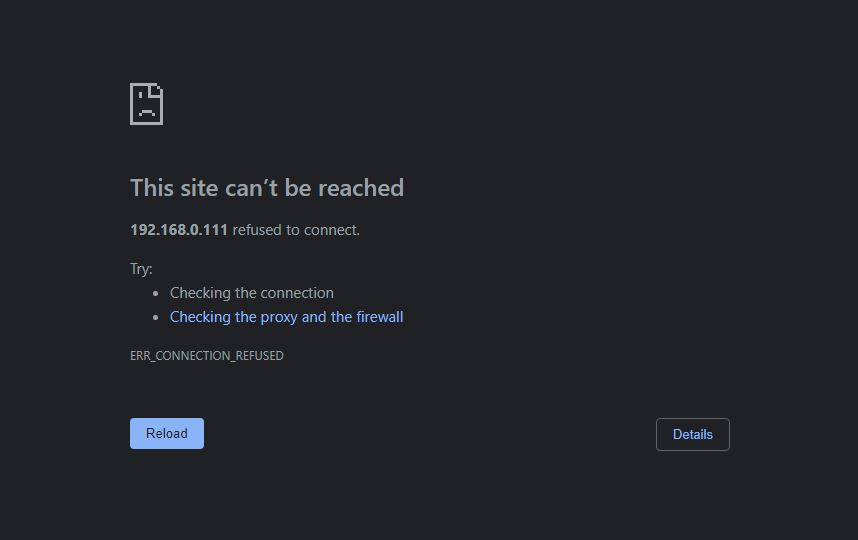
Plex refusing to run on Synology DS220+ after flipped breaker

We had some power issues last night and when I tried to watch something on Plex this morning, I noticed the server wasn’t connecting anymore. I would open up Plex on the DS220+ and I would get an ERR_CONNECTION_REFUSED error screen.

I also noticed that on my Synology, after clicking “Run” on Plex, it would load, show “Open” for about 10 seconds, then stop running entirely.


This is after multiple uninstalls and reinstalls using the recent PlexMediaServer-1.29.2.6364-6d72b0cf6-x86_64_DSM7 SPK available on the site.

Followed similar topics–the subnet mask is the same. There’s no additional security VPNs or protocols changed. It’s like it just randomly refuses to connect anymore. I went ahead and zipped my available logs, attached here.

Logs.zip (4.6 MB)

Server Version#: 1.29.2.6364-6d72b0cf6-x86_64_DSM7
Player Version#: Version 4.95.2

Thanks for the logs… but OUCH! that’s a rough one

As first step to see how much damage occurred,

  1. Is the Syno scrubbing the volume(s) ? It should be.
  2. As for PMS, let’s forcibly reapply permissions to the PlexMediaServer shared folder

  • File Station
  • Right-click PlexMediaServer → Properties
  • Permission tab
  • Make certain PlexMediaServer has Read & Write permission
  • Check the box (lower left corner) "Apply to this folder, sub folders, and files "
  • Click “Save”
  • Wait for it to complete
  1. Now start Plex

If the above doesn’t resolve it, grab the logs again and we’ll see how far we got.

Yes–the Syno is reading the volumes, and I can also access the volumes on my desktop.

Followed those instructions and not resolved. Updated logs below.

Logs.zip (4.6 MB)

Open FileStation

Navigate - PlexMediaSever/AppData/Plex Media Server

Rename - Logs → Logs.old

Attempt restart please.

Goal here is to make certain PMS can start properly or if a reload of the package
is needed.

If you want to for safety sake:

  1. Uninstall the package with the KEEP (first radio button) option
  2. Reinstall the same SPK file again.

What this will do is write fresh executables onto the disk.
By doing this, we know the software itself is good.

Bleh, nope. Here’s a zip of the new logs folder.

EDIT: Forgot to clarify, uninstalled and reinstalled the package beforehand too.

Logs.zip (4.7 MB)

I think you gave me the wrong ZIP file.

If you renamed “Logs”, and it created a new “Logs” directory ,
then it wouldn’t have all the old logs still in it.

Please recheck.

Re-trying.
Logs.zip (450 Bytes)

thanks.

This is what I was afraid we’d find.

Nov 24, 2022 23:06:04: Failed to initialize logging: Empty or non-existant file.

When DSM finishes repairing the volumes, please let me know.

We can go into PM and I’ll help you with the extra things you’ll need to get your server running again.

At this point, so I have an idea – Please go look at the contents of

PlexMediaServer/AppData/Plex Media Server/Plug-in Support/Databases

Show me what’s there please (you can screenshot it)

How do I know when DSM has finished repairing the volumes? Feel free to continue in PM from here :slight_smile:

Can I see the file sizes please? Those are the most important.

In DSM, Storage Manager will show you that it’s checking/repairing the volume.
It will also show you when it’s done.

If I may be bold?

Get a small UPS for the NAS and plug the USB cable into the Syno then configure the Syno to shutdown (orderly) when the battery power is almost exhausted.

You don’t need much battery time (20 minutes covers most short outages and ooops events).

I know they support APC brand. Check their compatibility list for the complete details.

Sorry, here you go.

And checking Storage Manager, there’s nothing about repairing or checking the volume, just that it’s healthy. I’ll PM you that screenshot.

Is there a possible solution that doesn’t require me to make an additional purchase?

For those who find this.

After several heavy-duty resolution attempts, it was concluded the data records in the database itself were damaged to the point PMS couldn’t start.

The DB file was valid as a DB but the contents were jibberish.

The resolution was to

  1. Rename AppData → AppData-old
  2. Reinstall the SPK file
  3. Create a new server
  4. Import the watch history after media scanned again
  5. Head to bed and check in the AM.

@Gambit1138

Do you have a final report? :slight_smile:

Not piling on but I think it is a good time mention how much peace of mind an uninterruptible power supply brings.
IMHO it is just as important as a proper back up strategy.

We did discuss that and I made a recommendation.
It’ll be enough to power the DS220 fully loaded with ease for 20+ minutes

@ChuckPa It works perfectly! That was exactly what we needed to do. All of my films and watch history is re-imported. Thank you so much for all the guidance last night. Definitely putting one of those batteries on my Christmas list this year.

Outstanding! Glad it’s back up and running for you.

Outside of the testing I’ve done, you’re the first “real world” use of the Watch History import capability I added in the current release of that tool.

Hi ChuckPA

It seems you have some experience with this topic. I am getting the same issue as the OP but not sure if it is related.

Plex will start up, run for a few seconds then “kill” itself. My log files are attached.

Can you please also check my log files?
Logs.zip (3.3 MB)

Update: I followed the instructions on how to rename APPDATA, re-installed and created new server. It is working now however, I do not know how to import watch data over to the new server. Any help please?