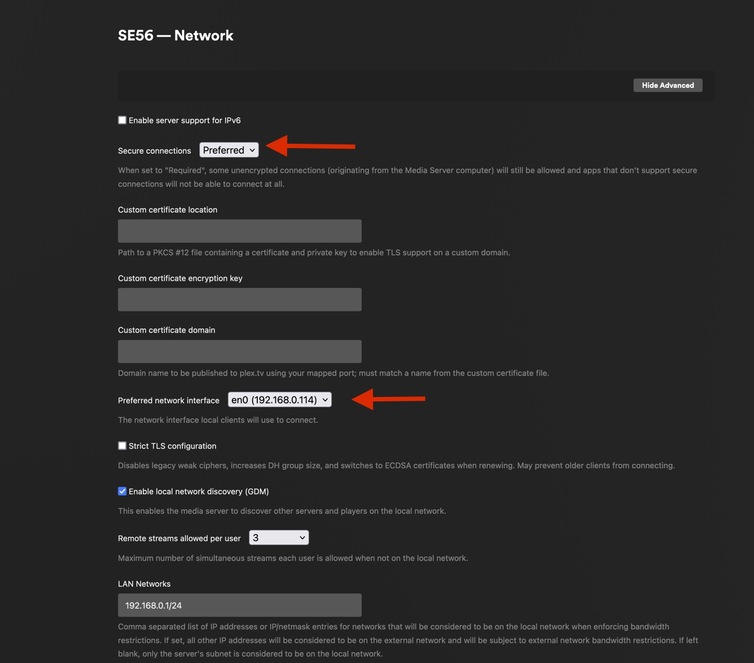
Hi! I have a Plex server on my Mac and I’ve been trying for a long time to activate remote access without success. I tried:
Port forwarding
AP mode configuration
DHCP settings
Firewall adjustments
Custom URLs
Different ports
But nothing has worked. I talked to my ISP to check if I have CG-NAT, and I did, so I paid for an external IP address. Now I can access Plex via web by going to my ExternalIP:32400, but Plex is still saying that it’s “Not available outside your network,” and Plex relay is unfortunately active.
I tested other server applications by setting up a simple Python HTTP server on port 8080, added proper port forwarding rules in my router (just like I did for Plex), but I cannot access it from outside my network.
my network does have IPv6 addresses (visible in ifconfig output). Would you recommend trying to configure Plex specifically for IPv6? If so, could you guide me on the recommended settings?
Log on to your router, IPv6 firewall settings, add a rule to open TCP port 32400 towards your Plex server. Every router has its own menu structure but they all work roughly the same.