Hello, when I open Plex on my Server in the browser, the Home page shows Recently Added Moves, how can I change that to show Recently released Movies instead? Thanks
You can remove items by hovering the mouse over “Recently Added”, you’ll see an X show up to the left, click that. To add the movies, go into a movie library and find “Recently Released” there, hover over it, you’ll see a + sign.
Repeat the above for any customizations you want. More details at https://support.plex.tv/articles/customizing-plex-web/.
I don’t think that’s possible. As far as I know, there isn’t a ‘Recently Released’ hub.
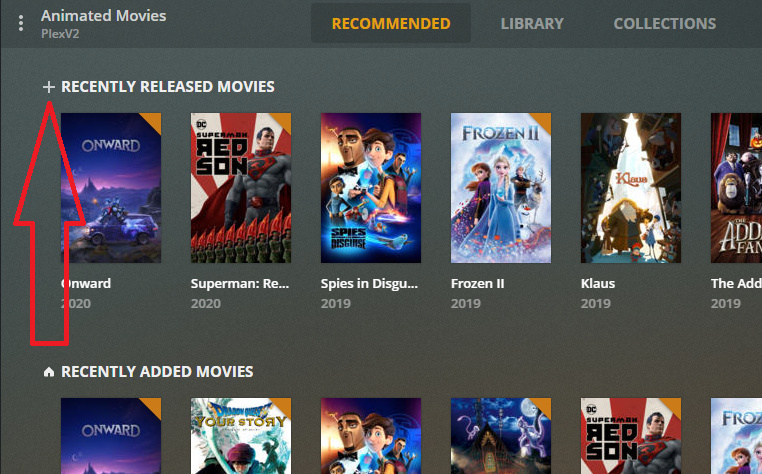
Ah, okay. I guess I just don’t have any. 
Hello, thanks for responding. Here is a screenshot of my Home page and I don’t have the Plus sign. Am in in the wrong spot? and when I hover I don’t see an X
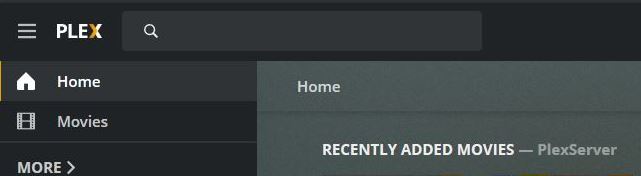
You’ll need to go into the library, your screenshot shows you’re Home.
I found it but that Plus sign isn’t showing up when I hover 
I’m on Version 1.19.1.2645
are you locally connected or through app.plex.tv? I defnitely have the + sign when I hover.
Any browser addons?
I’m locally connected and I tried with Firefox and Edge.
app.plex.tv shows the same thing, no Plus sign
Which Edge? I’m using Edge Chromium and that works fine…
Microsoft Edge.
This is a fresh install of Windows 10 so don’t have much on it. Does it work for you in Firefox?
Yup latest build of Firefox shows the Plus sign correctly too. That’s a vanilla install without any addons or pop up blockers etc.
Okay and are you on Plex Version 1.19.1.2645 ?
Is that option available to you in app.plex.tv as well?
Same server version, and it works both locally and in app.plex.tv for me.
Also checked an older server version and that is showing it as well.
Okay, I’ll keep trying to figure something out on my end. Thx
On the top right of the home screen click the edit button (the pencil icon). In the window that comes up press the button to disable automatic home screen. When it is in manual mode the + sign will show up next to the hubs.
2 Likes
Yes, that was the issue. Thank you, working now
Is there a way to choose specific libraries rather than the type of library?
For example, I keep two movie libraries. One Full HD and the other compressed for streaming. So on my homepage, I get doubles of every movie I add because I add it to two libraries.
HD Movies library and Streams library.
But the + sign seems to add “new movies” – the type of library that it is – as opposed to “new additions to this specific library.”
Is that just how it works?

