Server Version#: 1.32.1.6999
Player Version#: nvidia Shield Pro
<If providing server logs please do NOT turn on verbose logging, only debug logging should be enabled>
Hi all, I’m running my Plex Server on my QNAP TS-653D nas which has an Intel® Celeron® J4125 CPU and i’m using the nVidia shield Pro for the plex player. someone told me that plex server doesn’t run well on Gemini Lake CPUs which is what this CPU is. sometimes when i’m watching a movie, everything will be fine at first. then eventually it will stutter for a split second. then stutter again and again until it will pause for a second and then continue. it will continue to get worse until it will pause and not continue. if I press play again nothing happens. I have to stop the movie and then play it again and it will be fine for a while and then eventually the problem will creep up again. it drives me nuts. I was told to downgrade my plex server version to 1.32.1.6999 which fixed the problem for several months. now this started again and i checked and my plex version has not changed. does anyone know what could be causing this? did Plex release a fix for its issue with Gemini Lake CPUs?
The Shield Pro 2019 (important) can DirectPlay everything from PMS.
The most important setting in the Plex app is “Subtitle burning” → AUTOMATIC.
Let the shield handle subtitles internally. The Plex app handles placement, size, and color.
If you force it or select “Image Formats”, you’ll make it burn and stutter like mad.
The key here is to offload everything to the shield that you can.
I have a tiny TS-128A and Synology DS1815+ which can pull media over NFS and play it to the Shield (DirectPlay) with NO problems.
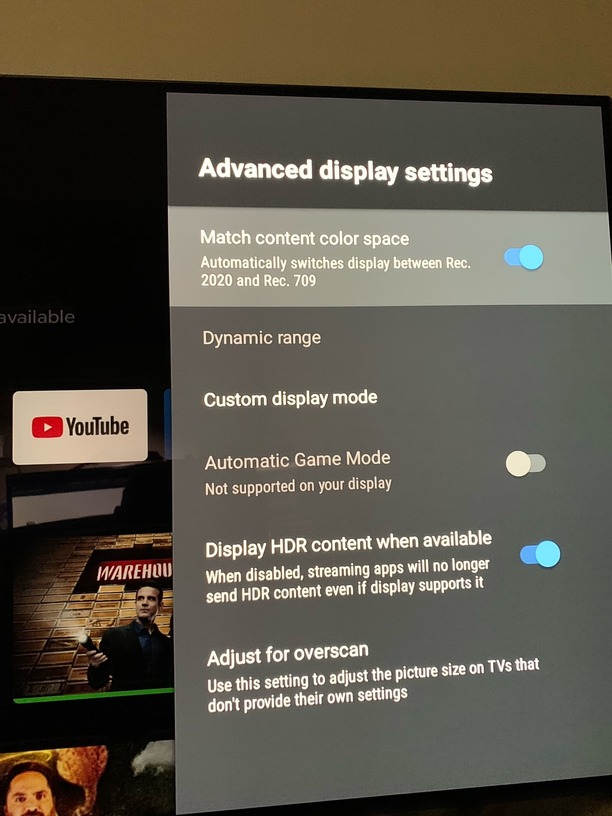
Here are my settings. These work very well. I use these settings on both my 1080p old Vizio as well as my 2160p LG C1 OLED.
99% of my movies are either remux mkv or ISO in which case I use MakeMKV to create the mkv file. when i’m watching the movie using Plex on my nvidia shield, I press the down arrow and use the menu under the progress bar to show subtitles. would that alone cause transcoding?
The app settings are 99% of the cause of subtitle burning on Nvidia Shield Pro 2019.
The desired / correct setting to use is Automatic.
I also turn off refresh rate switching and all that other stuff as the content is either 23.97 / 29.97 / 59.94 with the occasional perfect 24 , 30, or 60 (home video)
so I installed that newer version of plex server and just finished watching a movie and it still does the same thing, even worse actually. I even disabled subtitles. I’ll check the refresh rate switching setting and get back to you.
so I went to the plex server using another PC, went to settings->Plex Web->Debug and enabled Debug Level. is that right? then after I watch my next movie i’ll sent you the log.
so i watched a movie just now and the problem only happened in the beginning this time. tye rest of the movie was fine. i went to the plex server and went to plex web->debug and clicked on " You can view the debug logs here". it showed me some code which i copied to a txt file. is that what you need? how do i send this to you?
“Plex Web” is the web browser player, and those logs are for that player, not your Plex Server. Server logs are down near the bottom under Manage > Troubleshooting > [Download Logs]
Ok I got it. But the dates on them is from Aug 6 and earlier. How do I reset it? I can reset it and send it after I get the problem. Maybe less work for you.