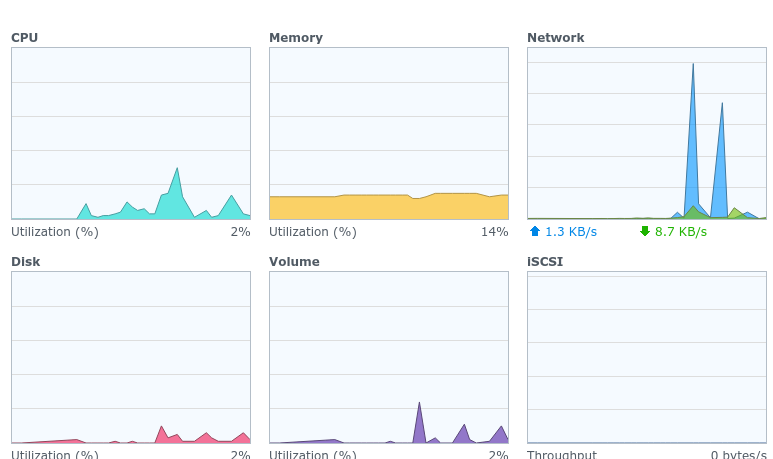
Server Version#: DS1618+ DSM 6.2.3-25426 Update 3
Player Version#: 1.21.3.4021-5a0a3e4b2/
Since yesterday my Plex server has been automatically crashing after less than a minute of being up. I don’t think any users are connected, and overall the Synology NAS does not have any other heavy processes running. I have optimized the database and cleaned bundles.
When I run Plex the task manager doesn’t show any huge spikes in CPU (the network spikes are from me reloading the local endpoint on :32400) so it doesn’t seem like the NAS OS is killing it.
It’s still possible to run it, but it takes a minute or so to spin up, and then dies in another minute or so. I was still able to stream around five minutes of a media file, so it was able to handle the buffering just fine.
The only potentially important error is that the logs show Error issuing curl_easy_perform(handle): 28 when connecting to somehash.plex.direct:10208/identity. Really not sure what’s going on here, advice on how to debug this would be appreciated.
I tried this, no cigar. My network seems to be fine otherwise, it’s literally just the plex.direct URLs that seem to be erroring.
I also visited those URLs from the errors in my browser, they show the same lack-of-certificate error, or were down. None of the erroring URLs are for my server, they are all for servers shared with me. One is down (which should of course not be crashing Plex), and the other seems to have a misconfigured certificate, which again should not crash Plex. I don’t think this is the issue at hand.
I was on a previous version for a month and it just suddenly started crashing. To try to fix the crashes I updated to the latest version today, but the crashes are from a previous version.
Would providing crashdump IDs be helpful? My logs show that crashes were uploaded, but I can’t find actual crash dumps anywhere, nor can I find any logs about what was happening near those crashes.
I use Android, it’s up to date, I haven’t seen others connecting to the server, but I can temporarily disable the external network to see what happens.
Nope, the one person who shows up in the sync logs has an updated Android app. I removed them from the shared list just in case and it still crashes, and the log still show sync entries for that user but their username is removed (the empty parentheses after the userid):
Feb 16, 2021 23:37:16.825 [0x7fe005ba7700] DEBUG - Sync: sync list 32320699: user 22628127 (), device Pixel 2, profile Android, id bcad42f9198bee79-com-plexapp-android, sync item(s): 45065986
Is it possible to escalate this to someone who can see the crash dumps? I’ve been trying to debug this for a while and there’s never anything relevant in the logs. I may try to set up a fresh plex server but I feel this might be a last resort thing since folks would lose watch history and stuff.
Alright, so I tried setting up a fresh Plex install, after backing up and deleting the Library folder under Plex.
It still crashes, even if I don’t do any of the viewstate settings. My Synology NAS is up to date, and has not had any other problems, but Plex is reliably crashing with no useful logs. Any idea what’s going on here?
If you can make it crash, can you go into the Plex share, with Plex stopped, and grab the current contents (make a ZIP) of the Logs directory and attach it ?
There is a strange bug with Android apps. The team is fixing it but if you have the right combination, it will crash the server . (which should never happen)