PLEX WEB CLIENT - Only Showing GENERAL Settings

Server Version#:Plex-Media-Server-1.13.8.5395-10d48da0d
Player Version#:http://localhost:32400/web/index.html#!/settings/web/general

For no apparent reason my PLEX web client (Windows 10, Google Chrome) cannot find a server.

I have uninstalled and reinstalled PLEX Server but still the problem persists.

The Server is running (used the task bar icon to update libraries) and is found by my Apple TV.

The web client only offers GENERAL settings as an option and has a ‘busy’ wheel’ going all the time as it looks for servers. There are no options on the interface to access SERVERS, only GENERAL.

Everything I’ve looked up just states that you run the web client and it will find servers.

It was working fine but now the web client and a ROKU box in the same room can’t find servers.

Any pointers would be appreciated.

Tom

https://support.plex.tv/articles/204604227-why-can-t-the-plex-app-find-or-connect-to-my-plex-media-server/

https://support.plex.tv/articles/204281528-why-am-i-locked-out-of-server-settings-and-how-do-i-get-in/

I had already checked both those articles. They only cover loading the Web Client in a few different ways. My problem is that the client loads, can’t find a server, and only gives limited (GENERAL) toll options. Where is the Servers tab ?

Thanks

Tom

That is not true.
They actually cover a few causes for the issue, which you are experiencing.

There are also a few more causes, like

OK thanks - that’s beyond my area of knowledge so I’ll call in some help.

Thought there might be an easy reinstall or trouble shooter sort of option.

Thanks

Tom

Can’t get any outside help (retired - no contacts !).

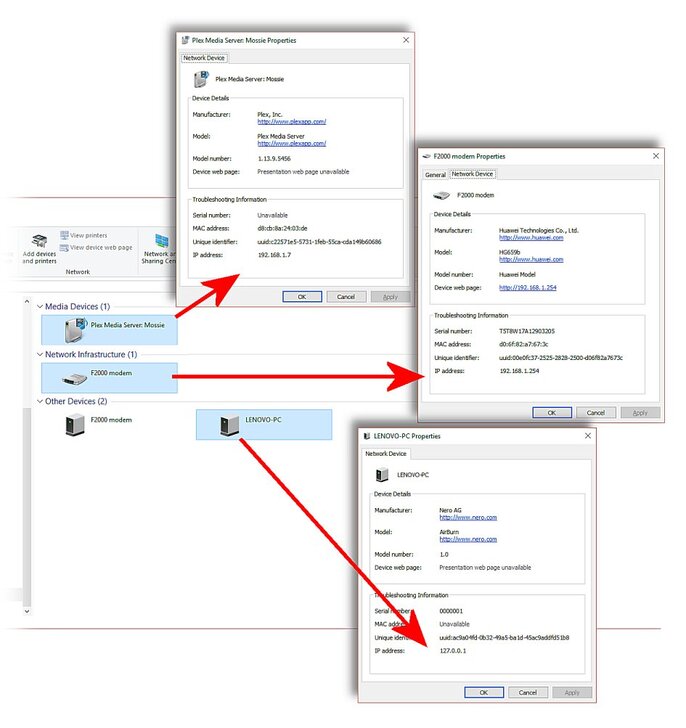
Is it a case that the IP address for my main PC (LENOVO PC) needs to start with 192.168.1.?.

If so is there an article that deals with this.

My main Apple TV connects with Plex Server and I can update the libraries from the system tray. I really miss the web client and I am super frustrated with myself for not being able to solve it. I just need a lightbulb moment.

Thanks

Tom

No, the address 127.0.0.1 is not an issue. 127.0.0.1 simply means “this here computer”. It always points to the local machine. So that is irrelevant to your issue.

I took another look at your account.
The account you are using here in the forums, has no plex server in it and also no apple tv device.
This case is now pretty clear: your server and your ATV are using the same, but different plex.tv account than what your web browser is using.

You need to switch your server out from the account it is using now, over to the plex account your web browser is using already.
This is the procedure to achieve it: https://support.plex.tv/articles/204281528-why-am-i-locked-out-of-server-settings-and-how-do-i-get-in/

Thanks for this specific pointer to a solution.

I will try and get some help with editing the registry (not something I have done before).

If I understand it, The Apple TV settings (which currently work) will then have to be modified to point to the ‘new’ server ?

Anyway just as a FIY, the two Microsoft links in that article no longer point to the relevant articles

MICROSOFT - Backup of Windows Registry
has a pointer to:
http://windows.microsoft.com/en-us/windows/back-up-registry

but jumps to a general Help page
https://support.microsoft.com/en-us/hub/4338813/windows-help?os=windows-10

and, MICROSOFT - How to modify Windows Registry
has a pointer to:
http://support.microsoft.com/kb/136393
but jumps to
https://support.microsoft.com/en-gb/help/256986/windows-registry-information-for-advanced-users

I have found the relevant help pages and will follow the instructions and report back as to how I get on.

Thanks again for the prompt and specific response.

Tom

Yes.

I am recommending you this way, because you already have a Plex Pass on the plex account you are using with your browser.

We could go the other way, of keeping the server as it is and change the web browser instead. But then you wouldn’t have the Plex Pass benefits. Because the Plex Pass is connected to the plex account.

Thank you for bringing this to my attention!
I will tip off the relevant people to have these links repaired.

OK I have backed up and edited the registry and restarted Plex.

This has worked in that the Web Client and the Roku client in the same room can pick up the server.

However, as anticipated, the Apple TV (in a different room) which is the main viewing device does not connect to the server.

I need one last bit of support to get this sorted

Thanks for everything so far

Tom

It is not an issue with server selection.
You need to get the plex client on the ATV out of the plex account it is currently using.
And subsequently into the right account.

Unfortunately, I myself don’t know the ATV client. I have never seen one, so I cannot tell you which buttons to press. Search for a ‘Settings’ dialog or something.
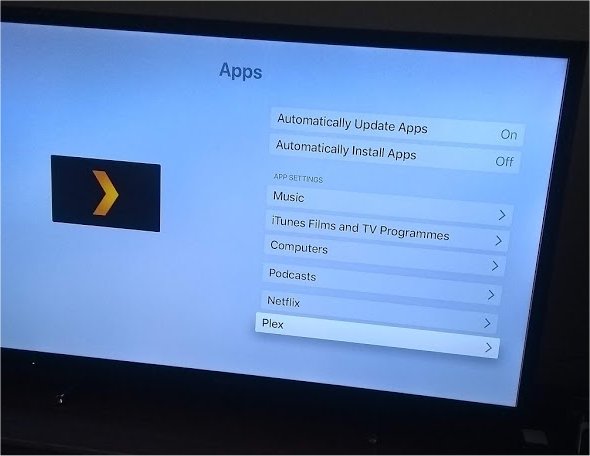
I have looked for settings on the ATV and found this option
Plex%20Apple%20TV%201

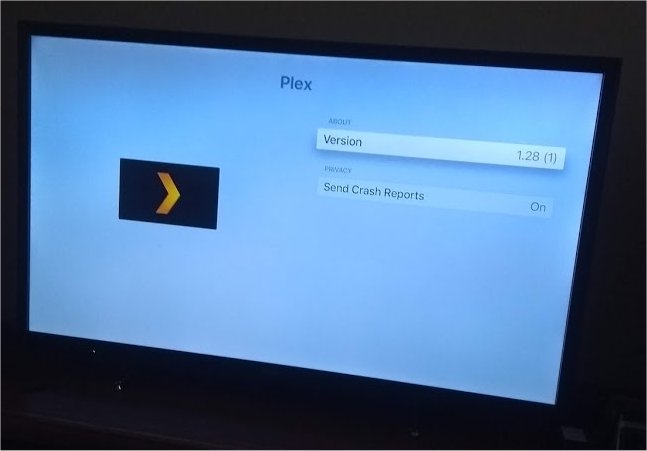
when I select PLEX from the list I get this
Plex%20Apple%20TV%202
but this does not give me any Edit options.

When I select PLEX from the ATV, I can’t get past this screen

Is there anything held on my PC that can be edited ?

Sorry about all the questions but I’m out of my comfort zone here !

By the way I can CAST from Plex Web Client to the ATV (that might serve as a work around)

Thanks for the help

Tom

OK that was a bit of a senior moment ! (I am allowed those !!)

SO that last screen actually had a PLEX settings option

So I selected that option and then turned OFF the Automatically Log In feature and then signed out.

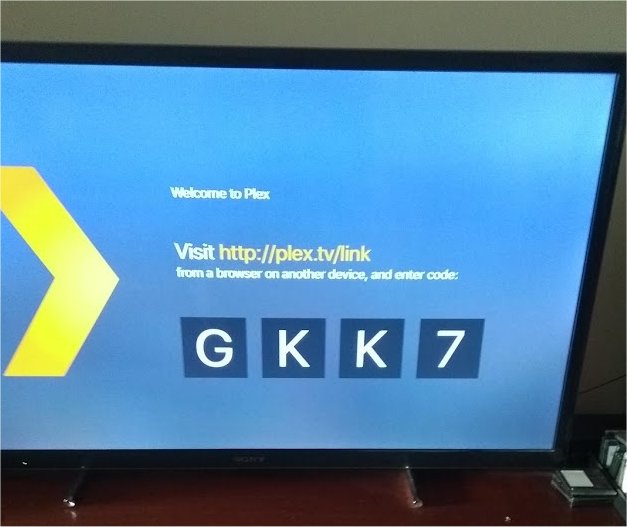
When I went to sign back in I got this screen


which asked me to go to my PC and pair up with ATV

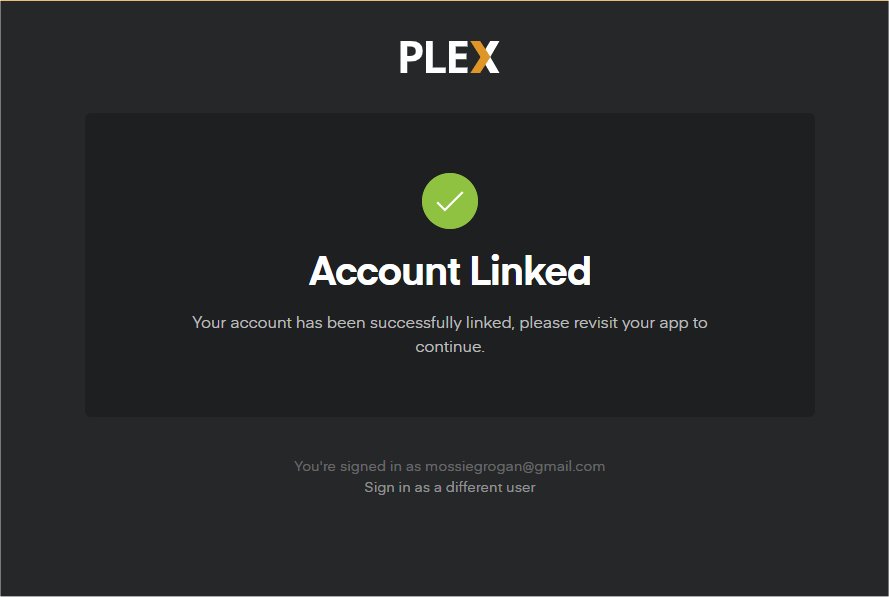
This I did, and got this message

So the ATV is now linked to the same Account as the Web Client and the Roku Client.

So thank you for all your help - this job is COMPLETE !

Tom

1 Like

This topic was automatically closed 90 days after the last reply. New replies are no longer allowed.