Plex web not showing my offline server

Server Version#: Version 1.18.8.2527
Player Version#: web Version 4.35.1

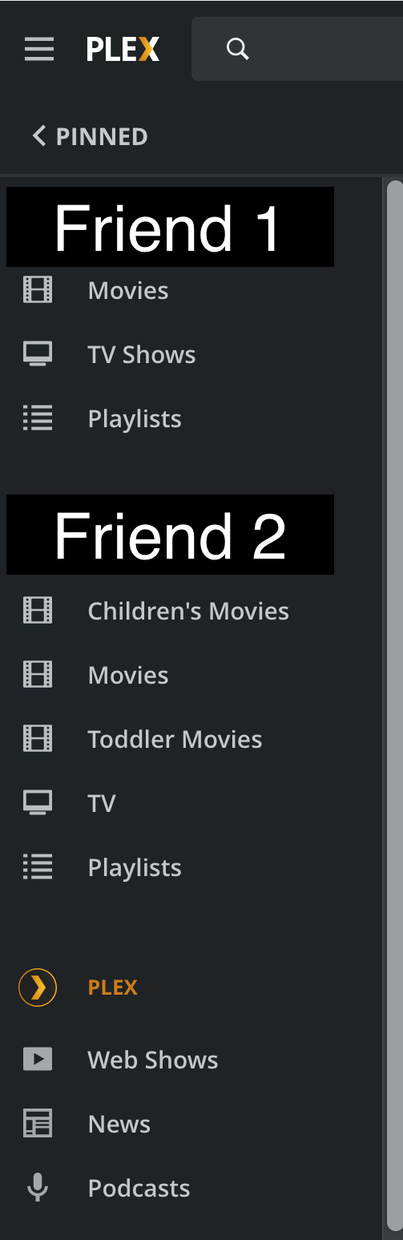
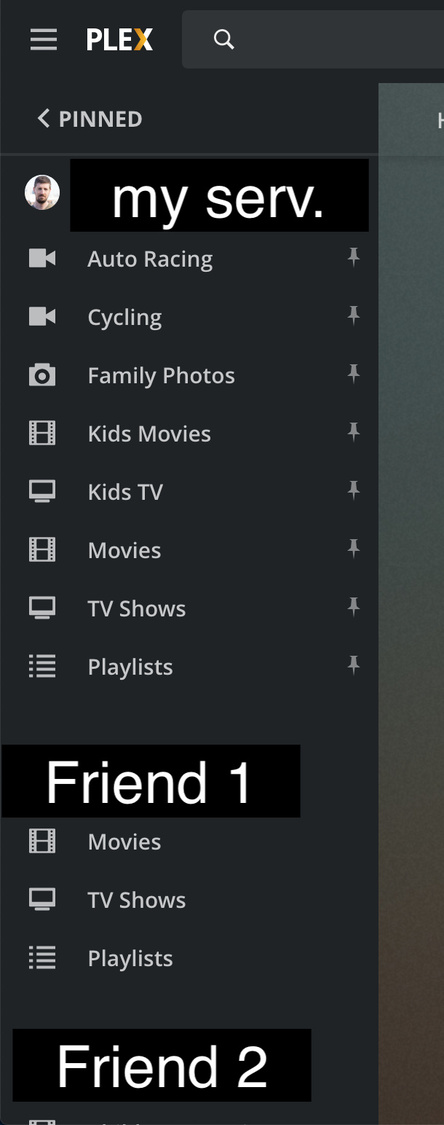
I noticed that w/ the UI changes to the web app (the redesigned left nav bar), if my sever is offline it doesn’t even show up on the list. I can reproduce this regularly by shutting down my server. I would at least expect it to be listed with some sort of “can’t connect” error like before.

OFFLINE:

ONLINE:

It will show unavailable servers for a while.

What do you gain from seeing unavailable servers in this list? (Honest question, there might be other things you can do instead)

How long is “for a while”?

I’m fine not seeing friends’ offline servers. But if my own server is offline I’d like to know that it’s actually offline. I initially thought something was wrong with Plex and that Plex had maybe forgotten my server all together.

In general I appreciate hiding useless information but in this case I think there is need to see your own server being offline.
I am told the time is 2 weeks.

Unavailable servers look like this under the MORE menu item:
grafik

and if you have pinned a library from such a server to your main side bar, it will look like this:
grafik

Ok I see the same thing if I momentarily turn off my server. Any chance to keep that up forever and not remove after 2 weeks?

No. This is done to keep network traffic, client device app load, and load on the cloud infrastructure down.

If you need an alert when one of your servers is down, think about using external tools. e.g. Tautulli

This topic was automatically closed 90 days after the last reply. New replies are no longer allowed.
