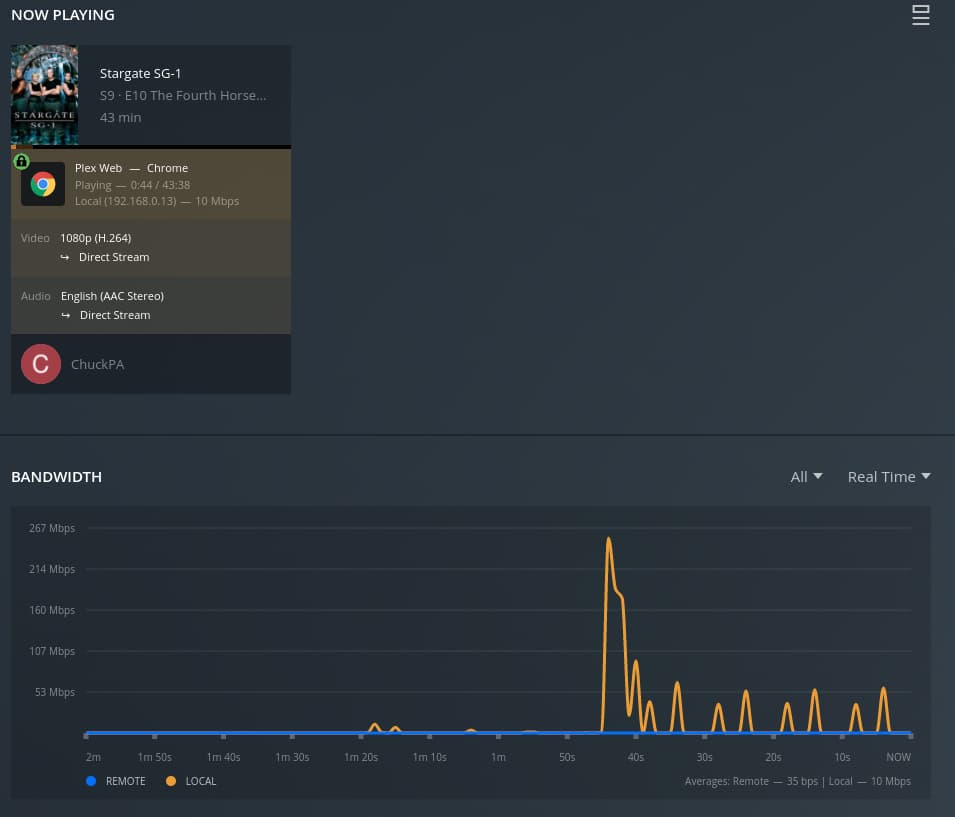
I have sent you a PM for you to attach your logs.
I hope you understand that if my PMs were open (which they once were), I would be inundated with PM requests for help (which is what happened).
I have sent you a PM for you to attach your logs.
I hope you understand that if my PMs were open (which they once were), I would be inundated with PM requests for help (which is what happened).

Despite being on the Plex Pass build it seems the buffering issue in the web player may be resolved. I can confirm that checking ‘Use alternate streaming protocol for video playback’ fixed it for me prior, it transcoded audio to MP3 but I don’t feel this is the correct solution. As it sits now ‘Use alternate streaming protocol for video playback’ is unchecked on this build and is playing through without buffering.
Edit: Whole episode played through. It would normally stop at 3-4 minutes, every 3 or 4 minutes through the whole episode with previous 1.25 builds.
This fix has already been discussed further down the thread, however it’s not ideal to have to walk through doing this each time you add a new user. (Certainly if they are not very computer literate)
I was just able to confirm the playback halts at exactly 1:45
I then remuxed the file and retested.
Again, it halted at 1:45.
Lastly, I played using the Shield. Playback was flawless (as it should be).
I have enough to submit this to the web team for fixing.
(personal statement: I’ve been sick with covid + secondary chest infection from Jan->mid Feb. This has been a rough winter)
It’s ok mate, I had Covid a couple of months ago and the fatigue stayed with me for a MONTH! Was horrible.
I’m just glad you were able to recreate the issue!
my fatigue is ongoing. The post-infection cough will be with me another 6-8 weeks (estimate)
New bug report submitted to Plex/web team.
Thanks to all for understanding and assisting me.
It’s all good, thanks for persisting!
heading back to

have a good weekend.
Nice! I can’t wait to have this fixed. I’ve been dealing with it since December.
@ChuckPa Thank you so much for getting this reproduced and a bug report filed. Having been stuck on 1.24.x for 3+ months I thought I was gonna have to stay on it forever…
Well that lasted 2 whole days. Buffering with no resume after a few minutes is back on the web player. I did notice today there is an update available for PMS. Here is my current information:
Plex Media Server Version: 1.25.8.5621, Plex Pass
Plex Web Version: 4.77.3 (not sure what it was 2 days ago)
Video pauses after a few minutes of playing. Dashboard says ‘buffering’ then this time around I noticed a second stream popup saying ‘paused’? I have not observed this behavior before. The video most certainly is not paused. Going to try updating to the latest PMS Plex Pass version sometime…when the wife isn’t watching something lol.
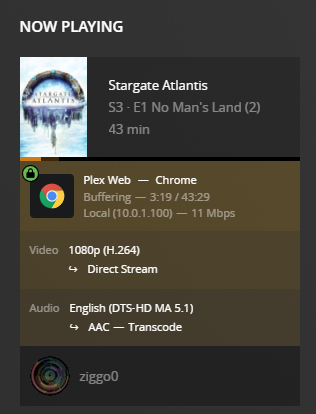

It will keep occurring like this roughly every 3.5-4 minutes in-between. For context the video file is roughly 3.9GB, 13Mbps, x264. Transcoding of the audio is occurring due to the web player. If I play this on my Pixel 6 Pro, Nvidia Shield Pro or Chromecast 3rd Gen it does not get stuck buffering after a few minutes.
Dragging you into this @ChuckPa <3
Grab me a fresh set of logs with these active please?
Really? Can’t direct stream ( convert audio )???
I have updated the server (Win10) today to 1.25.8.5663 and I can confirm that in this release the buffering issue of plex web player has NOT been solved yet.
How has this still not been fixed? I really hate being vulnerable but I hate not being able to use purchased software more 
Broken for me too. I’ve rolled back to 1.24. Absolutely unreal that this issue is still persisting after this long. Why did I buy Plex Pass if basic functionality doesn’t work?
i got directed here by Ascii-227.
the idea that this is caused by bandwidth doesnt fit - i have been having the exact same trouble with files that have a grand total bandwidth of 526kbps (star Trek Deep Space Nine) and it is EXTREMELY variable - sometimes lasting 20 minutes, sometimes lasting the entire episode, other it last for 30 seconds. seriously. .
i have had no issues with files that range in the 10-20mbps range.
as per everybody else’s reports, downgrading to 1.24 solves the issue.
Good morning @ChuckPa,
Can you check the bug report you submitted to see if any progress has been made on this issue? We would all like to upgrade to the latest version once this bug is fixed. However we are all stuck on version 1.24 for now.