Server Version#:1.21.3.4021
Player Version#:1.27.2.1599-7689068b
The issue occurs on the PMS machine client app as well as other client apps on other pc’s on my network. It works for awhile and then dashboard freezes. I have to kill the app and restart it. The web UI and other devices work fine. It worked fine for years up to about a week ago. After the issue started, I had a recent client update but it did not help. I am not seeing anything significant in logs but not sure if I’m looking in the right folder. The only recent updated logs on the pc are at: user\AppData\Local\Plex\Logs.
I’m having this ISSUE! 
this has happened since the DDOS new article. After the DDOS article I promptly made sure that UDP was not port forwarded on my router. since then my plex for windows hangs after I try to get into a show almost like it times out. now when i attempt to get into said show I get the spinning wheel of concern.
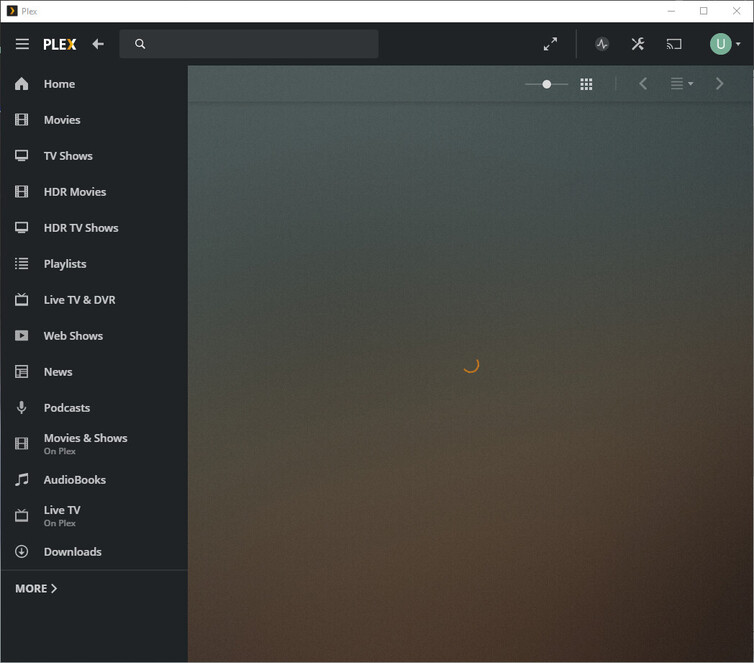
here is some logs I pulled from debug
“status”: 0,
“headers”: {
“Accept-Language”: “en”,
“Accept”: “application/json”
},
“statusText”: “error”,
“time”: “2021-02-12T17:17:17.708Z”
},
{
“type”: “log:message”,
“level”: 1,
“message”: “[Connections] [Loopback] is unavailable at http://127.0.0.1:32400/media/providers (Status 0)”,
“time”: “2021-02-12T17:17:17.708Z”
},
{
“type”: “log:message”,
“level”: 1,
“message”: “[Connections] [Loopback] is unavailable at http://127.0.0.1:32400/media/providers (Status 0)”,
“time”: “2021-02-12T17:17:17.709Z”
},
{
“type”: “log:message”,
“level”: 1,
“message”: “[Connections] All connections to [Loopback] failed”,
“time”: “2021-02-12T17:17:17.712Z”
Also having this issue.
Same.
Server 1.21.4.4054
Player 1.28.0.1681-cc6e807c on Windows 10 Version 1909
Same issue just updated to Player 1.28.0.1681-cc6e807c and Server 1.21.3.4046
Having same issue here, Plex for Windows 1.28.0.1681-cc6e807c Server 1.21.3.4046.
I notice this happens when you are using the app and then you add more media to your library. Any time the server adds more content I have to restart my player for it to load content again.
This exactly describes the issue I am having
Same problem here for the last couple versions.
Also having this problem with the past couple versions. It will hang while just browsing the library and have to be restarted. I have to restart every two operations in the Plex for Windows player or so. Web player works fine.
I first noticed this in the version before the DDoS change, though.
Agreed. I am also having the same issue. Current Same version and windows 10 edition. I will agree that it started before the DDoS change. It does appear to be affecting the general connection to the server. If you leave it open, and then navigate to the settings you can’t get the now playing information either. Like all connection to the server is gone, and it stops looking for it.
I’m hoping they come up with a fix as I have been using an older version that still works great 1.26.0.1531-92029e9e. Just keep getting the upgrade prompt every time I restart it.
Same issue
I think I’m seeing this problem with a different symptom. I can issue a command from my Win10 client, like scan a library, and the client won’t update until I close and reload the app.
This happens as soon as I start the scan, no matter how long the app has been open.
Same issue here.
PMS - 1.21.4.4079
Plex for Windows - 1.28
Windows 10 x64 20H2
Looks like this was fixed in the latest version of the client (1.29.0.1885).
1 Like
This topic was automatically closed 90 days after the last reply. New replies are no longer allowed.
