Server Version#: 1.16.2.1297
Hello,
I’m trying to play local movies from my Plex server (MP4) with sidecar subtitles. However, Plex isn’t loading the subtitles (neither in the web player, nor on the TV player). Any idea what I may be able to do to get the subtitles to load?
I’ve followed this support article: https://support.plex.tv/articles/200471133-adding-local-subtitles-to-your-media
Here’s a screenshot of what my folder structure looks like:

Here’s what the subtitles attribute says for that movie:

Please help! Thank you!
Enable the display of file name extensions in Windows file explorer.
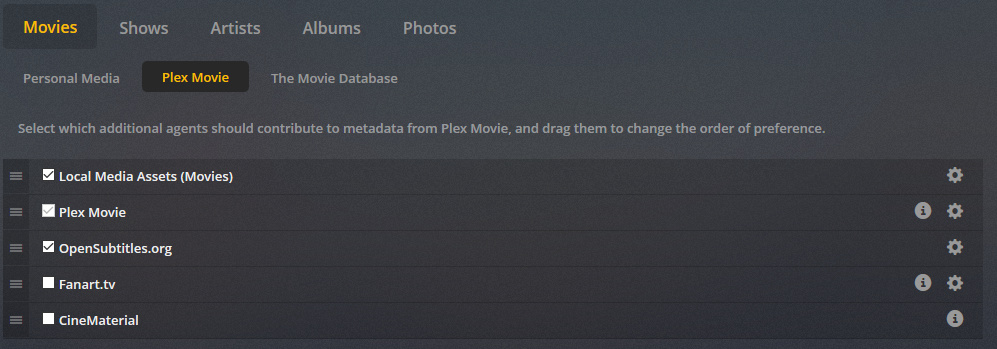
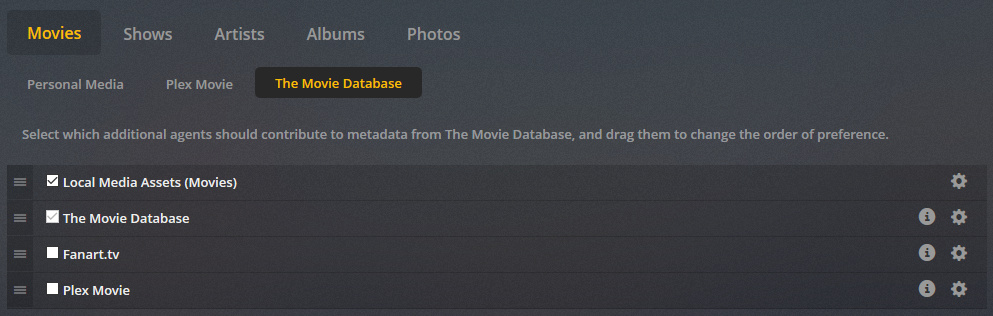
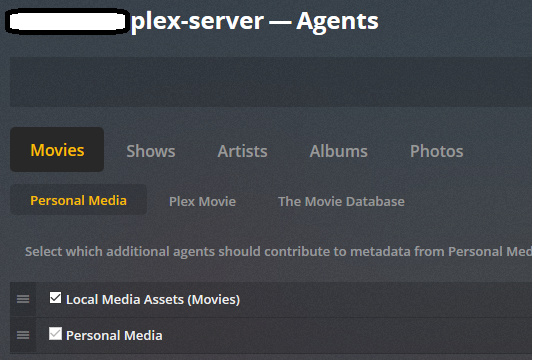
Verify that “local media assets” are not disabled in any metadata agent.
Refresh Metadata of the movie.
Is the movie “matched” at all?
Thank you for the quick reply, @OttoKerner !
I enabled name extensions. Here’s an updated screenshot:

Local Media Assets are enabled for all metadata agents. Screenshot of one of them:
Can you please elaborate on what it means for the movie to be “matched”?
Thank you!
Please click on Plex Movie and TheMovieDB as well.
The process to connect your file with an entry in one of the online metadata sources, so you can get poster, description, rating, etc. for your movie.
Since the above can also come from embedded metadata in your video file, you can only tell for sure whether an item is matched or not by looking at its Plex media info XML: https://support.plex.tv/articles/201998867-investigate-media-information-and-formats/
Please copy the content of the property guid="... in here.
Hello - Here is a screenshot of the Plex Movie and TheMovieDB as well:
The guid= value is guid="local://6504"
Here’s a screenshot of a part of the XML:
Thanks again for your help!
And we have found the culprit. local means “unmatched”.
This movie is unmatched. Since it hasn’t been assigned to any metadata agent at all, the Local Media Assets agent cannot do its work.
Perform the Match process. https://support.plex.tv/articles/201018497-fix-match-match/
Ah ha! That makes sense.
However, I tried to go in and fix the match based on the article you shared and this is what I see. Is this what I should be seeing?
I’m seeing only the blank entry with all my movies. And when I select that blank entry, I get the following error:

I’m really lost on how to fix it. Please help! 
I tried to do a match on another movie that is facing the same issue and this one doesn’t even have the match option:

Click on “Search Options” and verify that both the agent is not set to ‘Personal Media’
and the language selector is not blank.
It might not be a movie but a TV show episode or season. You can only match TV shows as a whole, at the top level of their hierarchy.
Thank you again @OttoKerner for all your help so far! Really appreciate it!
I did some digging in the logs and it looks like my issue was this one: Agents not working
I followed the solution there and added my private IP address to the List of IP addresses and networks that are allowed without auth.
The agents started working and my subtitles show up as well! However, when the agent started pulling all the metadata, it started pulling info in dansk as opposed to english. Any idea how I can get Plex to clear and pull all the metadata again, this time in the correct language?
Edit the library in question and verify the language selection in there.
Unfortunately this will not reset all the items to English which were already matched to Danish. You’ll either have to perform ‘Fix Match’ individually for each item
or scrap the library and recreate it.
Ah, I was afraid of that. Thanks again for your help, though! I guess I’ll have to go through and correct each item. Either ways, it looks like my problem is solved. I’ve marked your response as the solution! You were super helpful!