I’m starting a new topic, because this may either be a bug or an intended behavior that I don’t understand.
My headless server is running fine when I run as the user that my Plex Pass account uses. Said differently, user == account.
If I switch users to one of my managed users so my daughter can run her playlists, I will get the “Couldn’t start playback”. If I switch back so that the account and the user are the same, then everything works.
(account = “parent”) and (user = “parent”) = success
(account = “parent”) and (user = “daughter”) = “Couldn’t start playback”
In Plexamp using a browser, I don’t know where the interface is supposed to reflect the user. The settings only mention the account and keep the avatar of the account, even if you switch users.
I don’t believe this is an account problem. On my daughter’s phone, where she runs the Plexamp iOS app, she uses her user account and makes her own playlists without any problems.
I hope I understand the issue. I wonder if your daughter is part of your Plex Home server or not. I offer this to think on and maybe try.
Does your daughter have her own Plex account that was created independently from the managed user account you created? Said a different way, did your daughter use her own email address and create her own username to have her own plex account? If so it might be as simple as sharing your server with your daughter/your daughters account. If your daughter has her own account then you would need to go to Manage Library Access and add her there.
If your daughters only account is the one you created as a managed user than you will need to log in to the app as you the first time and provide the credentials, and then switch to your daughters user account, and set the app to autologin. But your daughter will only have access to the things you gave access for. You may have to share the playlist or library. For example if a playlist was created under your user account, you would have to share that playlist with the daughters user account for it so show up under her user name. I hope that makes sense.
To switch users on the web browser. I assume you are talking about regular Plex server here. I am not aware of Plexamp opening up to a broswer. But if you are talking about Plex server than top right of window click on your icon and swtich user is near the bottom.
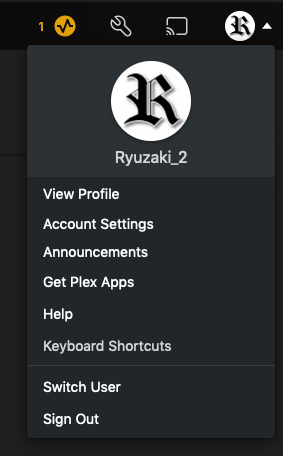
Thank you for replying. She’s a managed user. When she uses Plex Amp via the iOS app on her iPad, she has no challenges. When I work from the streamer, I have login as the master account. I then switch to her account (home user only), and this is when the problem happens. On the streamer, with headless Plex Amp, I start a browser automatically pointing at local host. This works perfectly well for my account, but not her home / managed account.
