I definitely appreciate the feature request from @chucksense (Shuffle by Allbum) but I’d also like a general “shuffle this library” to just start playing shuffled tracks from the whole library. This is easily done with all of the other Plex clients and when I don’t want to listen to a specific artist, this is my usually go to I keep my classical and holiday libraries separate so shuffling all the rest of my music usually works out pretty well… Thanks!
update: This feature exists with newer PMS servers as “Library Radio”
@chucksense said:
Is that not the “Library Radio” option? Or does that shuffle across libraries?
Ahh. So I have a dedicated PMS instance for my music, and it was running PMS 1.9.7… when I updated to 1.11.0 the “Library Radio” showed up Thanks, I knew I was missing something…
And per the Medium article, that’s a smarter version of library shuffle; if you want the original, dumb, actually-random shuffle, you can just make a smart Playlist called “All Music” and play/shuffle that
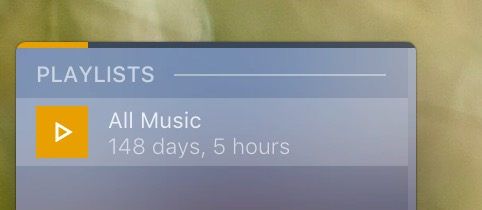
Just using Plexamp for the first time today. I’m really liking it. The only thing I can’t figure out is how to shuffle a playlist. I made an “All Music” playlist, and I don’t want to use the radio thing because I like a true shuffle, not based on other people’s music taste. I can’t seem to find a shuffle playlist option somewhere… Any help there? Thanks in advance!
Awesome! This is great, thank you! …now…to figure out how to get my playlist to automatically update when I add new music to my library, which is incredibly frequent… hmmm.
Hello! Wanted to revive my old post from a while ago (I had to stop using Plexamp for about a year due to strange office policies that no longer exist.) So, quick question: I created a playlist today with all my music. I see the gear at the top indicating that it’s a smart playlist, but I don’t see how to adjust the parameters (or even what they are).
When I made the playlist, I was in my music library in album view, sorted by “date added.” Then I just clicked “add to playlist” and the playlist was created. I was never prompted to set any parameters of the supposedly smart playlist.
Did a quick websearch but am not finding an exact answer. Any idea here? Also, link to official Plex help on the subject would be helpful too. Thank you in advance once again!
Thanks for the reply! I didn’t realize I couldn’t change smart playlist parameters after the list was created. I’ve been in iTunes too long! I’ve now made a smart playlist that does exactly what I need! Thanks again!
@elan, thought I might tag you here to see this… I think I found a bug in the filter tonight concerned Track Last Skipped. I made a post here about it:
 I keep my classical and holiday libraries separate so shuffling all the rest of my music usually works out pretty well… Thanks!
 Thanks, I knew I was missing something…