I love Plex…and particularly PlexAmp…but there is one really very annoying “bug” that may or may not be intended.
Scenario. We’re at a friend’s house…starting an evening out. I’m the DJ…and PlexAmp is my DJ tool. I take requests. The very first request is where the issue crops up.
Say the first request is Why by Annie Lennox.
I’ll tap the and type Why Annie. The results show up. In this case…there is only one result, so I tap the three dots…and tap play.
What happens now is…it adds everything from the album that this track was from, to the playlist.
So now I go to the second person…they ask for Living Doll by Cliff Richard…I search…and this time choose to add to queue.
This adds it to the end of the album that was wrongly added to the playlist.
So…my request is…either stop this from happening…or tell me how I can simply play one song..and not have the entire album added to the playlist.
I can confirm that when selecting a single track to be played, that the resulted action taken by PlexAmp is for it to play Why but also add the remaining tracks of the album after.
This behavior can be replicated on Android and iOS for me.
So yes, you are correct. Is it intended behavior? I don’t think it is either. When choosing a track, intuitively it should only playback that singular track, adding nothing else to the queue.
Thanks for confirming. I can also confirm that it does this regardless of platform. My Windows 10 app does the very same. It is rather annoying…and I don’t think that is intentional.
What happens is…exactly what I would expect Play to do…
It Plays the song…and only the song.
I do think that the behaviour I’m unhappy about isn’t intentional…but…you have definitely given me the solution.
Just tapping the button Play Next has the desired effect.
When there is absolutely nothing in the queue and it’s cleared, selecting Why under the heading of singular tracks, I get direct instant playback.
However, when a track is already playing, such as Why, then if I were to add another track, let’s say Why again, the sub menu pops up and if I select play next, Why AND the remaining album tracks get automatically added.
Selecting Play Next for a singular track should not be adding the entire album though, just that singular song.
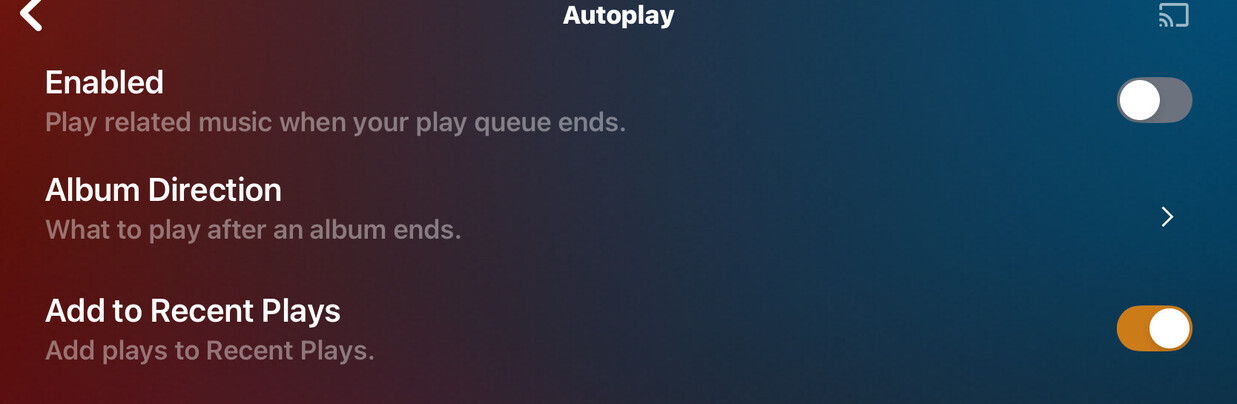
And It hit me to check these settings… so I don’t know. I’ll just ignore it for now because I use playlists in shuffle mode so this barely affects me personally. I’d thought I give a try to see if the behavior is universal. But if it’s supposed to do that, then meh. Carry on.
It is the complete opposite for me.
If the playlist is empty, choosing Play in a single track adds the album to the playlist. Whereas, choosing Play Next, only adds the single.
Both options actually play the single…
Could we have the option to configure the behavior for a tapping a song with an empty queue? I understand why it adds the rest of the album to the queue, but I’d rather add just the one track.
Here’s where it gets annoying: when I use Siri with an existing queue, I can say “Play <track> next” to add it to the queue. But this command doesn’t work for an empty queue. It always defaults to adding the remainder of the album.
The same goes for selecting a track in the CarPlay interface, but the situation is actually worse: since there’s no long press, selecting a track always replaces the entire queue with the album. I’d like to configure this one-tap to be either the current behavior, play next, or add to end of queue.
 and type Why Annie. The results show up. In this case…there is only one result, so I tap the three dots…and tap play.