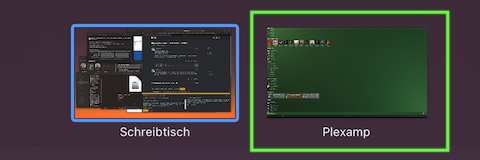
Server Version#: 1.22.3.4392
Player Version#: Plexamp 3.4.4
OS: OSX High Sierra 10.13.6
I’m stuck with Plexamp always opening full screen. Uninstalling doesn’t fix it, trying to drag down from the top doesn’t fix it, nothing fixes it. What do I do?
I sort of fixed this myself, though I’m not certain how. I went through the Libraries folder and deleted everything with Plex in its name. One of those things reset the login status & the window position.
I suppose you dragged the app to its own space (e.g. via macOS’ Mission Control). If you do that for a single app, the Mac will usually show the app in fullscreen – even apps like Plexamp that aren’t necessarily optimized for that mode.
If so you can easily bring it back to your regular desktop / space:
Open Mission Control (e.g. from your dock or using some hotkey)