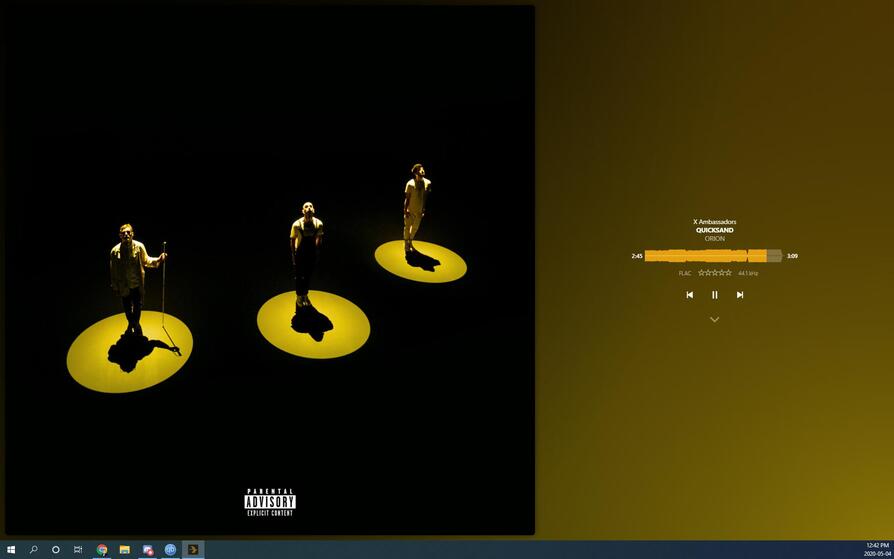
When I first started using the Plexamp application on Windows 10 I accidentally dragged it to the top of my monitor and Windows made it fullscreen. Now everytime I open the application it opens in fullscreen.
On that note as well, it is annoying to get out of fullscreen. I will include an image at the bottom of the post showing what it looks like, but there are no buttons like a normal application has for maximize, minimize, and closing the application. I also seem unable to try and drag the window from the top when it is in fullscreen to try and get it out of being maximized.
The only way I seem to get out of this weird mode is to use the Windows Key + Left Arrow. This allows me to swap it to taking up half the screen. Once it is no longer in the maximum mode I am able to grab the top or sides and resize it.
Looking closely at the application it looks like there is a small little top bar there that you can grab but that is gone when it is maximized. So there are kind of two problems here:
- Application loses top bar when in fullscreen
- Application keeps re-opening in fullscreen despite exiting the application in a small window.
Grab the window with your mouse pointer on the (invisible) top bar and drag it downwards a bit, away from the upper screen border.
This is supposed to take it out of the “maximized” state.
(This is a Windows feature, so it will work with almost every app.)
The opposite action is, what brought it into this state, btw. You can try it with any app, just drag the top bar upwards to the top screen border. Stay in the middle of the screen, as the behaviour changes if you get too close to the corners.
No that is the problem, that bar is not there. I cannot drag it from the top until I get it out of maximized, then I am able to drag it around.
It works here. Set your mouse about 5–10 pixels below the top border, click and drag downwards.
Unless you have some weird workspace dimensions which somehow allowed you to move the title bar above of the top screen border.
Try pressing Alt+Space with plexamp focused.
This should give you the default window properties dialog, which has ‘Restore’ in it.
Okay it does work if I grab it a bit from the top. That is a bit annoying as I don’t have other windows that require such procedures.
My other issue is still with how it continues to keep opening back in fullscreen.
After you have pulled it down, resize it so that the whole window of plexamp is visible. (Smaller than full screen)
Then close the app (e.g. Alt+F4)
How big is the window when you restart it?
It goes to that large size I set it to but not fullscreen. I also just had an autoupdate in between testing that, and I typically have this problem after I restart my PC, I never had tried closing and reopening it. Normally I would shut down my PC and then open it again when I turned my PC back on.
I’m having this exact same problem, and I can’t pull down from the upper corner. The only way I can exit the app is by closing it entirely in the taskbar. Not the optimal solution.
If this is on Windows as well, try Alt+Space
It will give you a means to move the window.