Server Version#: plexmediaserver-1.19.1.2645-ccb6eb67e.x86_64
Player Version#: PlexAMP 3.0.0 linux
The new PlexAmp player works on my android devices but from my linux desktop I get the No Music Servers error message.
Server Version#: plexmediaserver-1.19.1.2645-ccb6eb67e.x86_64
Player Version#: PlexAMP 3.0.0 linux
The new PlexAmp player works on my android devices but from my linux desktop I get the No Music Servers error message.
what Linux is that?
Fedora 31. After my original post, I killed the Plexamp process and restarted it. The app immediately found the server and displayed the user interface for a bit. I clicked on one of the music selections and the user interface for the app went blank. When I kill the process and restart, all I see is the rectangle outline of the client which is otherwise blank.
thanks
I’m having the same problem on Fedora 31.
Apr 16 15:52:30 mylaptop.corp.net systemd-coredump[31054]: Process 30996 (plexamp) of user 1330407456 dumped core.

                                                                Stack trace of thread 31052:
                                                                #0  0x00007f24d663093b n/a (/tmp/.mount_PlexamCw9y0J/resources/treble/treble.node)
Here’s the last line from Plexamp.log which may be a hint
Apr 16, 2020 15:57:45.004 [Javascript] WARNING - Animated: `useNativeDriver` is not supported because the native animated module is missing. Falling back to JS-based animation. To resolve this, add `RCTAnimation` module to this app, or remove `useNativeDriver`. More info: https://github.com/facebook/react-native/issues/11094#issuecomment-263240420
Hmm
#0 0x00007f24d663093b n/a (/tmp/.mount_PlexamCw9y0J/resources/treble/treble.node)
That implies the player library is crashing (which blanks the UI).
Any chance you can pass along the Plexamp.log file?
Greetings
I would be glad too. Where is the log file stored?
thanks
Settings>Advanced>Debugging>Share Logs and upload the .zip file here.
Good morning
Attached is the log file. After I booted up the fedora system this morning I was able to easily find the log file location (~/.cache/Plexamp/log)plexamp.zip (3.2 KB)
And, I should also note, I still get the blank screen when starting Plexamp. But I also know now where run time configuration and cache files are stored which can be easily deleted.
thanks for your help!
Brad
Hmm, there’s no real data in there 
Know how to attach a debugger to a running process? If so, target the electron renderer process which has all the BASS shared libraries open and let’s see a backtrace for that.
I extracted the squashfs and managed to run it under gdb:
% gdb ./resources/treble/treble.node
GNU gdb (GDB) Fedora 8.3.50.20190824-30.fc31
<snip>
Reading symbols from ./resources/treble/treble.node...
(No debugging symbols found in ./resources/treble/treble.node)
(gdb) r
Starting program: /tmp/squashfs-root/resources/treble/treble.node

Program received signal SIGSEGV, Segmentation fault.
0x00000000000bc696 in ?? ()
(gdb) bt
#0  0x00000000000bc696 in ?? ()
#1  0x00007ffff7a69011 in fmt::internal::WidthHandler::report_unhandled_arg() [clone .isra.28] ()
(gdb) info frame 0
Stack frame at 0x7fffffffe058:
 rip = 0xbc696; saved rip = 0x7ffff7a69011
 called by frame at 0x7fffffffe078
 Arglist at 0x7fffffffe048, args:
 Locals at 0x7fffffffe048, Previous frame's sp is 0x7fffffffe058
 Saved registers:
  rip at 0x7fffffffe050
(gdb) info frame 1
Stack frame at 0x7fffffffe078:
 rip = 0x7ffff7a69011 in fmt::internal::WidthHandler::report_unhandled_arg() [clone .isra.28]; saved rip = 0x1
 caller of frame at 0x7fffffffe058
 Arglist at 0x7fffffffe058, args:
 Locals at 0x7fffffffe058, Previous frame's sp is 0x7fffffffe078
 Saved registers:
  rbx at 0x7fffffffe058, rbp at 0x7fffffffe068, r12 at 0x7fffffffe060, rip at 0x7fffffffe070
(gdb) k
Kill the program being debugged? (y or n) y
[Inferior 1 (process 749047) killed]
(gdb) q
Just looking at the function name, it looks like there’s a log statement with an extra argument, somewhere.
You’re a god amongst men.
Don’t suppose you know how to peek into registers to see what the format string is? There are … a lot of them 
(Otherwise DM me for a debug build)
Sadly I am just a mere mortal :). If there is an online write up how to debug a process, i would be glad to work through the process.
brad
As an update. I started Plexamp-3.0.0.AppImage just now and the 3.0.1 image was downloaded. I cleared the .cache and .config Plexamp directories. Plexamp-3.0.1.AppImage started, requested credentials, and, unlike 3.0.0, opened the main user interface. The 3.0.0 version would stall with a No Music Server message but would display the main UI if killed and restarted.
I still however, get a blank window when trying to play any music. As a reminder, this is a Fedora 31 system: Linux pico 5.6.6-200.fc31.x86_64 #1 SMP Tue Apr 21 15:34:22 UTC 2020.
Plexamp continues to work well on my android and ChromeOS devices.
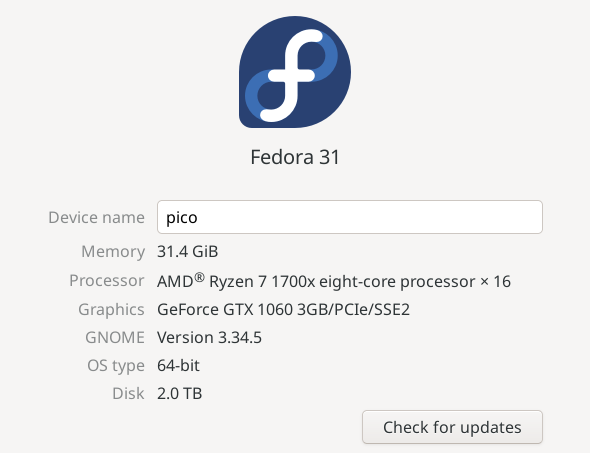
thank you
Found on another thread (Plexamp Linux crash on launch). Thanks to @kvern
LD_PRELOAD=/usr/lib64/libcrypto.so.1.0.2o ./Plexamp-3.0.1.AppImage
This works.
thanks
